
Hit Paw

Discover HitPaw, the all-in-one tool for video editing, watermark removal, and media conversion. Ideal for YouTube videos, reels, and online courses.
If you are a content creator and have to edit your videos, then by doing things like removing watermarks, editing media, or converting file formats, your time will be wasted.
HitPaw is a single tool that combines video editing, watermark removal, and media conversion into a simple interface. Rather than using multiple apps or complex software, you can do it all in one place. The result is that if you are creating YouTube videos, social media content, or short clips, your workflow becomes much faster and less stressful.
In this guide, we’ll explore what HitPaw offers, where it shines, where it struggles, and whether it deserves a permanent place in your content creation toolkit.
Features Of Hit Paw
HitPaw offers different apps like Video Editor, Watermark Remover, Screen Recorder, and AI Voice Changer. Most of them include AI assistance to make editing faster, such as auto-enhance, noise removal, or AI effects.
Drag-and-Drop Timeline Editing
Instead of dealing with complicated layers like in Premiere Pro, HitPaw keeps everything clean. You can cut, trim, merge, and split with simple drag actions.
Watermark & Object Removal
Just brush over any unwanted logo or object, and HitPaw intelligently fills the background to remove it. Useful when repurposing stock footage or reusing clips.
Subtitle Generator (In Selected Tools)
It can auto-generate subtitles from voice and display them directly on the video timeline. You can also customize font, animations, and placement.
Screen & Webcam Recording
Great for tutorials, presentations, or gameplay. You can record screen + facecam simultaneously and edit within the same interface.
AI Voice & Audio Enhancements
For podcasts or commentary, HitPaw tools can clean background noise, normalize audio, or even swap your voice with different AI tones.
Use Cases Of Hit Paw
YouTube Creators
Make quick cuts, subtitles, and watermark removal.
Tutorial Makers
Do screen recording + voice editing.
Small Businesses
Create product demos or promo videos without hiring editors.
Gamers
Can record gameplay highlights.
Podcasters & Voiceover Creators
Do basic cleanup without DAWs like Audition.
How To Use Hit Paw
- Go to hitpaw.com and create an account. Download the extension.

- After you have downloaded the extension, open it and use any free tool like the background remover. You can check out the pricing plans section to decide whether you want to buy a plan or not.

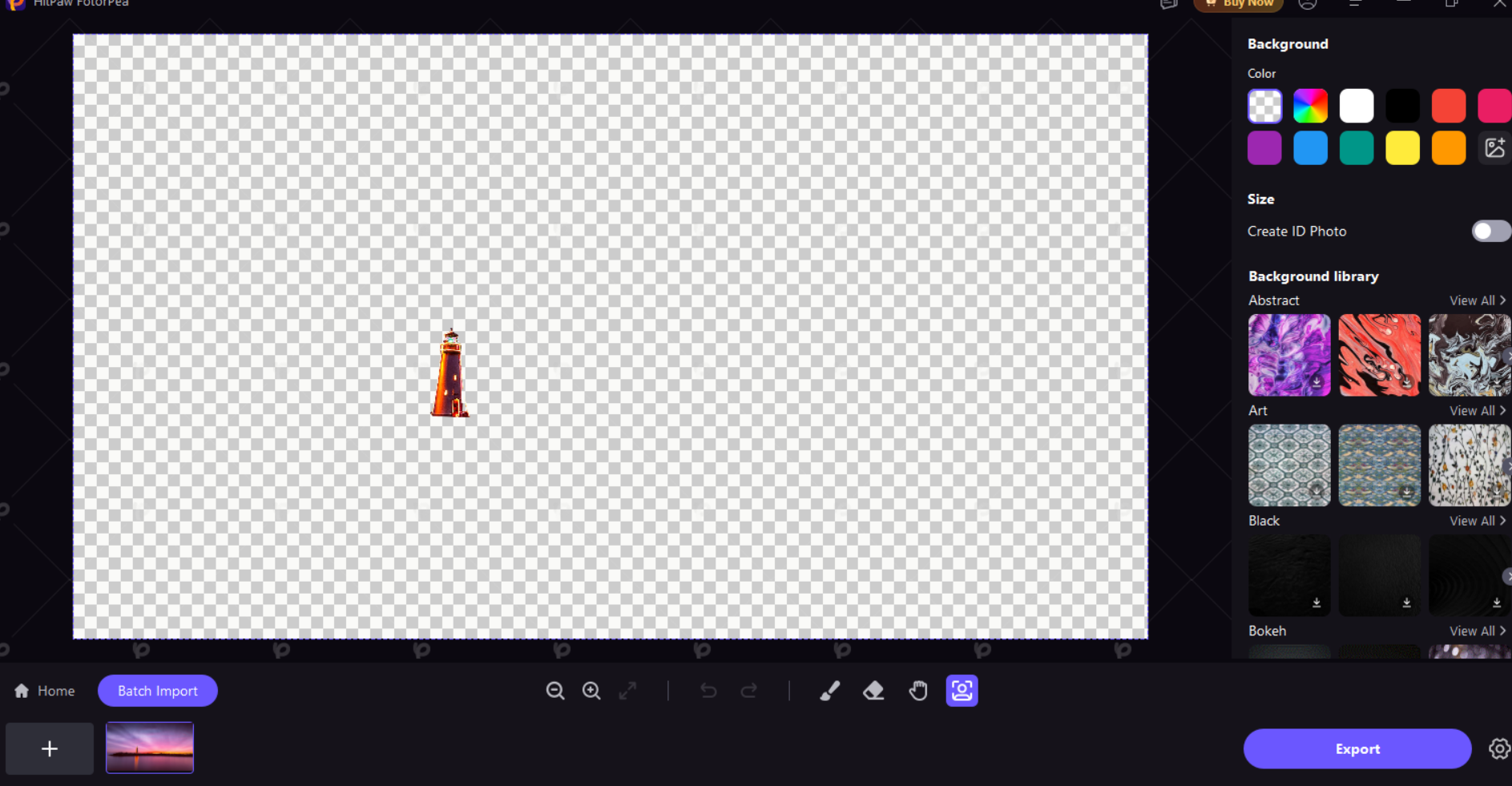
- After using an image of a scene, Hit Paw has removed the background and has only kept the lighthouse.
What We Like About Hit Paw
Beginner-Friendly Interface
Everything is laid out clearly, so even first-time users won’t feel lost.
Multiple Tools in One Ecosystem
Editing, watermark removal, and audio tools all follow the same simple layout.
Fast Export Speed
Projects render quickly, even when they’re long.
Budget-Friendly
Much cheaper than pro editors while still covering most essentials.
AI Automation
Tasks like noise cleanup or silence removal can be done in one click.
What We Don't Like Hit Paw
Not Built for Advanced Editing
No masking, motion tracking, or cinematic effects.
Separate Purchases
Each tool needs to be bought individually instead of one full suite.
Need Strong Hardware
Older computers may lag during processing.
Free Version Adds Watermarks
You’ll eventually need to upgrade for clean exports.
Hit Paw Pricing Plans (For Individual Users)

1-Month License – ₹2,323
- Full access for 30 days
- Ideal for one-time projects
- Auto-renews unless canceled
1-Year License – ₹5,376
- Best value for regular users
- Includes updates & support
- Perfect for creators, freelancers, and students
Perpetual License – ₹18,839
- One-time purchase, lifetime access
- Basic updates included
- Recommended for professionals & agencies
Hit Paw Pricing Plans (For Teams & Businesses)

5-PC License – $459.95/year
- Designed for small production teams, studios, or marketing agencies.
- Features can be activated on up to 5 different computers with commercial usage rights.
More Than 5 Users – Custom Enterprise Plan
- Tailored pricing depending on company size and licensing needs.
- Usually comes with priority customer support and centralized license management.
FAQs About Hit Paw
Is HitPaw safe to install?
Yes, it’s a trusted brand without bundled malware.
Does it work on Mac and Windows?
Yes, most tools support both.
Can beginners use it easily?
Yes, even non-editors can figure it out.
Does the free version have watermarks?
Yes, but you can still test all features before upgrading.
Conclusion
HitPaw is not aimed at professional filmmakers who do intensive work with their films. It is designed for regular creators who are looking for quick, easy, and cheap solutions. In a case where you want to clean your footage, add subtitles, remove watermarks, or make a quick recording edit, this tool will be the one to help you with the least amount of hassle.
If you are a user of simple tools and a sufferer of complex software, HitPaw will be the right choice to integrate it into your work process.


