Pixnova AI
AI image editor with face swap, portraits, and enhancement
What is Pixnova AI
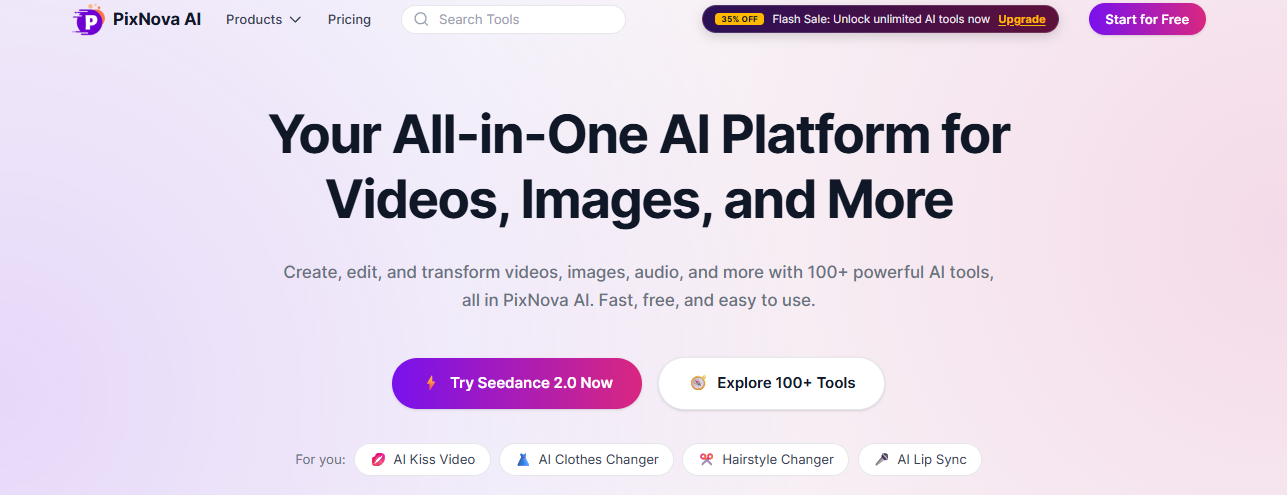
Pixnova AI is an AI image editing platform that helps you create, improve, and modify images from a web browser. It includes tools for generating AI images from text, removing backgrounds, replacing objects, enhancing photo quality, swapping faces, and creating AI portraits. You do not need advanced editing skills to use most of its features.
Pixnova is more focused on quick edits and not professional design work. The results depend on the quality of the image and the prompt. Images that are of better quality produce better results.
Features Of Pixnova AI That Stand Out
AI Image Generator
Describe an image with text, and Pixnova AI creates artwork based on your prompt. Different art styles are available, including realistic, anime, digital art, and illustrations. Better prompts usually produce better results.
Background Remover
The background removal tool separates the main subject from the image automatically. It is useful for product photos and profile pictures.
AI Face Swap
Pixnova AI lets you swap faces in photos. It is commonly used for entertainment, creative projects, and content creation.
AI Image Enhancer
Low-resolution images can be sharpened and enlarged with AI enhancement. This feature can improve older photos or compressed images, although heavily damaged images may still show imperfections.
Object Removal
You can erase unwanted people, objects, text, or distractions from a photo. The tool fills the empty area automatically. Simple backgrounds usually produce cleaner results.
AI Portrait Generator
The platform creates professional-looking portraits from uploaded photos. You can choose different clothing styles, backgrounds, and artistic themes.
Text to Image
Generate an entirely new image from a prompt. This is useful for blog graphics, concept art, and marketing visuals.
Image Upscaling
Pixnova AI increases image resolution while attempting to preserve details. This helps when preparing images for larger displays or printing.
Simple Browser Interface
Pixnova AI runs online, so you do not need to install software. Most tools are available from one dashboard, making navigation straightforward.
Who Should Use Pixnova AI
Content Creators
Create thumbnails, blog images, social media posts, and promotional graphics without spending hours editing.
Digital Marketers
Generate advertising visuals, improve product images, and prepare graphics for campaigns across different platforms.
Small Businesses
Remove backgrounds, clean product photos, and create promotional materials for websites and online stores.
Graphic Designers
Use AI to create rough concepts before moving into professional editing software for final adjustments.
Online Sellers
Improve product images for marketplaces by removing backgrounds and enhancing image quality.
Students
Create presentations, posters, and creative projects without learning advanced design software.
Social Media Managers
Generate fresh visuals, profile images, and post graphics on a regular schedule.
Blog Writers
Produce custom illustrations instead of searching through stock photo libraries.
How To Use Pixnova AI
Create an Account
Visit the Pixnova AI website and sign up with your email address. Some tools are available without an account, but creating one gives you access to more features and your credit balance.
Choose a Tool
From the dashboard, select the feature you want to use. You can choose AI Image Generator, Face Swap, Background Remover, AI Portrait, Image Enhancer, or another editing tool.
Upload an Image or Enter a Prompt
If you are editing a photo, upload your image. If you are generating a new image, type a clear text prompt describing what you want. I found that adding details about style, lighting, and colors usually produced better results.
Adjust the Settings
Depending on the tool, you can choose options such as image style, aspect ratio, output quality, or face swap settings. These options vary across different features.
Generate the Image
Click the Generate or Start button. Pixnova AI will process your request. This usually takes a few seconds, although larger tasks may take longer.
Review the Results
Check the generated or edited image carefully. If the result does not match what you expected, change the prompt or settings and generate it again.
Download Your Image
Once you are happy with the output, download the image to your device. Higher-resolution downloads or additional generations may require available credits or a paid plan.
Key Benefits Of Pixnova AI
Multiple Tools In One Platform
Pixnova AI combines image generation, face swapping, background removal, image enhancement, and other editing tools in one place.
Fast Image Editing
Most edits take only a few clicks. Simple tasks like removing a background or enhancing a photo can be completed quickly.
No Software Installation
Everything runs in your browser so you can edit without downloading any software.
Good Portrait Styles
The AI portrait generator offers several styles, giving you different looks for profile pictures, creative projects, or marketing images.
Supports Image Creation And Editing
You can create images from text prompts or edit existing photos. That flexibility makes the platform useful for different types of projects.
Some Weaknesses of Pixnova AI
Results Can Be Inconsistent
Some AI-generated images need several prompt changes before they match what you want.
Complex Images Are Harder To Edit
Photos with busy backgrounds or overlapping objects may not produce clean edits.
Some Features May Require Payment
Higher-quality exports or advanced features may only be available through a paid plan.
Face Generation Is Not Always Accurate
The face swap and portrait tools can occasionally create unnatural facial details, especially when the source image is low quality.
Limited Manual Editing Controls
If you need precise adjustments, you may still have to use professional photo editing software.
Processing Times Can Vary
Image generation and editing can sometimes take longer during periods of heavy server traffic.
Pixnova AI Pricing Plans

Free Plan
- Limited free AI tool usage
- Basic image generation and editing features
- Usage limits apply
1,600 Credits Plan, $7.99
- 1,600 credits
- Approximately $0.005 per credit
- One-time payment
- Up to 13 AI video generations
- Up to 1,333 AI talking photo videos
- Up to 160 AI image editing tasks
- Unlimited AI image generation
- Unlimited free AI tool usage
- Credits never expire
9,000 Credits Plan, $23.99
- 9,000 credits
- Approximately $0.0033 per credit
- One-time payment
- Up to 75 AI video generations
- Up to 750 AI talking photo videos
- Up to 900 AI image editing tasks
- Unlimited AI image generation
- Unlimited free AI tool usage
- Credits never expire
16,000 Credits Plan, $34.99
- 16,000 credits
- Approximately $0.0025 per credit
- One-time payment
- Up to 133 AI video generations
- Up to 1,333 AI talking photo videos
- Up to 1,600 AI image editing tasks
- Unlimited AI image generation
- Unlimited free AI tool usage
- Credits never expire
- 33,000 Credits Plan, $69.99
- 33,000 credits
Approximately $0.0021 per credit
- One-time payment
- Up to 275 AI video generations
- Up to 2,750 AI talking photo videos
- Up to 3,300 AI image editing tasks
- Unlimited AI image generation
- Unlimited free AI tool usage
- Credits never expire
- 100,000 Credits Plan, $194.35
- 100,000 credits
Approximately $0.0019 per credit
- One-time payment
- Up to 833 AI video generations
- Up to 8,333 AI talking photo videos
- Up to 10,000 AI image editing tasks
- Unlimited AI image generation
- Unlimited free AI tool usage
- Credits never expire
Frequently Asked Questions About Pixnova AI
Is Pixnova AI free?
Pixnova AI offers free access to some features. Advanced tools, higher usage limits, or premium exports may require a paid subscription.
Can Pixnova AI remove image backgrounds?
Yes. It can automatically detect the main subject and remove the background from many types of images.
Can I generate images from text?
Yes. You can enter a text prompt, and Pixnova AI generates an image based on your description.
Does Pixnova AI work on mobile devices?
Yes. Since it runs in a web browser, it works on many smartphones and tablets with an internet connection.
Who should use Pixnova AI?
It is useful for creators, marketers, bloggers, students, online sellers, and anyone who wants quick AI image editing without learning complex software.
Do I need design experience?
No. Most tools are designed for beginners. You can complete common editing tasks without advanced graphic design knowledge.
Conclusion
Pixnova AI brings together image generation, background removal, face swapping, image enhancement, and portrait creation in one online platform. I found it practical for quick edits and simple content creation. It is not a replacement for professional editing software when you need precise control, but it handles everyday image tasks efficiently. If your goal is to create or improve visuals with minimal effort, Pixnova AI is worth trying.