Chopcast
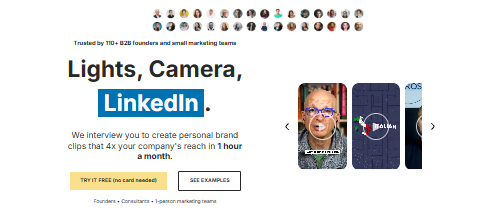
What is Chopcast?
Chopcast is an AI tool that turns long videos into short clips. You upload a podcast, webinar, or video. Then the tool finds the best parts and cuts them into short clips. It also adds captions and changes the size of the clips so they fit different apps like TikTok, Instagram, and YouTube.
Features Of Chopcast
Topic and keyword search
Search your video by topic or keyword. This helps you find the best parts fast, without watching the whole video again.
AI clip suggestions
If you are not sure what to clip, you can hit a button and let the AI suggest good moments from your video.
Trim and resize clips
Make clips longer or shorter until they feel just right.
Auto captions
Chopcast adds captions to your clips on its own. You can also edit them if something looks wrong.
Caption styling
Change the font, size, and color of your captions to match your brand.
One click aspect ratios
Switch a clip between square, tall, and wide with just one click. This makes it easy to post the same clip on different apps.
Intros and outros
Add your own intro and outro clips. This helps your videos look more branded and professional.
Unlimited exports
Export as many clips as you want. You only pay for the length of the video you upload, not for each clip you make.
Use Cases Of Chopcast
Podcasters
Make short clips from full episodes
Coaches
Create lessons for social media
YouTubers
Make Shorts from long videos
Marketing teams
Generate more content from one video
Business leaders
Grow your LinkedIn with video clips
Agencies
Create content for many clients at once
What We Like About Chopcast
- Saves time finding the good parts of a video
- Captions are easy to edit and style
- One click changes the clip shape for any app
- You pay for upload time, not for each export
- You can let their team do the work for you
What We Don't Like About Chopcast
- Captions are about 93% correct, so you still need to check them
- Cheaper plans give you fewer upload minutes
- Some users say there was a learning curve at first
- Bigger features like SSO cost extra and need a custom plan
Chopcast Pricing Plans
Mini – $997/month
- 1 studio session
- 2 clips a week
- Social posts (YT only)
Startup – $1,997/month
- 2 studio sessions
- 5 clips a week
- Social posts (LI + YT)
- Dedicated consultant
Business – $4,997/month
- 4 studio sessions
- Unlimited clips
- Social posts (3 channels)
- Source file ownership
FAQs About Chopcast
Is Chopcast free?
You get 60 free minutes and a 7-day trial. After that, you need to pay.
What are upload minutes?
It is the length of the video you upload, not the clips you export.
Can my team use one account?
Yes. Your team can share the same upload minutes.
Do free clips have a watermark?
No. Paid plans have no watermark.
Can I cancel any time?
Yes, you can cancel or change your plan when you want.
Can someone else do the editing for me?
Yes. Chopcast has a done-for-you service where their team edits for you.
Conclusion
Chopcast helps you turn one long video into many short clips fast. It is good for podcasters, coaches, and small teams who want more content without more work. The captions need a quick check, and the cheap plans have low limits. But overall, it is a helpful tool worth trying with the free trial.