vidIQ
Research keywords and improve your YouTube SEO
If you run a YouTube channel, you’ve probably heard of vidIQ. It’s one of those tools that keeps coming up when you look for ways to find better video ideas, research keywords, or improve your YouTube SEO.
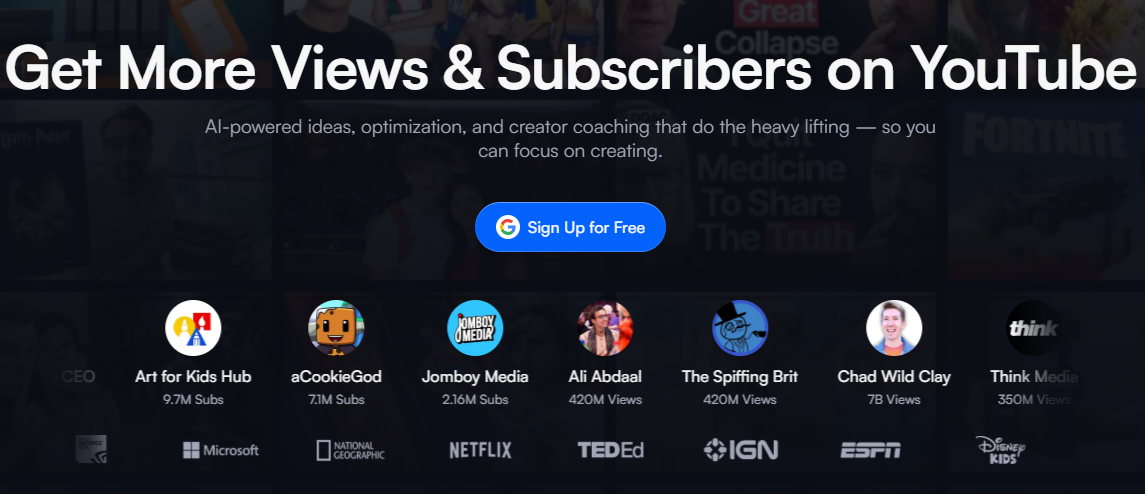
vidIQ is a YouTube growth and SEO tool that helps creators research video topics, find keywords, track trends, analyze competitors, and improve their videos. It also includes AI-powered features that can suggest content ideas and provide recommendations for growing a channel.
In simple terms, vidIQ helps you decide what videos to make, how to optimize them, and what is working on your channel. It offers both free and paid plans, with the paid plans providing access to more advanced features and higher usage limits.
So, what do you actually get with vidIQ, and is it worth paying for? I’ll break down its features, pricing, pros and cons, and compare it with TubeBuddy to help you decide.
Features Of vidIQ
AI Coach
This is an assistant dedicated to your channel. It will answer questions, propose content ideas, and provide explanations that can help the decision-making process on some content decisions.
Niche Trends
Shows current activity related to the different niches on YouTube. It presents various trending topics and ways to approach content creation.
Subscriber Insights
Offers creators data based on subscriber activities and channel growth to enable a deeper understanding of the development of their audience.
Competitor Tracking
Allows producers to analyze different channels in their niche and observe the performance and trends in their content (upload time, growth, etc.).
AI Thumbnail Tools
AI will help you propose ideas or redesign existing thumbnails and allow you to A/B test visual formats that work well for your audience and your video.
Content Ideas
vidIQ offers suggestions of content based on a creator's own niche and audience.
Video Optimization
Once you're ready to publish a new video,vidIQ offers optimization recommendations on factors you should take into account when publishing to maximize impact.
AI Credits
Uses an AI Credit System on its paid plans for specific AI enabled tools. Depending on your channel plan, you will have different amounts of AI credits available for these features.
Use Cases Of vidIQ
Starting a New YouTube Channel
New creators can use vidIQ to understand their niche, explore existing channels, and get guidance on what type of content to create.
Planning a Content Calendar
Use trend and idea research to build a list of potential topics for upcoming weeks.
Finding Opportunities in a Crowded Niche
If a niche has a lot of established creators, vidIQ can help identify emerging topics and areas that may have less competition.
Deciding Whether a Topic Is Worth Covering
Before spending hours making a video, creators can use available trend, keyword, and audience data to determine whether a topic has enough potential to explore.
Improving an Underperforming Video
If a video isn't getting the expected results, creators can revisit its optimization and thumbnail and use vidIQ's recommendations to identify possible improvements.
Managing Growth Over Time
Rather than looking only at individual video views, creators can use subscriber and channel insights to track whether their overall channel is moving in the right direction.
What We Like About vidIQ
Helpful for beginners
Can provide basic guidance and insights for new YouTubers.
Free tools available
The free version can be useful for basic keyword and tag research.
Channel audits
Some users found its audits more detailed than other options.
YouTube insights
Can be useful for keeping up with YouTube news and updates.
Content ideas
Provides video and title suggestions, although their quality can vary.
What We Don't Like About vidIQ
Generic recommendations
Some recommendations are generic and feel like the information is available for free elsewhere.
Weak content suggestions
Some video and title ideas were considered irrelevant or low quality.
Overemphasis on tags
The tool repeatedly encourages tags, which they considered of limited value for YouTube SEO.
vidIQ Pricing Plans

Free – $0/month
- 150 AI credits every month
- Niche trends
- Fresh content ideas
- Personalized growth tips from AI Coach
Boost – $4.36/month
- 2,000 AI credits monthly
- AI-powered thumbnails
- Personalized content ideas
- Unlimited trends research
- Video optimization
- Unlimited subscriber insights
- AI Coach with deep thinking
- Creator masterclasses
Max – $20.91/month
- 6,000 AI credits monthly
- Everything in Boost
- Up to 3× more AI Coach conversations
- Max Mode AI for deeper growth strategy
- Up to 11 hours of Shorts clipping and generation
FAQs About vidIQ
What is vidIQ and what are its features?
VidIQ is a YouTube tool designed to maximize the growth and success of creators on the platform. Its tools assist with keyword research, video idea creation, competitors, content enhancement, among other capabilities. The YouTube tool comprises features like Keyword Research, Recommended video ideas, Trend research, Competitor research, AI Coaching, Thumbscan, Channel audit, Optimization Score, YouTube analytics, and more.
Which is better, TubeBuddy or vidIQ?
TubeBuddy is a better choice for A/B testing, bulk channel management, and optimizing an existing video library. vidIQ is stronger for AI-powered content ideas, trend research, competitor insights, and creator guidance.
Is vidIQ completely free?
No, vidIQ offers a free plan, but that access is restricted to a small number of the tool’s features. There are 150 AI credits each month, niche trends, data-driven content ideas, and limited functionality with tools which feature such as competitor intelligence and keyword analysis (though there are also a variety of fee models on plans for increased use) is offered at no cost.
Is vidIQ worth it?
vidIQ can be useful for beginners, especially on its free tier, but some users feel the paid features are not worth the cost. The main criticisms are generic recommendations, questionable keyword insights, and an overemphasis on tags.