
Topaz Labs
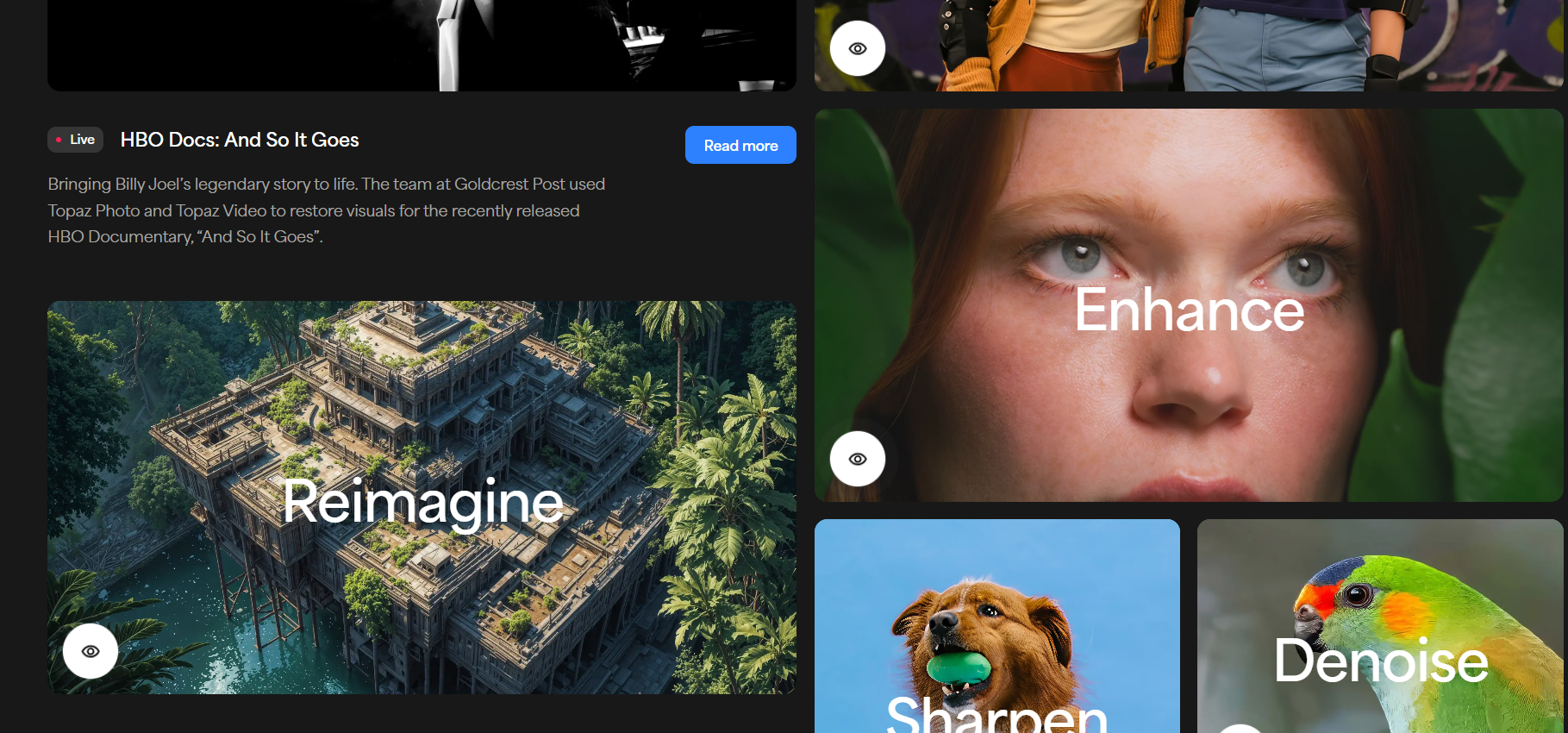
Enhance photos and videos using powerful AI tools.
Topaz Labs is an AI tool that makes photos and videos look better. It uses smart AI to fix blur, noise, and low quality. And it can also make small images and videos look big and clear. Many creators use it to save time and get clean results.
Features Of Topaz Labs
Video Upscale
Helps in making low-quality video look sharp and clear. It adds more detail to old or blurry clips.
Project Starlight
It brings back details that were lost in old media.
4K Video Converter
Turn normal video into 4K while keeping the video smooth and clean.
HD Video Converter
Converts low-resolution videos into HD while keeping the original look.
Video Enhancer
Enhances color, lighting, and sharpness to give videos a more professional look.
Video Sharpener
This fixes soft or out-of-focus video. And it makes the edges clear.
Frame Interpolation
Improves motion by inserting new frames.
3D Model Upscaler
Improves 3D models while keeping shapes clean, smooth, and full of detail.
Photo Restoration
This fixes old or damaged photos. And it removes scratches and noise.
Image Unblur
This sharpens blurry images. And it brings back small details.
Image Upscale
This makes images bigger without losing quality. So the photos look clear even when zoomed.
Image Denoise
Removes grain and noise while keeping skin smooth.
Image Sharpen
Adds sharp detail and improves edges.
Image Faces
This improves faces in photos. It makes eyes, skin, and features look natural.
Image Lighting
It adjusts dark and bright areas to create balanced lighting.
Image Enhancer
Boost colors and clarity, making photos look fresh.
Image Enlarger
Make small images look larger.
AI Art Enhancer
Improve AI-generated art by adding clean detail.
Use Cases Of Topaz Labs
Video Editors
Use it to upscale and clean video, and to make the footage look professional.
Photographers
They use it to fix noise and blur. And to print big photos.
YouTubers
Used to make videos look HD and 4K, so the content looks better.
Designers
Used to make images look better for ads and websites.
Old Photo Repair
People use it to restore old family photos.
How To Use Topaz Labs
- Install Topaz Labs on your computer.
- Open the photo or video you want to fix.
- Choose the tool you need.
- Let the AI process the file.
- Export the final result.
What We Like About Topaz Labs
Easy To Use
The tools are simple, and you do not need great skills.
High Quality Results
The AI makes images and videos look clean.
Works Offline
You can run it on your computer. So your files stay private.
Fast Processing
It saves time on editing work.
What We Don't Like About Topaz Labs
Needs a strong computer
It works best with a good GPU.
Not Cheap
The plans can cost a lot for small users.
Learning Curve
Some tools take time to understand.
Topaz Labs Pricing Plans
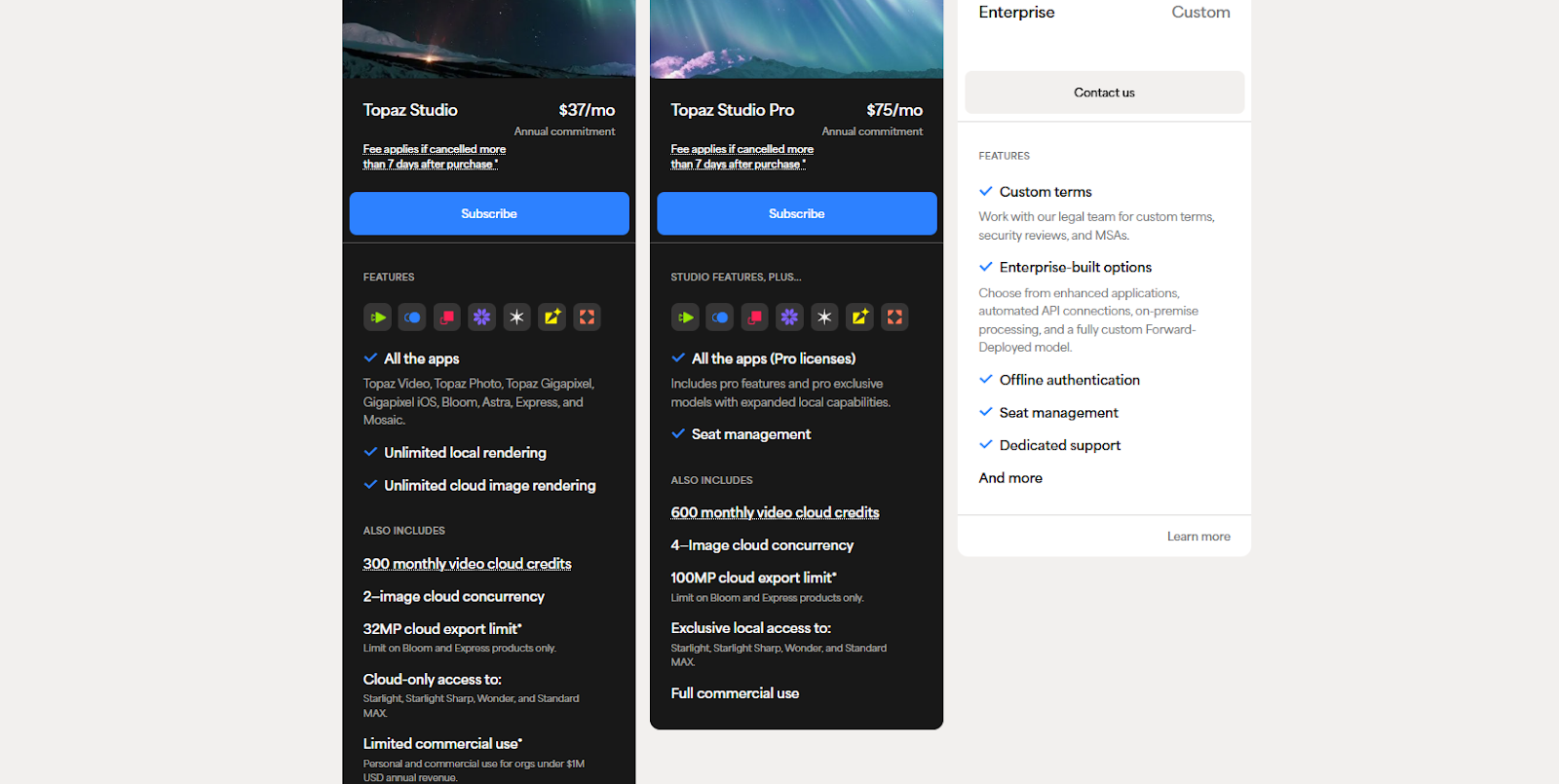
Topaz Studio – $37 per month
- Annual plan
- All Topaz apps
- Unlimited local rendering
- Unlimited cloud image rendering
- 300 monthly video cloud credits
- 2 image cloud jobs at a time
- 32MP cloud export limit
- Limited commercial use
Topaz Studio Pro – $75 per month
- Annual plan
- All apps with Pro licenses
- Seat management
- 600 monthly video cloud credits
- 4 image cloud jobs at a time
- 100MP cloud export limit
- Extra local AI models
- Full commercial use
Enterprise – Custom price
- Contact Topaz Labs
- Custom terms
- Offline use
- Seat control
- Dedicated support
FAQs About Topaz Labs
Is Topaz Labs good for beginners?
Yes. The tools are simple and clear.
Can it work without the internet?
Yes. Many features run on your computer.
Does it support commercial use?
Yes. The Pro plan allows full commercial use.
Can it upscale old videos?
Yes. It is very good at that.
Conclusion
Topaz Labs is a powerful AI tool for photos and videos. It makes old, blurry, or low-quality media look new. And it saves a lot of editing time. If you want clean and sharp results, it is a great choice.


