LTX Studio
An all-in-one platform for AI-powered video workflows.
Making videos can take a lot of time, especially when you need different tools for writing, editing, and production. LTX Studio is an AI-driven platform that integrates all these tools into a single interface. It can assist you in producing videos based on text, images, audio, and scripts, at the same time simplifying and accelerating the entire video creation journey.
In this review, we'll look at its features, pricing, pros, cons, and alternatives.
Features Of LTX Studio
AI Video Generation
A simple text prompt is often enough to get a video project started, making the creative process much faster.
Image-to-Video Creation
Photos and artwork can be turned into moving scenes, adding life to otherwise static visuals.
Script-to-Video Conversion
Convert the script into a video. Scripts can serve as the foundation for an entire video.
Audio-to-Video Production
Existing podcasts, voice recordings, and music tracks can be repurposed into shareable video content.
Reference-Based Video Creation
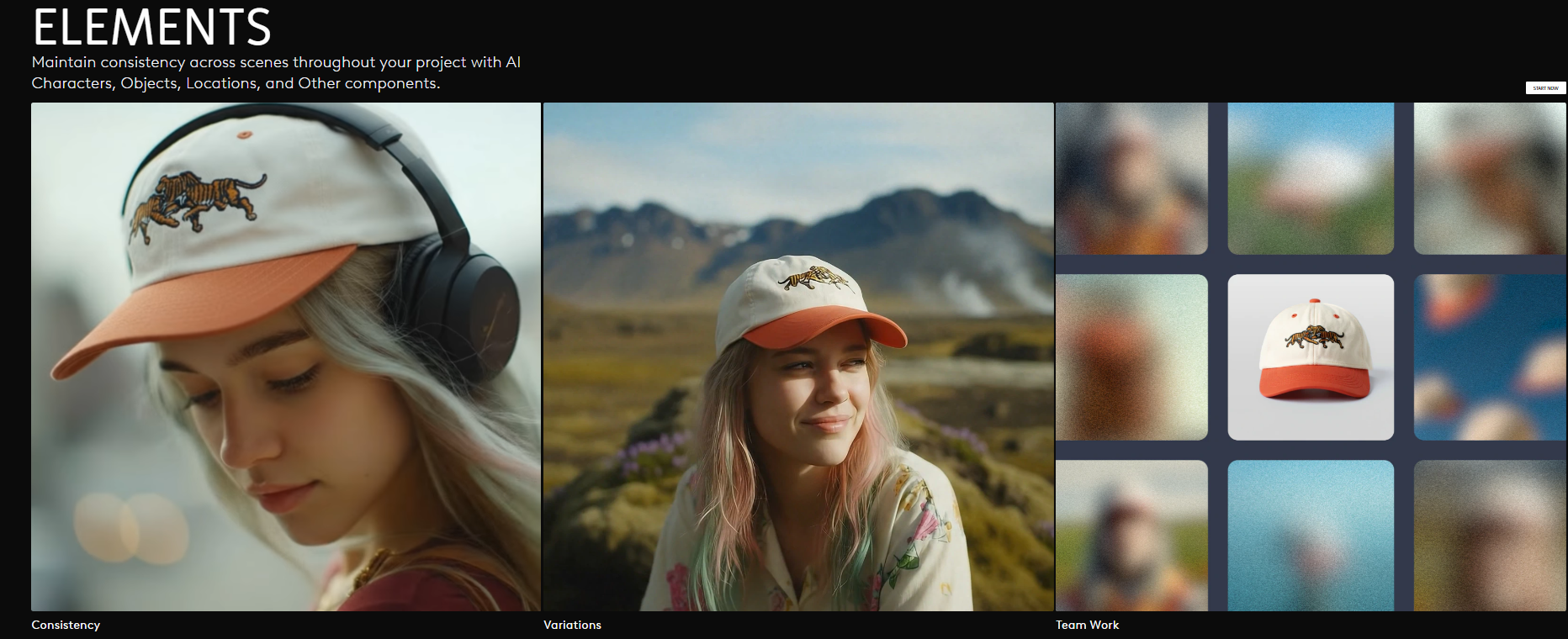
Keeping characters and visual styles consistent across multiple scenes feels much easier with reference-based generation.
AI Script Generator
When ideas run dry, the script generator can help with outlines, concepts, and first drafts.
Storyboard Creation
Visual planning tools make it easier to map out scenes before production begins.
Movie Pitch Deck Generator
Creative concepts can be presented in a more polished way without spending hours designing slides.
AI Character Generator
Develop original characters quickly for storytelling, marketing, or animation projects.
AI Timeline Editor
Routine editing tasks take less time thanks to AI-assisted timeline controls.
Voiceover Integration
Add a narration directly within the platform, helping keep the production workflow in one place.
Video Style Transfer
Different visual looks can be explored without rebuilding a project from scratch.
Object Removal
Distracting elements in a shot can be cleaned up without complicated editing techniques.
AI Lip Sync and Dubbing
Reaching viewers in different languages becomes easier with built-in dubbing and lip-sync tools.
AI Avatars
Virtual presenters offer a simple way to create videos without needing someone on camera.
Who Can Use LTX Studio?
Content Creators
Make video content to share on YouTube, TikTok, Instagram, and other platforms.
Marketers
Produce promotional videos, advertisements, and brand-related content at a faster pace.
Filmmakers
Get storyboard, pre-production, and video editing assistance through AI tools.
Businesses
Generate product demonstrations, educational content, and organization videos.
What We Like About LTX Studio
- Wide range of AI tools in one platform.
- Supports text, image, audio, and script-based video creation.
- Helpful pre-production tools such as storyboards and pitch decks.
- Strong localization features including dubbing and translation.
- Easy-to-use interface for both beginners and experienced creators.
What We Don't Like About LTX Studio
- Some advanced features may take time to learn.
- AI-generated results may still need manual adjustments.
- Rendering complex projects may take longer depending on project size.
LTX Studio Pricing Plans
Free
- Image and video generation
- LTX-2 and LTX-2.3 video models
- Z-image image model
- Advanced camera controls
- Storyboards
- Audio-to-video generation
- Video enhancement tools
- Video-to-video control
Lite
- Image and video upscaling
- Editing tools
- LTX-2 4K resolution
- No watermark
Standard
- Additional image and video models
- Kling and Veo video models
- ChatGPT Images model
- Consistent character/element creation
- AI storyboards
- Pitch deck generation
- Commercial use license
Pro
- Latest Veo 3.1 models
- Maximum quality and control
- Up to 3 collaborators per project
- On-demand credit top-ups
FAQs About LTX Studio
How can I create videos without knowing how to edit videos?
LTX Studio uses AI-powered tools that can turn text, images, scripts, and audio into videos, making it easier for beginners to get started.
Can beginners use LTX Studio?
Yes, the platform is designed to be easy for beginners while still offering advanced tools.
Can LTX Studio create videos from text?
Yes, it can generate videos from text prompts, scripts, images, and audio files.
Does LTX Studio support multiple languages?
Yes, it includes translation, dubbing, subtitles, and localization tools.
Is LTX Studio suitable for commercial projects?
Yes, commercial usage is available with eligible paid plans.
Conclusion
LTX Studio is a great AI video software for all types of creators, such as marketers, businesses, and even newcomers. It has a broad assortment of functionalities such as video creation, storyboarding, editing, dubbing, and localization. The paid plan is necessary for some of the most advanced features. However, it can still help in saving time and simplifying video production.
If you want to try something else…
Here are some other AI video tool suggestions:
InVideo AI
Helps users create marketing videos, social media content, and explainer videos with minimal effort.
Synthesia
Best for AI avatar videos, training content, and business presentations.
Adobe Firefly
Offers AI-powered image and video generation with integration into Adobe's creative ecosystem.