Adobe Firefly
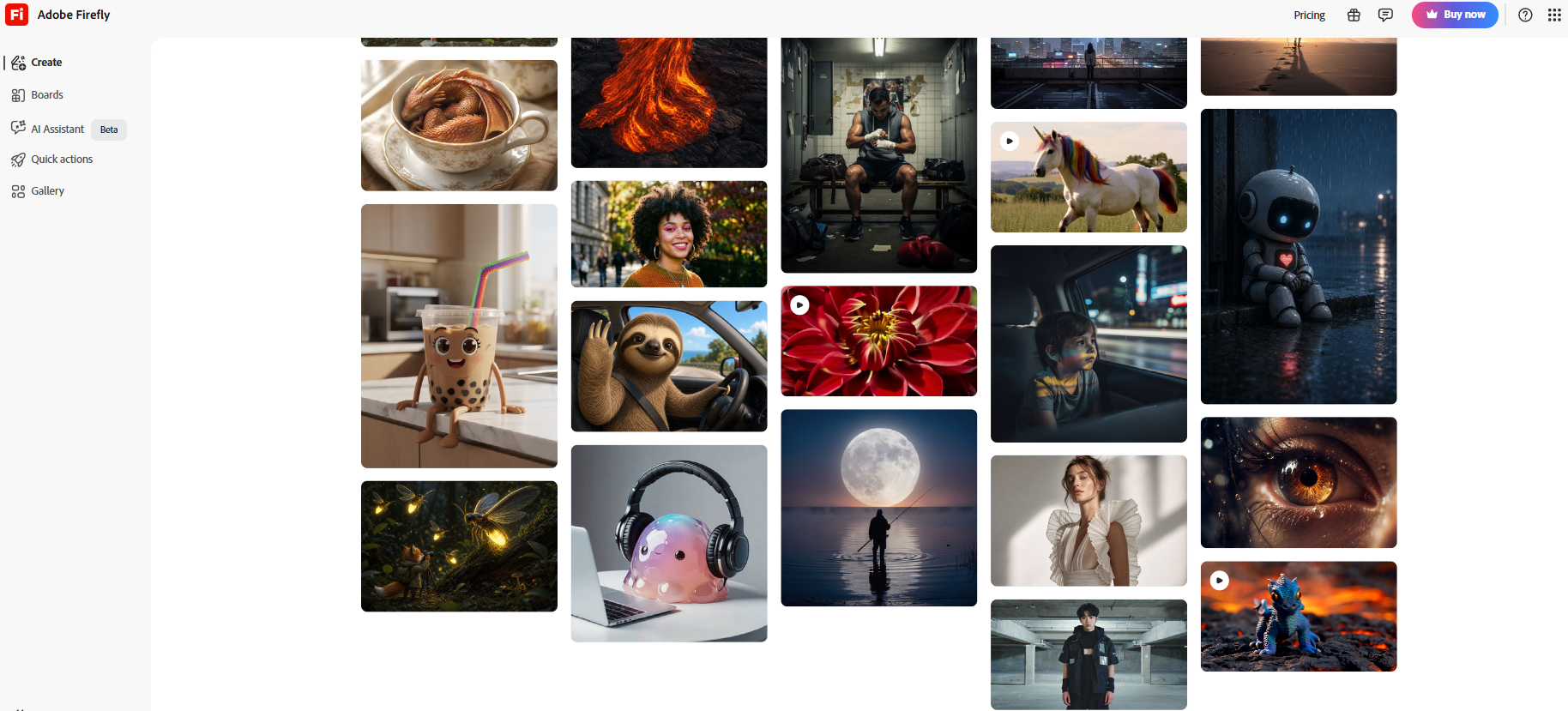
Generate images, text effects, and edits directly in Adobe workflows.
Every other AI image generator is doing the same thing. They are creating bigger models, more realistic images, faster generation speeds, and endless prompt tricks. While this approach may sound good on paper, with time, it gets repetitive.
Now, if I tell you Adobe Firefly can generate images from text, it does not feel unique because that's expected, and even most other AI image generators do that. What makes Adobe Firefly unique is its commercial-safe AI content generation
Rather than focusing solely on creating images, Adobe has built Firefly around something creative professionals care about even more: confidence. Confidence that the content can be used in client work. Confidence that the generated assets can fit into existing workflows.
What Is Adobe Firefly?
Adobe Firefly is a generational AI assistant by Adobe. It modifies images, videos, audio, and other creative content just by using simple text descriptions. Since it uses only licensed training data, it is considered a safe choice for commercial content creation
Key Features of Adobe Firefly
One of Adobe Firefly's strongest advantages is its wide range of creative tools.
Text-to-Image Generation
At its core, Adobe Firefly can turn simple text prompts into detailed images. From lighting and color palettes to artistic styles and moods, there's plenty of room to shape the final result.
Generative Fill
Perhaps Adobe Firefly's most practical feature, Generative Fill, lets you add, remove, or replace elements within an image using natural language instructions. It feels less like editing and more like collaborating with an AI assistant.
Generative Expand
Need extra space around an image? Generative Expand extends the canvas and fills the surrounding area with content that blends naturally with the original scene.
Text-to-Video and Image-to-Video
Moving beyond static visuals, Firefly can transform text descriptions or images into short video clips. Camera movement, visual effects, and motion styles can all be adjusted to create more dynamic content.
Audio and Video Translation
For creators targeting global audiences, Firefly's translation tools are a welcome addition. Audio and video can be translated into multiple languages while maintaining a natural-sounding voice and delivery.
Who Can Use Adobe Firefly?
Content Creators
Create social media posts, thumbnails, and marketing visuals in just a few clicks.
Designers
Speed up creative workflows with AI-powered editing and image generation tools.
Marketers
Generate ad creatives, campaign assets, and branded content without relying heavily on design teams.
Photographers
Remove distractions, expand backgrounds, and enhance images with minimal effort.
Video Creators
Create short videos, visual effects, and translated content for different audiences.
Students and Beginners
Experiment with AI creativity and bring ideas to life without needing advanced design skills.
What We Like About Adobe Firefly
Easy to Use
Clean interface that's beginner-friendly.
Smart Editing Tools
Generative Fill and Expand save time.
Adobe Integration
Works seamlessly with Photoshop and Illustrator.
All-in-One Platform
Supports image, video, and audio creation.
Commercial-Friendly
Trained on licensed and public-domain content.
What We Don't Like About Adobe Firefly
Limited Free Plan
Free credits run out quickly.
Higher-Tier Costs
Premium plans can be expensive for non-professional users.
Adobe Firefly Pricing Plans
Free Plan
- 25 free generative credits
- Good for exploring Firefly's AI image, video, and audio tools
Firefly Standard – $9.99/month
- 2,000 generative credits per month
- Unlimited access to standard image generation features
- Generate up to 20 five-second videos
- Translate audio and video up to 6 minutes
- Generate up to 200 sound effects
Firefly Pro – $29.99/month
- 7,000 generative credits per month
- Higher AI generation limits
- Enhanced access to Firefly's creative tools
- Suitable for frequent creators and professionals
Firefly Premium – $199.99/month
- 50,000 generative credits per month
- Highest limits for image, video, and audio generation
- Advanced AI capabilities for teams and enterprises
- Ideal for agencies, production studios, and large-scale content creation
FAQs About Adobe Firefly
Does Adobe Firefly require design experience?
No. Beginners can generate and edit content using simple text prompts.
What is the best Adobe Firefly feature?
Generative Fill is widely considered its standout feature for editing and enhancing images.
Does Adobe Firefly work with Photoshop?
Yes, many Firefly features are integrated directly into Adobe Photoshop and other Adobe applications.
Can Adobe Firefly generate videos?
Yes, Firefly includes text-to-video and image-to-video capabilities for creating short AI-generated clips.
Conclusion: Is Adobe Firefly Worth it?
With Adobe's deep expertise in creative software as its foundation, Adobe Firefly merges cutting-edge AI technology in a truly seamless way. Offering everything from image generation and editing tools to video creation capabilities and a commercially friendly approach, this platform is undoubtedly one of the most functional AI creative solutions on the market nowadays.