
Reve AI
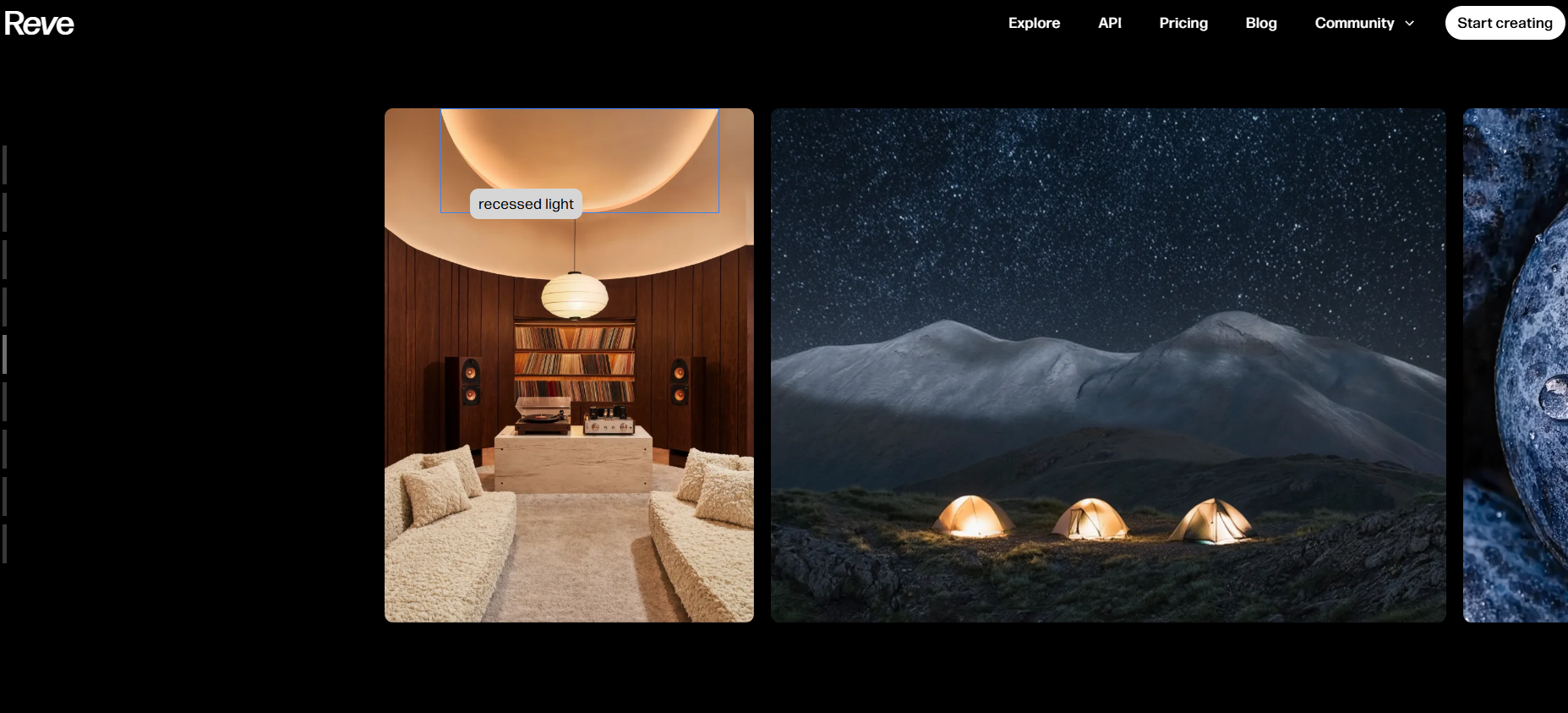
Explore Reve AI's image creation, editing, effects, and video features.
AI image generators are generally among the most demanded and used AI tools. Most AI image generators promise a long list of features, but whether those features are worth using is the question that comes to mind before finding a tool.
But does Reve AI actually live up to the growing hype surrounding it? Are its features genuinely useful in real-world workflows, or are they simply features added to make the platform look impressive on paper? Let's find out in this review
What Is Reve AI?
Reve AI is an AI-powered creative platform that generates both images and videos. However, it is more popular for image generation. All you need is a simple text prompt for creating images. Other than that, you can remove backgrounds, apply visual effects, upscale images, and create AI-generated videos.
Features Of Reve AI
Here, we have listed all the features and which feature is best for what type of image generation:
AI Image Generation
Image generation is the core feature of Reve AI. Users can generate images by describing what they want through a prompt.
The newer 1.5 Preview Model improves output quality even further by offering:
- Better photorealism
- Sharper textures
- More accurate lighting
- Improved detail retention
- Better object consistency
Multi-Image Referencing With Numbering
It has an image referencing system. When multiple images are uploaded, Reve automatically assigns numbers to them.
For example:
- @1 = First image
- @2 = Second image
- @3 = Third image
You can write prompts like:
Place @1 riding @2 while wearing @3.
Reve understands the references easily without having to guess.
AI-Powered Image Editing
Yes, you can even edit the images. This editing system works through natural language instructions.
Examples include:
- Changing clothing
- Replacing objects
- Modifying backgrounds
- Updating text within images
- Adjusting colors and styles
The editing experience feels intuitive and saves considerable time compared to traditional design software.
Spotlight Editing
Spotlight allows users to target a specific area of an image and apply changes only to that selected region. So you don't need to do unwanted modifications across the entire image.
Ideal for:
- Face adjustments
- Clothing changes
- Object replacement
- Localized enhancements
Draw Tool
The Draw feature enables users to manually brush over areas they want to modify. When automatic selections are not perfect, it adds another layer of precision.
This creates :
- More accurate edits
- Better object targeting
- Fine-grained image control
Object Selection Tool
Automatically detect objects inside an image and choose exactly what has to be edited.
This feature is particularly useful when editing:
- Products
- People
- Vehicles
- Background elements
Vary Feature
Sometimes a generated image looks good but not perfect. The Vary option creates multiple alternative versions while maintaining the original concept.
This allows users to:
- Explore different compositions
- Compare artistic styles
- Test variations quickly
- Improve creative outcomes
Background Remover
The built-in background remover performs surprisingly well. Backgrounds are removed quickly and cleanly without requiring additional software.
This feature is useful for:
- Product photography
- Social media graphics
- Marketing materials
- Transparent PNG creation
Image Upscaling
Improves image resolution and clarity with Image Upscaling.
This is especially helpful when preparing images for:
- Printing
- Presentations
- Marketing campaigns
- High-resolution publishing
Effects Library
Reve includes a collection of visual effects that can dramatically change an image's appearance.
Texture Effects
Adds surface detail and artistic texture.
Lighting Effects
Enhances mood and atmosphere through lighting adjustments.
Color Effects
Applies color grading and visual styles.
Video Generation Features
Reve has expanded beyond image generation by introducing AI video creation tools.
Video From Frames
Creates animations from selected image frames.
Video From Reference
Uses an uploaded image as the foundation for a video.
Video From Prompt
Generates video directly from a text description. Creators transform static visuals into short cinematic sequences.
Important Limitation
Video generation is currently restricted to paid subscribers.
Reve AI Control Panel Explained
The generation settings panel provides several useful customization options.
Image Count
Users can generate:
- 1 image
- 2 images
- 4 images
- 8 images
in a single generation cycle.
Aspect Ratios
Supported aspect ratios include:
- 16:9
- 3:2
- 4:3
- 1:1
- 3:4
- 2:3
- 9:16
With these features, Reve becomes more suitable for social media, websites, and mobile content.
Use Cases Of Reve AI
Content Marketing
Create blog and social media content.
Product Mockups
Generate product and ad images.
Photo Editing
Edit images with text prompts.
Concept Design
Visualize creative ideas quickly.
What We Like About Reve AI
Realism
Strong photorealistic image outputs.
Typography
Excellent text and lettering generation.
Composition
Effective multi-image combination and placement.
Editing
Powerful AI-powered image editing tools.
Backgrounds
Reliable and accurate background removal.
Usability
Clean and beginner-friendly interface.
What We Don't Like About Reve AI
Consistency
Not every generated image meets expectations.
Variations
Some outputs require multiple regenerations.
Reve AI Pricing Plans
Free Plan
- AI image generation
- AI image editing
- Brainstorming tools
- Basic storage
Lite Plan - $7.99/Month
- Includes everything in the Free plan plus:
- 5× more image generation capacity
- 5× more storage
Pro Plan - $19.99/Month
- Includes everything in Lite plus:
- AI video generation
- 100× more image generation
- 100× more storage
- PDF uploads
- Audio uploads
FAQs About Reve AI
Is Reve AI free?
Yes, Reve AI offers a free plan.
Can Reve AI create videos?
Yes, with a Pro subscription.
Does Reve AI support image editing?
Yes, using text-based instructions.
Can I remove image backgrounds?
Yes, with the built-in BG Remover.
Does Reve AI support multiple images?
Yes, using the reference system.
Conclusion
Reve AI has evolved into much more than a simple AI image generator. It combines image creation, advanced editing, background removal, upscaling, visual effects, and video generation within a single platform. One area where Reve performs exceptionally well is typography.
If your primary goal is creating and editing AI-generated images without dealing with complex software, Reve AI is a user-friendly option.


