Have you ever thought about what being productive actually means? I mean, you may keep hearing about it, and there are many articles about this topic every other week.
Productivity is basically a measure of how much work you can get done with your time, effort, and work resources. When you use your resources better, you can do more, and productivity shows that. If you’re being productive, you can basically finish more of your tasks quickly and with far less physical or mental exhaustion.
According to a study, employees spend around 60% of their workday in activities like finding information, chatting, and hopping from one app to another. The implication is obvious. Many workers spend their days doing these kinds of things instead of real work.
There are many AI productivity tools that can help you complete your work more quickly. The thing is, productivity tools are not a single category of software tools but different types of AI tools that help improve your overall productivity in different ways.
In this article, I have listed 11 productivity tools that can save you hours every week.
Types of AI Productivity Tools
As I have said before, AI productivity tools are not a niche category of tools, unlike many other types of AI tools. You may not find every tool beneficial, as they usually perform different tasks. Some of them are writing tools, while others automate meetings. Understanding these categories can help you choose the right tool.
AI Writing & Workspace Tools
Writing & Workspace tools assist in content generation, summarizing information, brainstorming ideas, and project management all in a single interface. These are suitable for writers, students, marketers, and any team working with documents regularly.
Example: Notion AI
AI Meeting Assistants
Meeting assistants auto-record conversations, transcribe the meeting, and even make a summary of the meeting while noting down all the important points and actions required after the meeting, hence minimizing the burden of manual note-taking.
Examples: Otter AI, Read AI, Laxis
AI Task & Time Management Tools
Task & Time Management Tools are best for any working professional who needs to manage their time efficiently.
Examples: BeforeSunset AI
AI Knowledge Management Tools
Knowledge Management Tools are a repository of all notes, documents, and research in a single location, readily searchable for access when needed.
Examples: Saner AI, Knowbase AI
AI CRM & Sales Productivity Tools
CRM & Sales Productivity Tools automate CRM updates, track customer interactions, and reduce repetitive administrative work. They help sales teams spend more time building relationships instead of updating records.
Examples: Hints AI
AI Social Media Management Tools
Social Media management tools enable scheduling and managing content across social platforms, tracking social campaigns, and managing analytics to help you stay on top of social media efficiently.
Examples: Metricool
AI Workforce Management Tools
Workforce Management Tools are designed to automate employee administration such as onboarding, payroll, compliance, and other HR-related tasks to enable business leaders to manage their workforce effectively with less manual intervention.
Examples: Rippling
AI Productivity Tools Worth Adding to Your Workflow
Below are some of the best productivity tools available today:
Notion AI
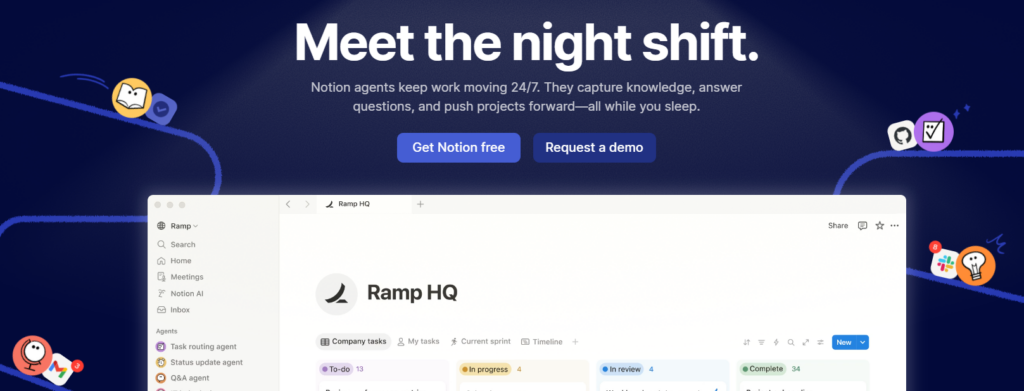
Notion AI is a built-in AI workspace assistant of Notion. It can assist you in many areas like writing, summarizing documents, organizing notes, idea generation, and doing repetitive tasks automatically by means of AI. Notion AI is the tool you need to get your daily work done quickly, reliably, and without any effort.
Features
- AI writing and content generation
- Document summarization
- Meeting notes and action items
- Brainstorming and idea generation
- Translation and grammar improvement
- AI search across workspace
- Database and project management support
- Workflow automation with Notion pages
Strengths
- Seamlessly integrated into the Notion workspace
- Excellent for note-taking and documentation
- Easy to use with a clean interface
- Supports team collaboration
- Saves time on writing and research
Weaknesses
- Requires a Notion workspace to unlock full value
- Limited compared to dedicated AI chatbots for complex tasks
- Some advanced AI features require a paid plan
Pricing
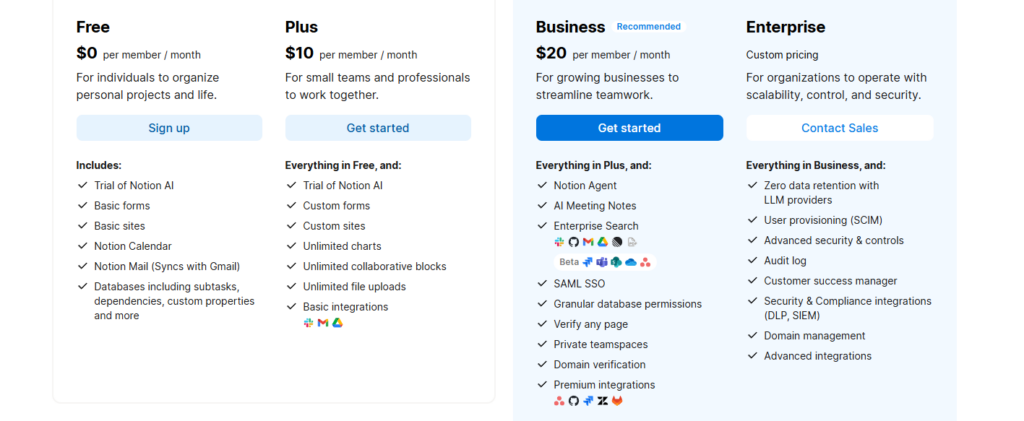
- Free plan available
- Plus Plan: Starting around $12/user/month
- Business Plan: Starting around $18/user/month
Otter AI
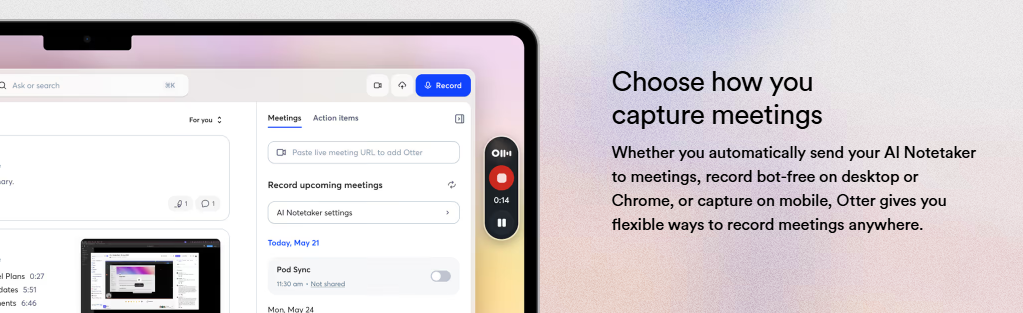
Otter AI is an AI meeting assistant that records, transcribes, and summarizes discussions happening during the meeting in real time. It supports major platforms like Zoom, Google Meet, and Microsoft Teams making it a good solution for remote businesses, educators, and teams who want their meeting notes done accurately without having to do it themselves.
Features
- Live meeting transcription
- AI-generated meeting summaries
- Speaker identification
- Automatic meeting recording
- Action item extraction
- Searchable transcripts
- Team collaboration tools
- Integrations with major meeting platforms
Strengths
- Highly accurate speech transcription
- Saves hours of manual note-taking
- Easy meeting search and playback
- Supports team collaboration
- Works across multiple platforms
Weaknesses
- Accuracy can decrease with heavy accents or noisy environments
- Free plan has recording limits
- Some collaboration features require paid plans
Pricing
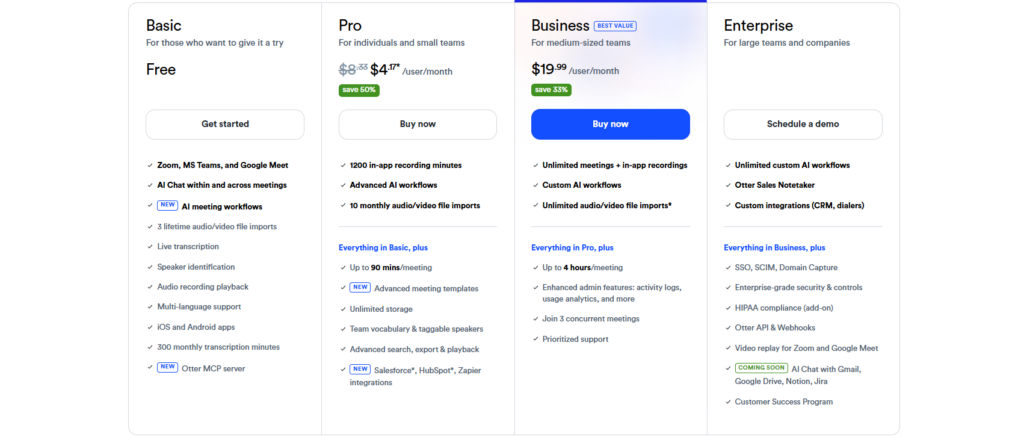
- Free Plan
- Pro: Starting around $16.99/month
- Business: Starting around $30/user/month
Read AI
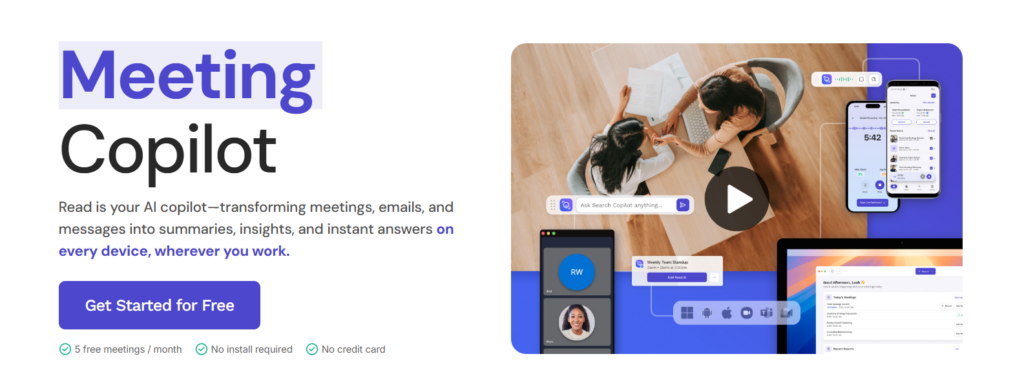
Read AI is a smart meeting productivity tool that analyzes conversations, creates summaries, monitors engagement, and highlights key discussion points. This makes Read AI a good AI productivity tool for individuals and teams looking to get insight from meetings, which is much more than just having a recording and transcription of what the meeting was.
Features
- AI meeting summaries
- Engagement and participation analytics
- Speaker insights
- Automated action items
- Meeting highlights
- Calendar integration
- Video conferencing support
- Team collaboration
Strengths
- Provides detailed meeting analytics
- Generates useful summaries automatically
- Measures engagement during meetings
- Easy integration with conferencing platforms
- Supports productivity tracking
Weaknesses
- Some analytics may feel excessive for casual users
- Advanced features require paid plans
- Best suited for frequent meetings
Pricing
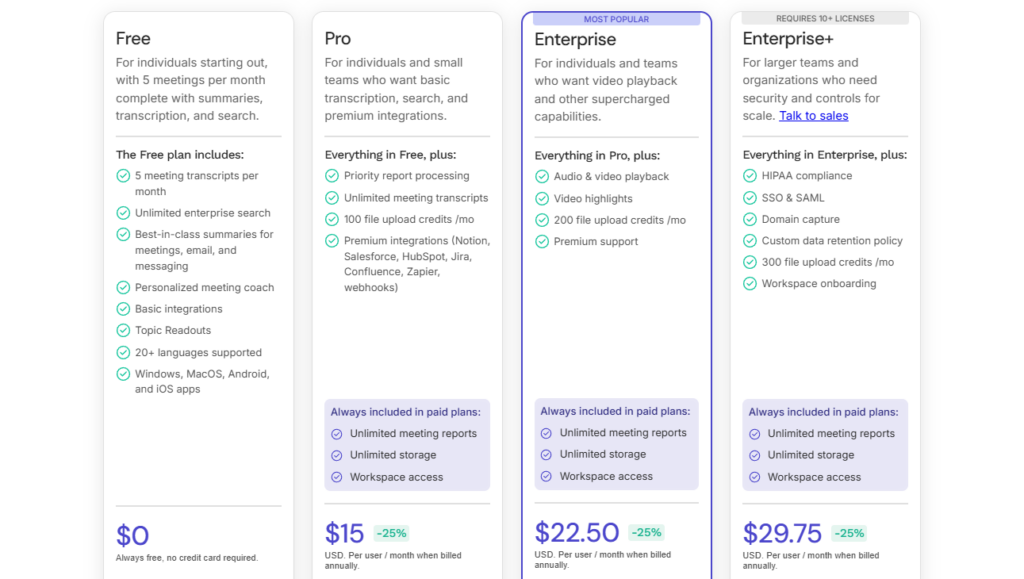
- Free Plan
- Pro: Starting around $19.75/user/month
- Enterprise: Custom pricing
Laxis
Laxis is an AI meeting assistant built for professionals who need accurate meeting notes, CRM updates, and conversation insights. It automatically captures discussions, creates summaries, and helps sales, customer success, and consulting teams stay organized.
Features
- AI meeting transcription
- Automatic summaries
- CRM integration
- Action item generation
- Meeting templates
- Speaker recognition
- Searchable transcripts
- Workflow automation
Strengths
- Strong CRM integrations
- Great for sales and client meetings
- Easy summary generation
- Reduces manual administrative work
- User-friendly interface
Weaknesses
- Some integrations require higher-tier plans
- Limited features on the free version
- Learning curve for advanced workflows
Pricing
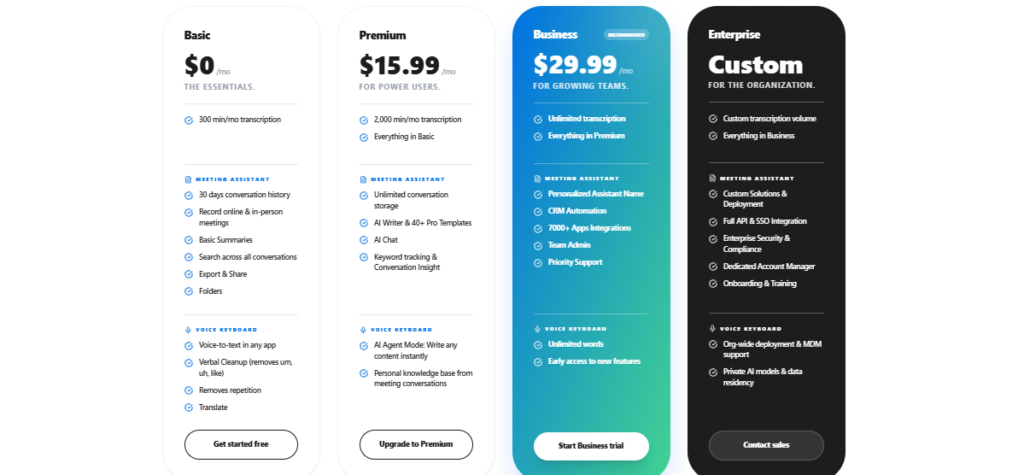
- Free Plan
- Premium: Starting around $13.33/month
- Business: Starting around $24.99/user/month
- Enterprise: Custom pricing
BeforeSunset AI
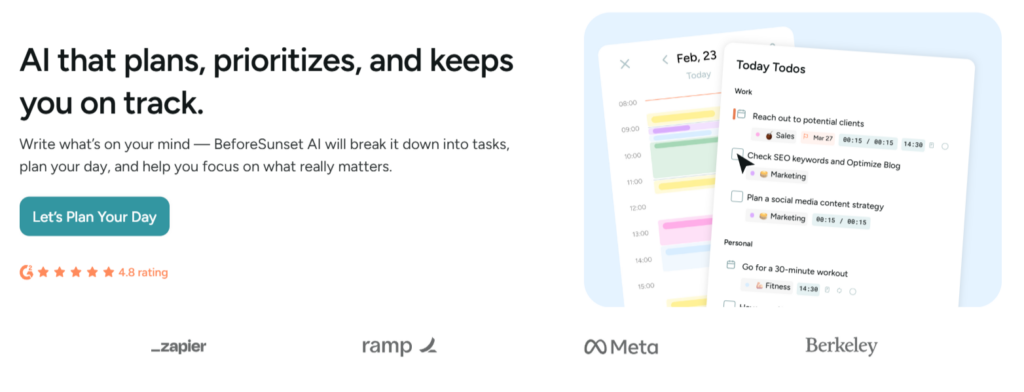
BeforeSunset AI is an AI-powered productivity and planning tool that helps users organize daily tasks, prioritize work, and manage time effectively. It creates intelligent schedules based on workload, helping professionals stay focused and complete important tasks before the end of the day.
Features
- AI daily planner
- Smart task prioritization
- Time blocking
- Calendar integration
- Productivity analytics
- Focus mode
- Task management
- Daily scheduling suggestions
Strengths
- Helps improve daily productivity
- Smart scheduling saves planning time
- Clean and intuitive interface
- Good calendar integration
- Useful focus tools
Weaknesses
- Limited third-party integrations
- Premium features require a subscription
- Better suited for individual users than large teams
Pricing
- Free Plan
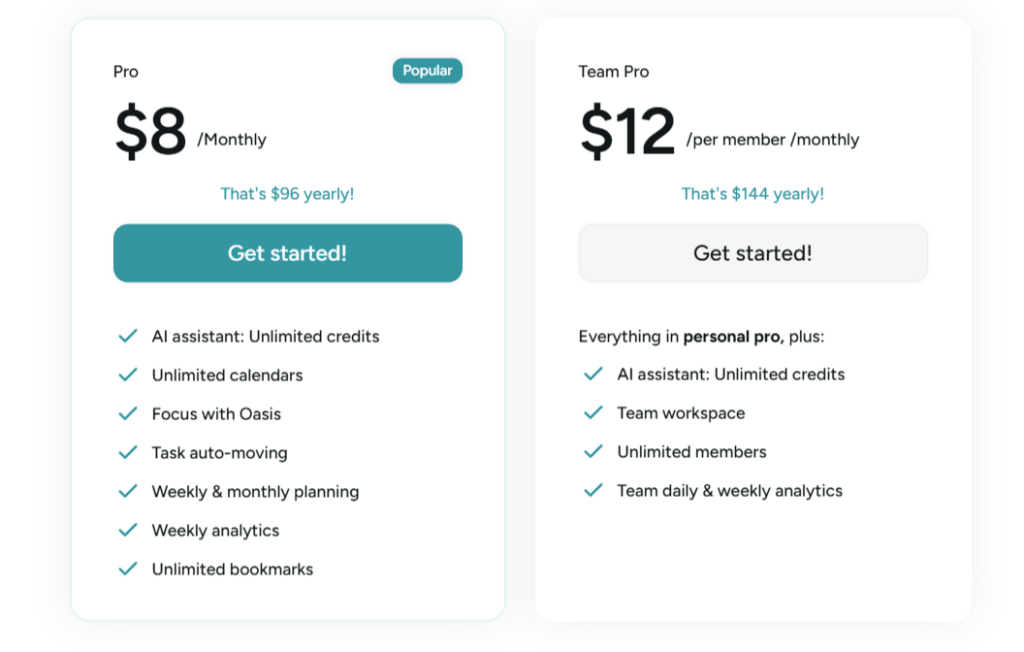
- Pro Plan: Starting around $8/month
- Team Plan: Custom pricing
Saner AI
Saner AI is an AI-powered knowledge management tool that captures, organizes, and retrieves information from notes, documents, and conversations. It helps users quickly find important information and manage personal knowledge more efficiently.
Features
- AI note organization
- Smart search
- Knowledge management
- AI summaries
- Tag suggestions
- Note linking
- Quick capture
- Productivity assistant
Strengths
- Excellent search capabilities
- Organizes scattered information effectively
- Fast note retrieval
- Minimal and easy-to-use interface
- Helpful AI summaries
Weaknesses
- Limited integrations compared to larger platforms
- Smaller ecosystem
- Advanced features require paid access
Pricing
- Free Plan available
- Pro Plan: Starting around $12/month
- Enterprise: Custom pricing
Rippling
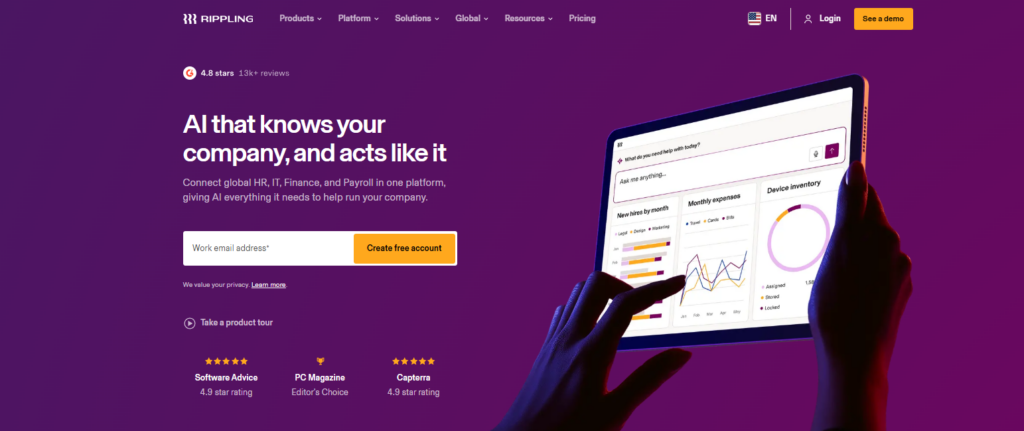
Rippling is an all-in-one workforce management platform that combines HR, IT, payroll, benefits, and employee management into a single system. Its AI-powered automation helps businesses streamline onboarding, compliance, and everyday administrative tasks.
Features
- Payroll management
- HR automation
- Employee onboarding
- Benefits administration
- Device management
- Compliance automation
- Workflow automation
- Reporting and analytics
Strengths
- Comprehensive workforce management
- Powerful automation features
- Excellent onboarding workflows
- Scalable for growing businesses
- Strong integrations
Weaknesses
- Pricing is not fully transparent
- Can be expensive for small businesses
- Some modules require separate purchases
Pricing
Rippling doesn’t have one fixed public price for everyone. The cost depends on the requirements of your company.
Metricool
Metricool is an AI-powered social media management and analytics platform that helps businesses schedule content, monitor performance, and track marketing campaigns across multiple social networks from one dashboard.
Features
- Social media scheduling
- AI content assistance
- Analytics dashboard
- Competitor analysis
- Performance reporting
- Multi-platform publishing
- Link management
- Campaign tracking
Strengths
- Supports many social platforms
- Comprehensive analytics
- Easy scheduling tools
- Beginner-friendly interface
- Affordable pricing
Weaknesses
- Some reports require higher-tier plans
- Advanced analytics may be limited for enterprise users
Pricing
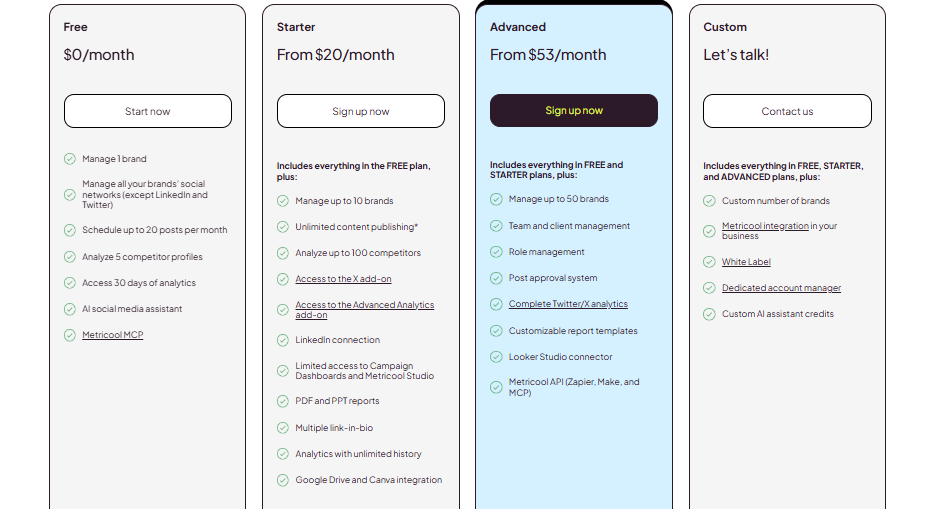
- Free Plan
- Starter: Starting around $20/month
- Advanced: Starting around $54/month
- Custom Enterprise plans
Anakin AI
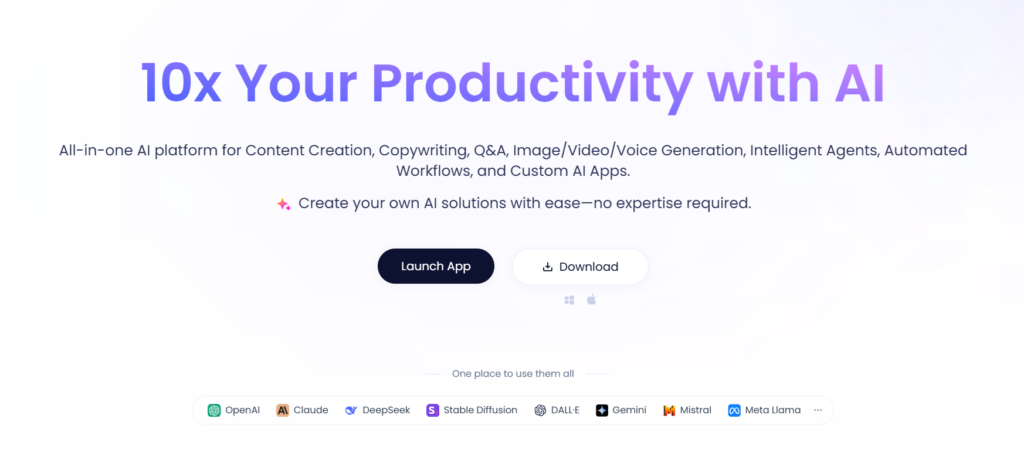
Anakin AI is a no-code AI platform that enables users to build AI applications, automate workflows, and access multiple large language models without programming. It is designed for businesses, marketers, and developers looking to create AI-powered tools quickly.
Features
- AI app builder
- Multiple AI model support
- Workflow automation
- AI chatbots
- Image generation
- Document analysis
- Prompt templates
- API integration
Strengths
- No coding required
- Supports multiple AI models
- Flexible workflow creation
- Wide range of AI applications
- Beginner-friendly interface
Weaknesses
- Advanced automation may require learning
- Usage limits on lower-tier plans
- Some premium models incur additional costs
Pricing
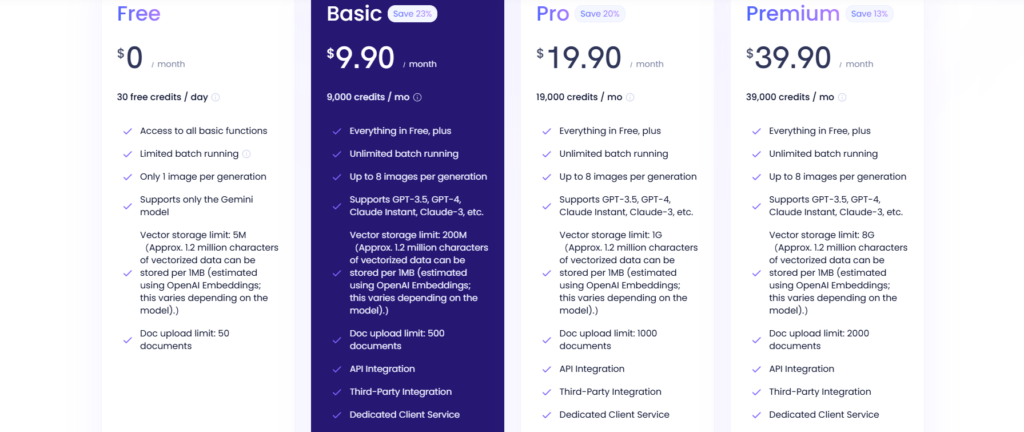
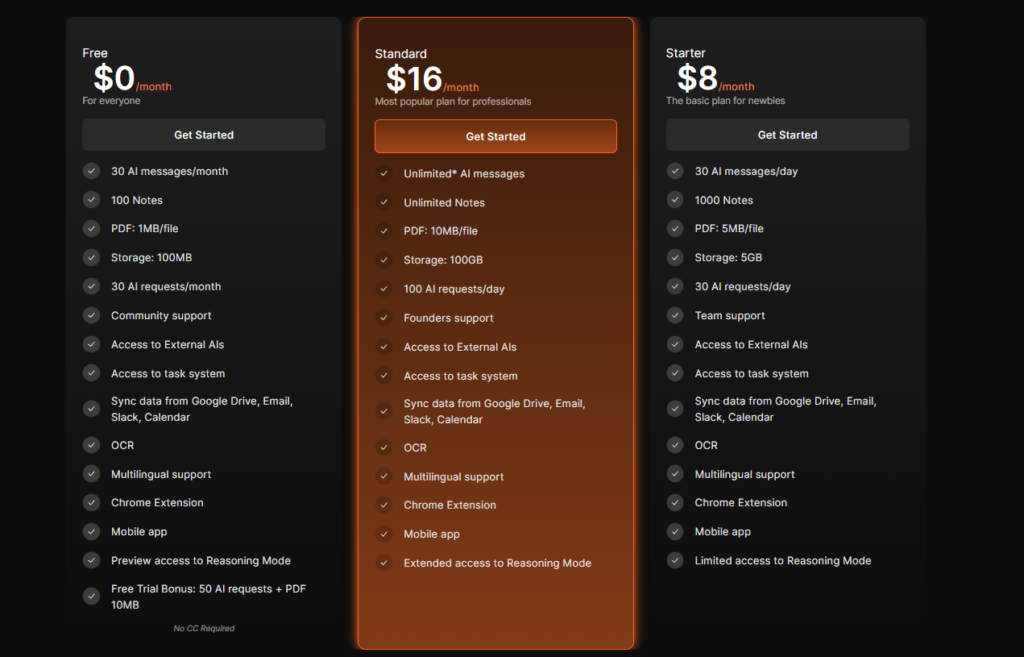
- Free Plan
- Basic: Starting around $12.90/month
- Pro: Starting around $24.90/month
- Enterprise: Custom pricing
Knowbase AI
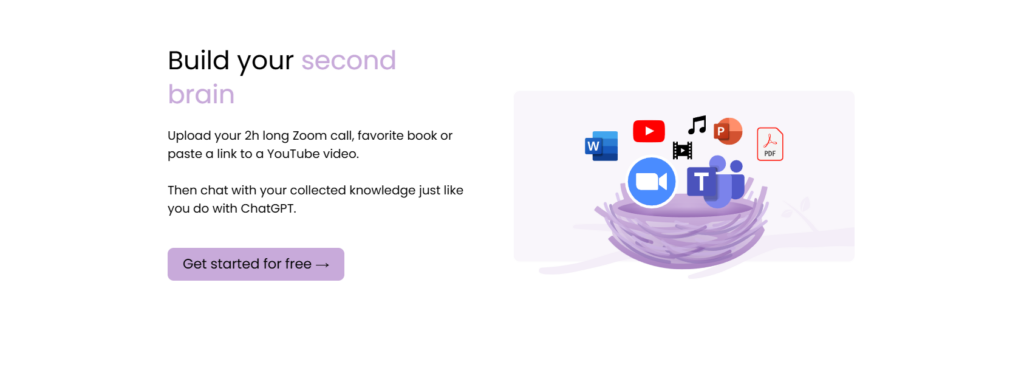
Knowbase AI is an AI-powered knowledge base platform that lets users store, organize, and interact with documents, notes, videos, and other information using conversational AI. It acts as a searchable personal knowledge assistant.
Features
- AI knowledge base
- Chat with documents
- File organization
- AI search
- Multimedia support
- Knowledge retrieval
- Note management
- Secure storage
Strengths
- Easy information retrieval
- Supports multiple file formats
- Conversational search experience
- Helpful for research and learning
- User-friendly interface
Weaknesses
- Smaller feature ecosystem than larger knowledge platforms
- Limited integrations
- Storage limits on lower plans
Pricing
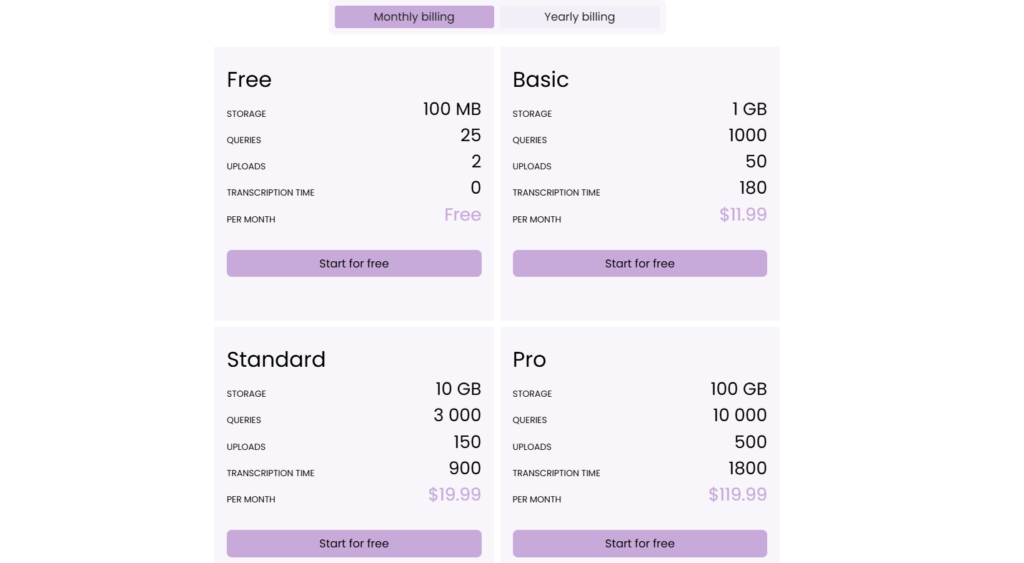
- Free trial available
- Paid plans start at around $19/month
- Enterprise pricing available upon request
Hints AI

Hints AI is an AI-powered CRM assistant that captures conversations from emails, meetings, and chats, then automatically updates CRM records. It reduces manual data entry and helps sales teams keep customer information accurate and up to date.
Features
- Automatic CRM updates
- AI meeting summaries
- Email and chat integration
- Voice-to-CRM logging
- Contact management
- Task automation
- Sales activity tracking
- CRM integrations
Strengths
- Eliminates repetitive CRM updates
- Saves significant time for sales teams
- Works with popular CRM platforms
- Easy automation setup
- Improves data accuracy
Weaknesses
- Primarily focused on sales workflows
- Some CRM integrations require premium plans
- Limited value outside CRM management
Pricing
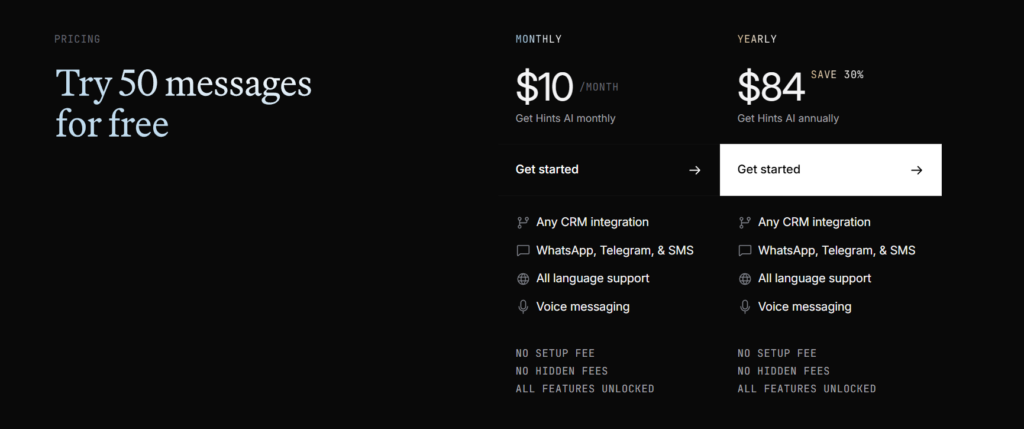
- Free trial available
- Paid plans start at around $29/user/month
- Enterprise pricing available on request
AI Productivity Tools Comparison Table
| Tool | Best For | Key Features | Free Plan |
| Notion AI | Notes, documents, and project management | AI writing, document summaries, workspace search, brainstorming, task management | ✅ Yes |
| Otter AI | Meeting transcription | Live transcription, AI summaries, speaker identification, meeting recordings | ✅ Yes |
| Read AI | Meeting analytics | Meeting summaries, engagement analytics, action items, speaker insights | ✅ Yes |
| Laxis | Sales and client meetings | AI transcription, CRM integration, meeting summaries, workflow automation | ✅ Yes |
| BeforeSunset AI | Daily planning and scheduling | AI planner, time blocking, task prioritization, calendar integration | ✅ Yes |
| Saner AI | Personal knowledge management | Smart search, note organization, AI summaries, knowledge retrieval | ✅ Yes |
| Rippling | HR and workforce management | Payroll, HR automation, onboarding, compliance, workflow automation | ❌ No |
| Metricool | Social media management | Content scheduling, analytics, reporting, AI assistance | ✅ Yes |
| Anakin AI | No-code AI app creation | AI app builder, workflow automation, multiple AI models, chatbots | ✅ Yes |
| Knowbase AI | AI-powered knowledge base | Chat with documents, AI search, file organization, knowledge management | ❌ Free Trial |
| Hints AI | CRM automation | Automatic CRM updates, meeting summaries, sales tracking, workflow automation | ❌ Free Trial |
Conclusion
AI-powered productivity tools have fundamentally changed the way people work by minimizing time spent on repetitive tasks and keeping teams well-organized. A wide range of tools is available depending on your requirements, such as creating documents, holding meetings via the tool, keeping a record of a day’s tasks, sharing information across the team, etc.
The right tool would mainly depend on your working style, the amount you can invest in the tool, and the activities you repeat most throughout the week. By opting for an appropriate AI-based productivity tool, not only can you manage routine administrative work more easily, but you can also increase your collaboration efficiency and devote yourself more to work that genuinely adds value.
FAQs
What is the best AI productivity tool?
Notion AI is a great all-around choice for writing, notes, and project management.
Which tool is best for meeting notes?
Otter AI, Read AI, and Laxis are excellent for transcribing and summarizing meetings.
Which AI tool is best for CRM automation?
Hints AI automatically updates CRM records and tracks sales activities.
Which tool is best for knowledge management?
Saner AI and Knowbase AI help organize and search notes and documents.
Which AI productivity tools have free plans?
Notion AI, Otter AI, Read AI, Laxis, BeforeSunset AI, Saner AI, Metricool, and Anakin AI offer free plans.

Sapna Ghodasara is the founder of Guide of AI Tool, where she writes in depth reviews of AI tools for marketers, creators and businesses. Her reviews focus on what matters before you pay for a tool: real use cases, honest pros and cons, pricing, and how well it fits into an everyday workflow.
Sapna is the cofounder of SEOMagicLab. That mix of technical training and daily marketing work lets her judge AI tools from two angles: how well the technology actually performs and whether it delivers real value for the people using it.