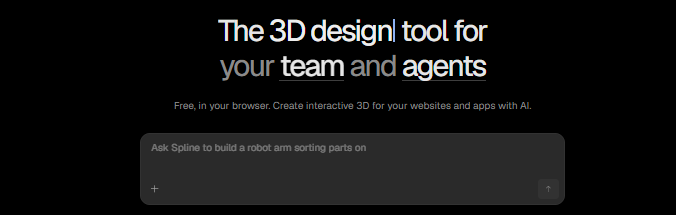
What is Spline?
Spline is a design app that runs in your web browser and lets you build 3D visuals. You can shape objects, set up scenes, and make them move, then place the result on a website or in an app. It is similar to Figma, but made for 3D work.
Features Of Spline
Simple Browser Workspace
Open it online and start working. There is nothing to download, and ready-made templates give you a quick start.
Shapes, Materials, and Motion
Build objects, change their colors and surfaces, adjust lighting, and add movement. Scenes can react when a visitor clicks or hovers.
Teamwork and Publishing
Several people can edit one project at the same time. Finished scenes can be added to sites made with tools like Webflow, Framer, and React.
AI Help
An optional AI add-on can create 3D objects from a written description.
Use Cases Of Spline
Websites
Add eye-catching 3D banners or let shoppers spin a product on a page.
Design Projects
Create 3D icons, illustrations, and standout portfolio pieces.
Games and Practice
Make small interactive games, or use it to learn the basics of 3D.
What We Like About Spline
Easy to Learn
The layout is clean, and beginners can get results fast.
Works Almost Anywhere
Because it runs online, you don’t need a powerful computer to begin.
Good for Teams
Working together on one file is smooth, and publishing takes few steps.
Free to Try
You can explore the basics without paying.
What We Don't Like About Spline
Not for Advanced Modeling
Professionals who need detailed or realistic 3D will find it limited next to Blender or Maya.
Speed Issues
Large scenes may load slowly, and a weak connection makes it harder to work.
Spline Pricing Plans

Hobby Plan – $12/month
- 200 AI credits monthly
- Unlimited 4K video
- Upload videos
- No watermark on web exports
- Higher-resolution image exports
- Access to sound effects and music library
Pro Plan – $25/month
- 200 AI credits monthly
- Unlimited videos and projects
- Video exports
- Unlimited access per file
- Apple & Android exports
- Upload videos
- Unlimited video editing
- AI & advanced features
- Website and app usage
Max Plan – $60/month
- 600 AI credits monthly
- 5x more monthly generations
- 200K max video size
Enterprise Plan – Custom Pricing
- Creative branding and editing
- Multiple teams with team privacy
- SSO, single sign-on access
- Data & advanced reports
- File version history
- Team library
- Custom onboarding and training
- Priority support
- Legal and security requirements support
FAQs About Spline
Can I use Spline for free?
Yes. A free plan exists, but it has limits.
Do I have to code?
No. Coding is optional and only needed if you want extra control.
How does it compare to Blender?
Spline is quicker for interactive web visuals. Blender is stronger for detailed, high-end modeling.
Is any download required?
No. Everything runs in the browser.
Conclusion
Spline makes it simple to bring interactive 3D to websites, even if you are new to design. It suits beginners and teams well. If your work needs highly detailed or film-quality 3D, Blender is the better choice.