Pokecut
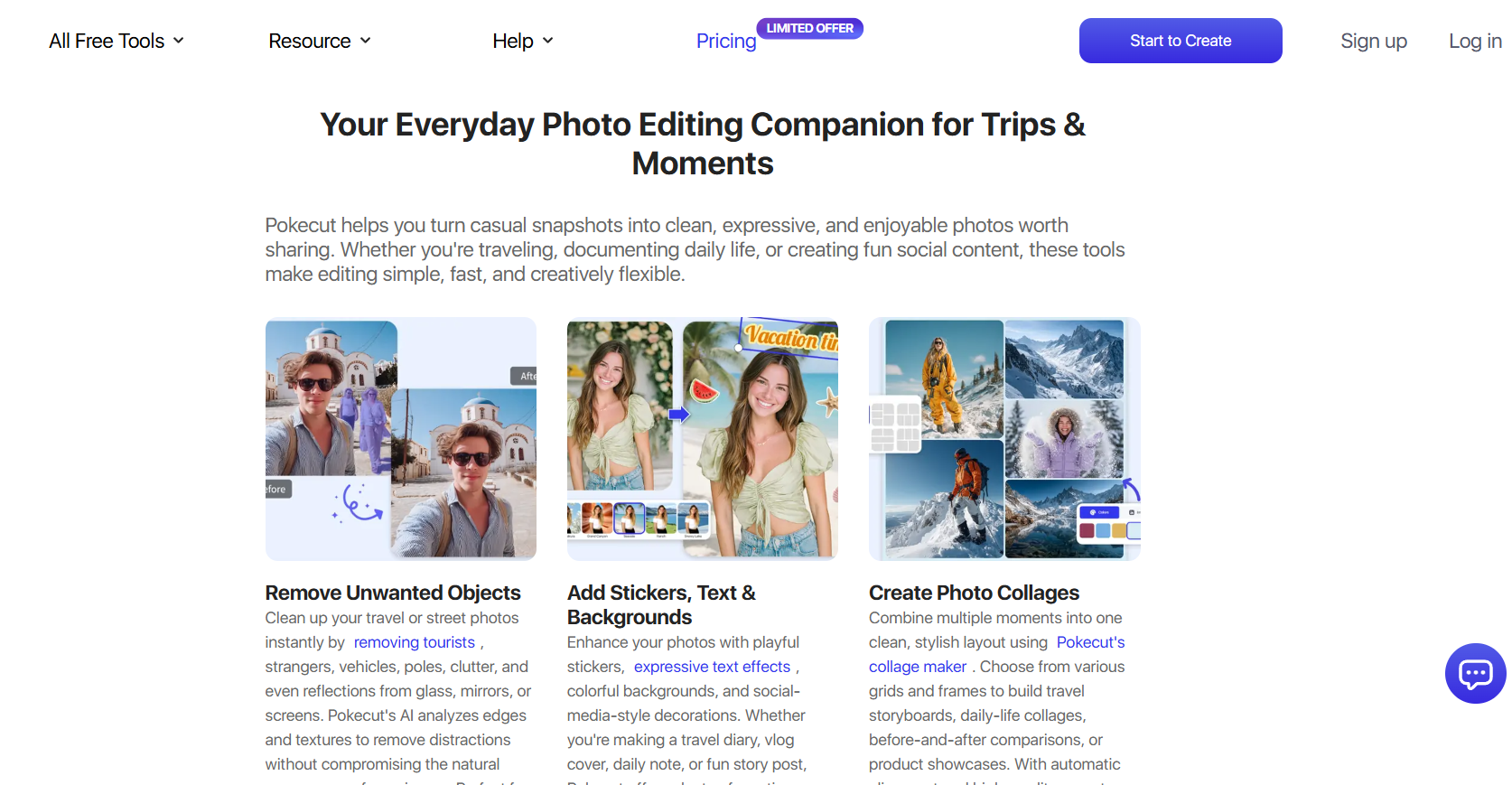
Fast AI edits for stunning images
Pokecut is a simple AI-based photo editing software that lets you edit photos quickly and easily. It provides features such as changing or removing the background, enhancing photos, and giving users the ability to generate new images with AI to create clean and professional pictures.
Features Of Pokecut
Photo Collage Maker
Combine multiple photos into one clean and stylish collage.
Batch Photo Edit
Edit many photos at the same time to save effort and time.
AI Replace
Replace objects or parts of an image automatically using AI.
AI Background
Change or generate new backgrounds with one click.
AI Image Generator
Create new images from text using AI.
Image to Image AI
Turn one image into another style or version using AI.
AI Background Remover
Remove photo backgrounds instantly with clean edges.
Magic Eraser
Erase unwanted objects from photos without manual work.
AI Photo Enhancer
Improve image quality, sharpness, and clarity automatically.
AI ID Photo
Create professional ID photos that meet official requirements.
AI Image Extender
Expand images beyond the original frame naturally.
Blur Background
Add background blur for a professional portrait look.
Background Changer
Swap backgrounds easily for any photo style.
HD Pic Converter
Convert low-quality images into high-resolution HD photos.
Digicam FX & Y2K Filter
Apply retro and vintage photo effects instantly.
Add a Person to a Photo
Insert a person into an existing image realistically.
Use Cases Of Pokecut
Social Media
Creating eye-catching posts and thumbnails.
Backgrounds
Removing or changing photo backgrounds easily.
Enhancement
Improving old or low-quality images automatically.
E-commerce
Designing professional product images for online stores.
ID Photos
Making official ID photos quickly and easily.
Bulk Editing
Editing multiple photos at once for business needs.
Creativity
Creating unique visuals using AI image generation.
How To Use Pokecut
- Visit the Pokecut.com website.
- Choose the tool you want to use.
- Upload your image.
- Apply AI edits or enhancements.
- Download the final image.
What We Like About Pokecut
All-in-One
Pokecut offers multiple AI tools in one place, removing the need for extra editing apps.
Simplicity
The interface is simple and easy to use, even for first-time users.
Speed
Batch photo editing helps save time when working with multiple images.
Realism
Edits look realistic and not overly artificial.
What We Don't Like About Pokecut
Limits
Free usage is restricted, which may slow down frequent editing.
Control
Advanced users may miss detailed manual editing options.
Consistency
AI results can vary for complex or detailed images.
Pokecut Pricing Plans
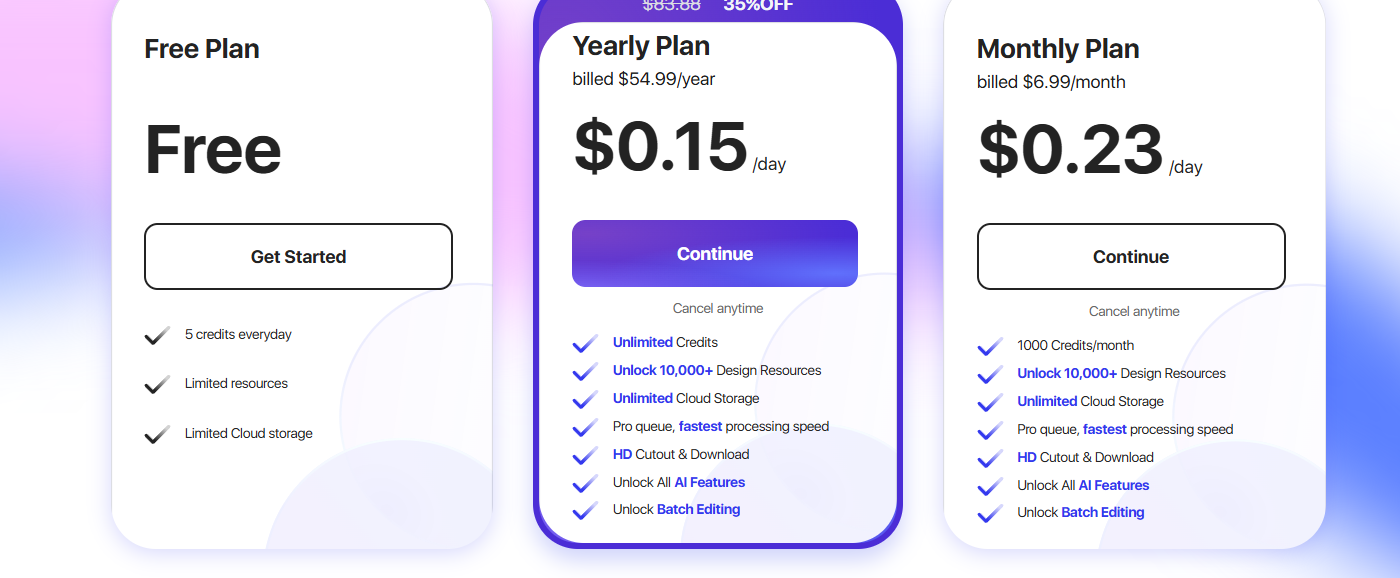
Free Plan – $0
- 5 credits every day
- Limited design resources
- Limited cloud storage
- Access to basic editing tools
Yearly Plan – $54.99/year
- Best value for frequent users and professionals.
- Unlimited credits
- Unlock 10,000+ design resources
- Unlimited cloud storage
- Pro queue with the fastest processing speed
- HD cutout and downloads
- Access to all AI features
- Batch editing unlocked
- Cancel anytime
Monthly Plan – $6.99/month
- 1,000 credits per month
- Unlock 10,000+ design resources
- Unlimited cloud storage
- Pro queue with fastestthe processing speed
- HD cutout and downloads
- Access to all AI features
- Batch editing unlocked
- Cancel anytime
FAQs About Pokecut
Is Pokecut free to use?
Yes, Pokecut offers several free tools with basic features.
Do I need design skills to use Pokecut?
No, Pokecut is designed for beginners.
Can I edit multiple photos at once?
Yes, the batch photo edit feature allows bulk editing.
Is Pokecut good for business use?
Yes, it’s useful for eCommerce, marketing, and content creation.
Conclusion
Pokecut is a powerful yet simple AI photo editing tool that saves time and effort. With features like background removal, image enhancement, and AI image generation, it’s a great choice for creators, businesses, and everyday users who want quick and professional-looking results without complexity.