Mnml AI
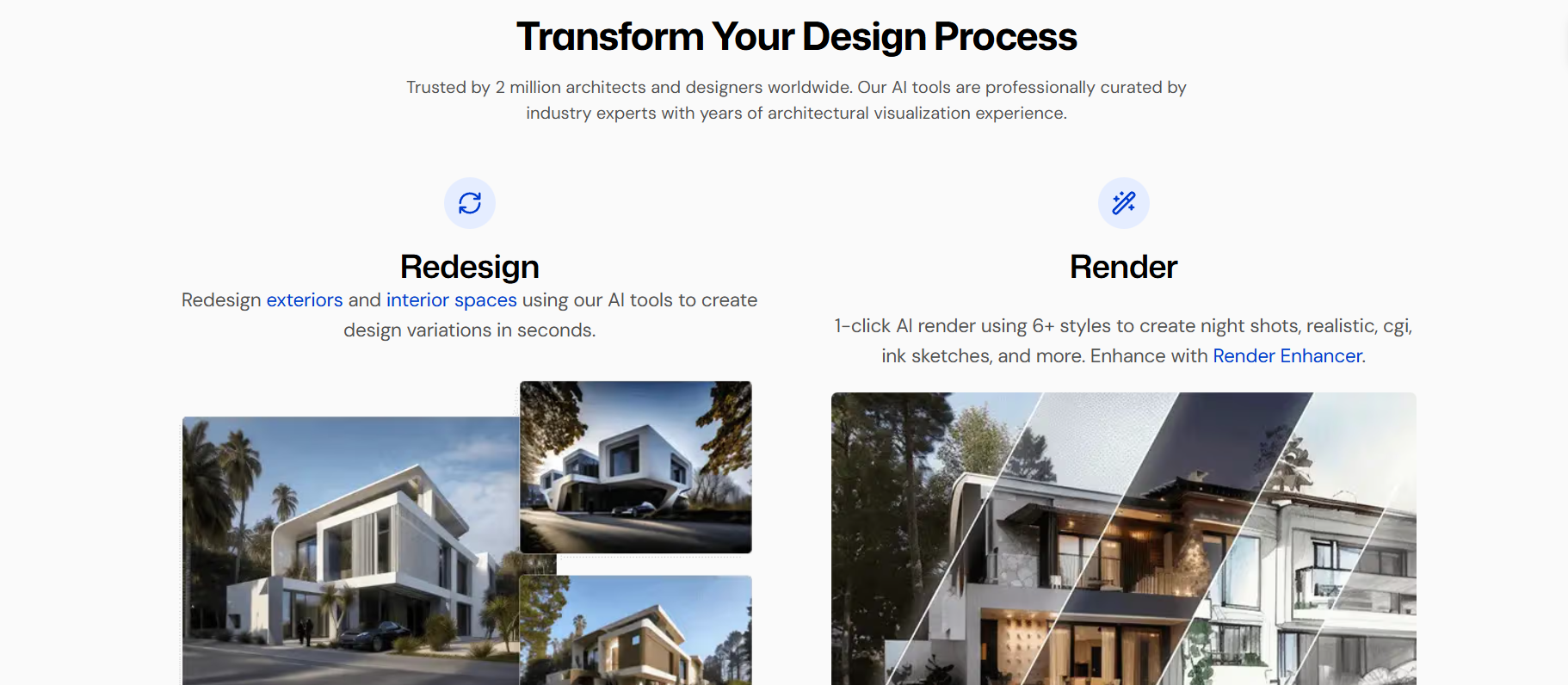
Create interior and exterior designs in seconds
Mnml AI is an AI design platform that helps you produce neat and trendy visuals. Designers, creators, and teams might find it most useful. You can make designs without spending a lot of time or money since all plans permit commercial use. Besides, this tool is user-friendly and concentrates on speed, simplicity, and quality. This helps you get the design work done quicker.
Features Of Mnml AI
Sketch to Image AI
Turn hand-drawn or digital sketches into realistic images. Create many design versions from one sketch in seconds.
AI Video Maker
Convert your architecture renders into a 10-second animated video. One click gives you a 1080p animation.
Exterior AI
Render exterior designs from SketchUp, Blender, 3ds Max, or Revit models. Turn clay or viewport models into realistic visuals fast.
Interior AI
Redesign rooms using over 20 interior styles. Control colors, materials, lighting, and finishes in seconds.
Render Enhancer AI
Improve low-quality renders from Lumion, Enscape, V-Ray, SketchUp, or Revit. Upscale images up to 8K resolution.
Style Transfer Render AI
Apply styles from reference images to your architecture renders. The match looks quick and easy.
Imagine AI
Create architecture and interior renders using text prompts.
Masterplan AI
Visualize 2D site plans and urban masterplans instantly. Create clear and professional layouts fast.
Landscape AI
Redesign outdoor spaces like gardens and entrances. Choose from 15+ landscaping styles.
Design Assistant AI
Edit architectural images using text commands. Change materials, lighting, layout, and details without design software.
Concept Generator
Create clear architecture concept statements using keywords. Tell your project’s story simply and professionally.
Use Cases of MnML AI
Social Media Content
Create posts, banners, and visuals for Instagram, X, and other platforms.
Marketing Designs
Make ads, landing visuals, and promo graphics without hiring a designer.
Video Creators
Generate AI videos quickly for reels, shorts, and product showcases.
Freelancers
Design client-ready visuals fast and deliver work on time.
Small Businesses
Create professional designs without expensive tools or agencies.
How To Use Mnml AI
- First, sign up or log in to Mnml AI.
- Then, choose what you want to create, like a design or video.
- Type your text prompt or idea.
- Let the AI generate the design.
- Save, upscale, or download the final result.
- And use it for personal or commercial work.
What We Like About Mnml AI
Easy To Use
The platform is simple and beginner-friendly.
Fast Results
Designs are generated in seconds, not hours.
Clean Design Style
Outputs follow a modern and minimal look.
Flexible Pricing
Different plans work for individuals and teams.
What We Don't Like About Mnml AI
Credit Limits
Heavy users may run out of credits quickly.
Limited Custom Control
Advanced designers may want more manual editing options.
Learning Curve For Prompts
Good results depend on how well prompts are written.
Mnml AI Pricing Plans
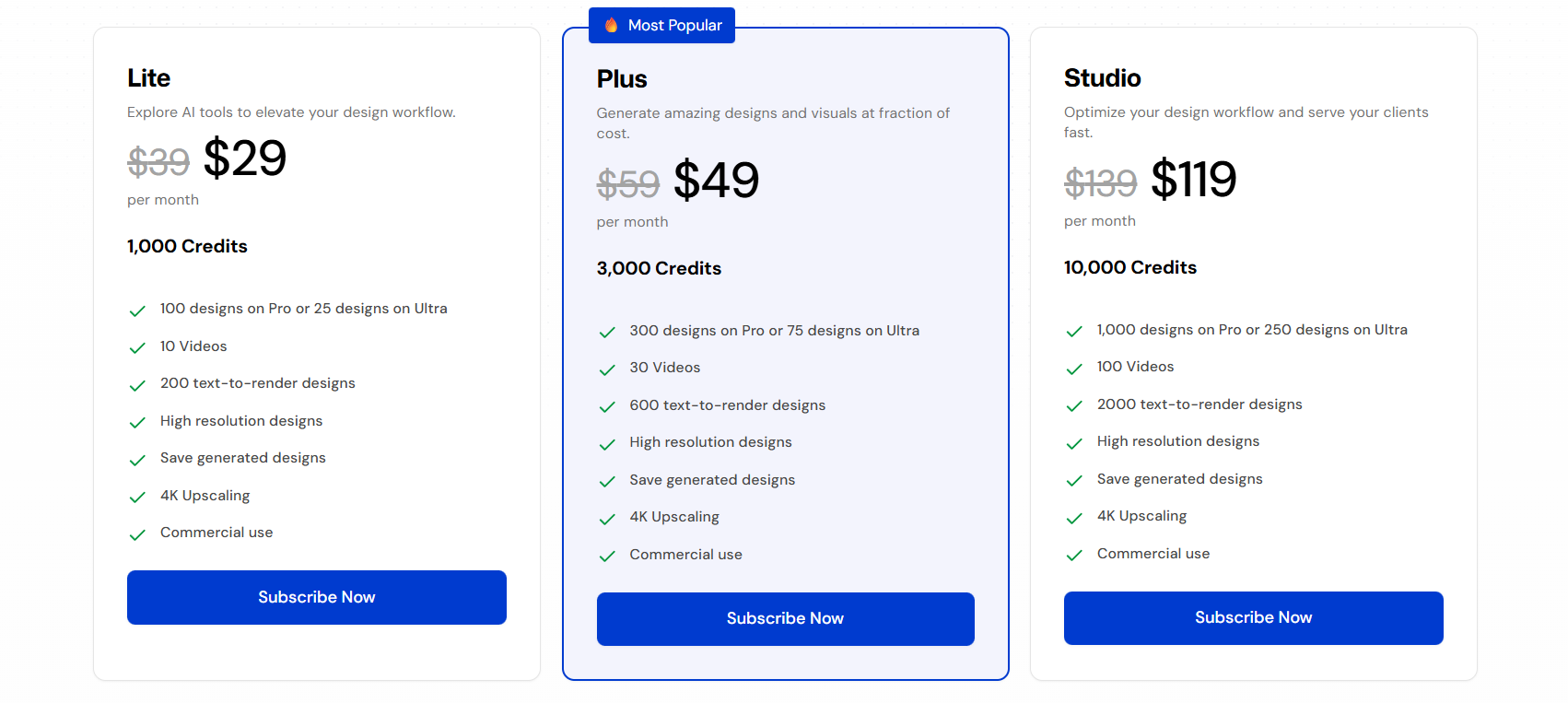
Mnml AI offers three monthly plans:
Lite – $29/month
- 1,000 credits
- 100 designs on Pro or 25 on Ultra
- 10 videos
- Commercial use
Plus – $49/month
- 3,000 credits
- 300 designs on Pro or 75 on Ultra
- 30 videos
- Commercial use
Studio – $119/month
- 10,000 credits
- 1,000 designs on Pro or 250 on Ultra
- 100 videos
- Commercial use
FAQs About Mnml AI
Is Mnml AI good for beginners?
Yes, it is easy to use and does not need design skills.
Can I use Mnml AI designs for clients?
Yes, all plans allow commercial use.
Does Mnml AI support high-quality images?
Yes, it supports high resolution and 4K upscaling.
Do credits reset every month?
Yes, credits reset monthly based on your plan.
Conclusion
Mnml AI is an excellent AI design tool if you want fast, clean, and modern visual outputs. The results are of high quality, and the pricing is reasonable. You can try Mnml AI if you want to save time and, at the same time, make professional designs.