Eraser
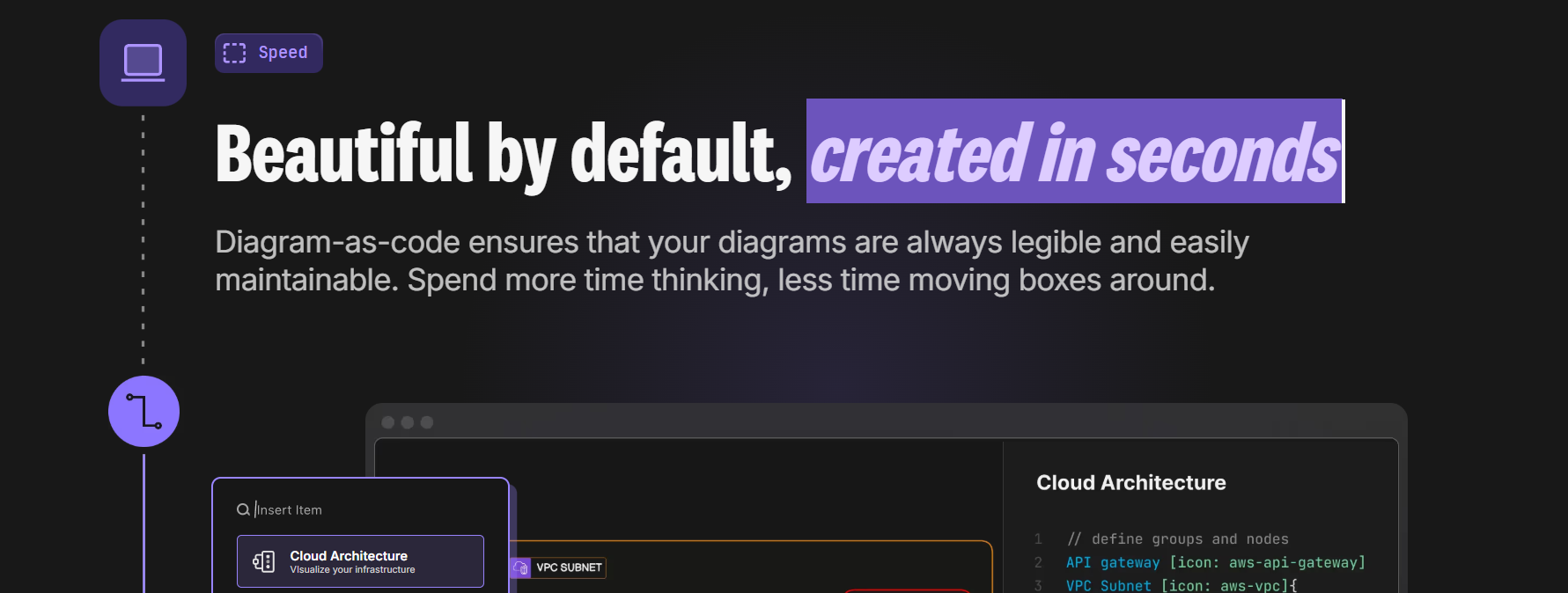
Diagram-as-code platform with AI automation
Eraser is an AI platform for architecture and documentation that is made specifically for engineering teams. It assists users in making neat, editable system diagrams through the input of natural language descriptions, code snippets, and already existing technical documentation.
Features Of Eraser
AI-Generated Diagrams
Create architecture diagrams, ERDs, sequence diagrams, and flowcharts using natural language prompts, code snippets, or SQL schemas.
Diagram-as-Code Engine
Every visual is backed by editable syntax, allowing version control, change tracking, and precise edits—just like source code.
Integrated Markdown Documentation
Write technical documents alongside diagrams and embed live visuals directly into your notes.
Real-Time Collaboration
Multiple team members can edit, comment, and review simultaneously. Guest access is available for stakeholders.
GitHub Synchronization
Two-way sync lets you manage diagrams and docs inside your repository, create branches, and open pull requests directly.
Eraserbot Automation
A CI-integrated bot that detects infrastructure or config changes and updates related diagrams automatically.
Developer-Friendly Integrations
Works with GitHub, VS Code, Notion, and Confluence to fit into modern engineering workflows.
Use Cases Of Eraser
System Architecture Design
Quickly draft and refine cloud or microservices architectures.
Technical RFC Documentation
Combine diagrams and markdown into a single, version-controlled design document.
Database Visualization
Generate ER diagrams from SQL schemas for onboarding or legacy system analysis.
DevOps & Infrastructure Mapping
Visualize Terraform, Kubernetes, or cloud configurations with minimal manual effort.
Codebase Documentation Automation
Use Eraserbot to keep diagrams aligned with pull requests and infrastructure updates.
Team Collaboration & Reviews
Collect feedback directly on diagrams without exporting static images.
How To Use Eraser
Create a File
Start a new workspace from the dashboard.
Generate a Diagram with AI
Use a structured prompt (e.g., describe tiers, components, and data flow) or paste code into the AI dialog.
Refine the Output
Edit using follow-up AI prompts or adjust the diagram syntax manually.
Add Documentation
Write markdown notes and embed live diagrams into your document.
Sync with GitHub
Push changes, create branches, and open pull requests directly from the platform.
Automate
Configure Eraserbot to monitor infrastructure files and update diagrams automatically.
What We Like About Eraser
Fast AI Drafting
Generate complete architecture diagrams in seconds instead of starting from scratch.
Developer-Centric Design
Built around engineering workflows, not generic whiteboarding.
Native Git Integration
Sync docs and diagrams directly with repositories and pull requests.
Unified Workspace
Keep markdown documentation and diagrams together in one source of truth.
Smooth Team Collaboration
Real-time editing, comments, and guest access without friction.
CI-Based Automation
Eraserbot keeps diagrams updated automatically as code changes.
What We Don't Like About Eraser
Large Canvas Performance
Very complex diagrams can occasionally slow down.
Limited Template Library
Fewer pre-built templates compared to older diagram tools.
Proprietary Syntax
Not based on open standards like Mermaid, which may limit portability.
Eraser Pricing Plans
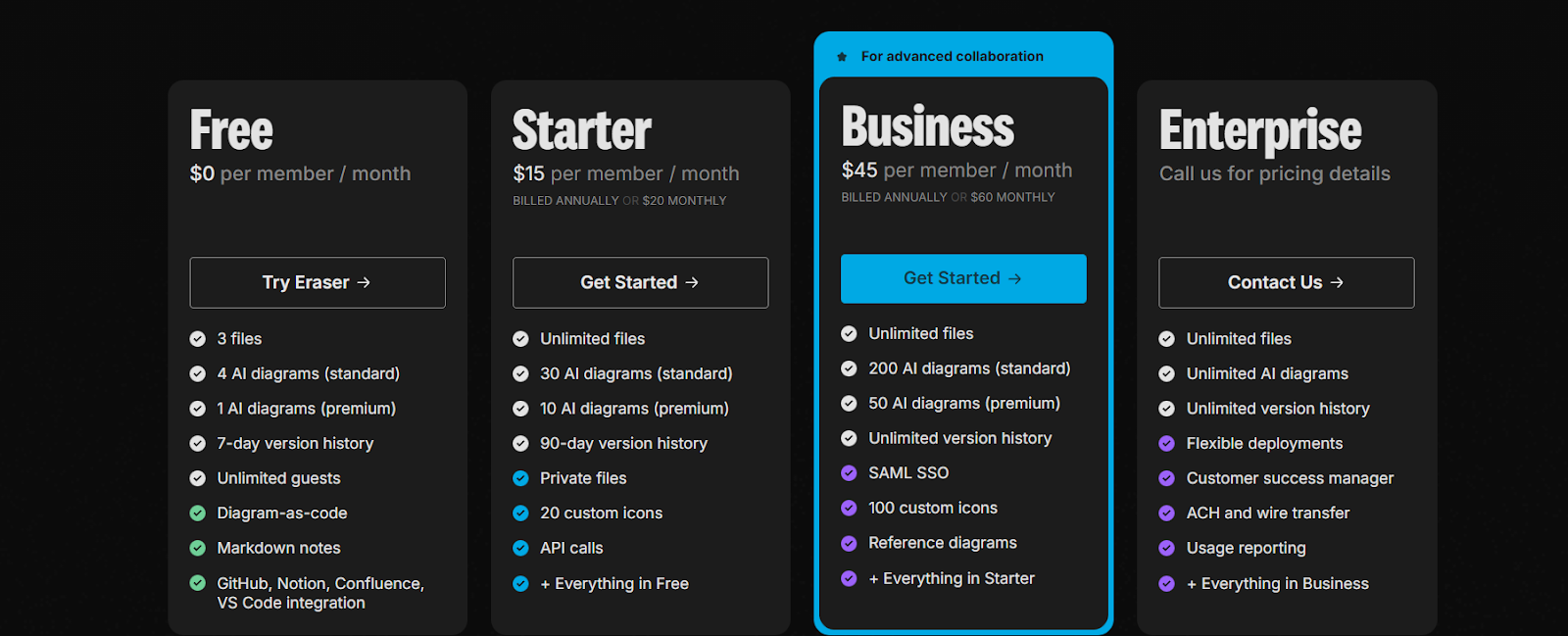
Free
- 3 files
- 4 AI diagrams (standard)
- 1 AI diagram (premium)
- 7-day version history
- Unlimited guests
- Diagram-as-code
- Markdown notes
- GitHub, Notion, Confluence & VS Code integrations
Starter – $15 per member/month (billed annually) or $20 monthly
- Unlimited files
- 30 AI diagrams (standard)
- 10 AI diagrams (premium)
- 90-day version history
- Private files
- 20 custom icons
- API access
- Everything in Free plan
Business – $45 per member/month (billed annually) or $60 monthly
- Unlimited files
- 200 AI diagrams (standard)
- 50 AI diagrams (premium)
- Unlimited version history
- SAML SSO
- 100 custom icons
- Reference diagrams
- Everything in Starter plan
Enterprise – Custom Pricing
- Unlimited files
- Unlimited AI diagrams
- Unlimited version history
- Flexible deployment options
- Dedicated customer success manager
- ACH & wire transfer billing
- Usage reporting
- Everything in Business plan
FAQs About Eraser
Is Eraser.io only for developers?
It is built primarily for engineering teams, but product managers and architects can also benefit.
Does it replace traditional diagram tools?
For technical workflows and docs-as-code teams, it can. For pure visual whiteboarding, traditional tools may still feel more familiar.
Can I version-control diagrams?
Yes. Diagrams can live inside your Git repository and be reviewed like code.
Is my data used to train AI models?
Eraser states that user data is not used to train public AI models.
Does it support cloud-specific diagrams?
Yes. You can generate AWS, Azure, or other cloud architectures through AI prompts.
Conclusion
Eraser marks a transition from hand-drawn diagrams to AI-assisted technical design. It uses a mix of natural language generation, diagram-as-code concepts, and Git-native workflows to help engineering teams accelerate their pace without losing the documentation-code alignment.