Recraft AI
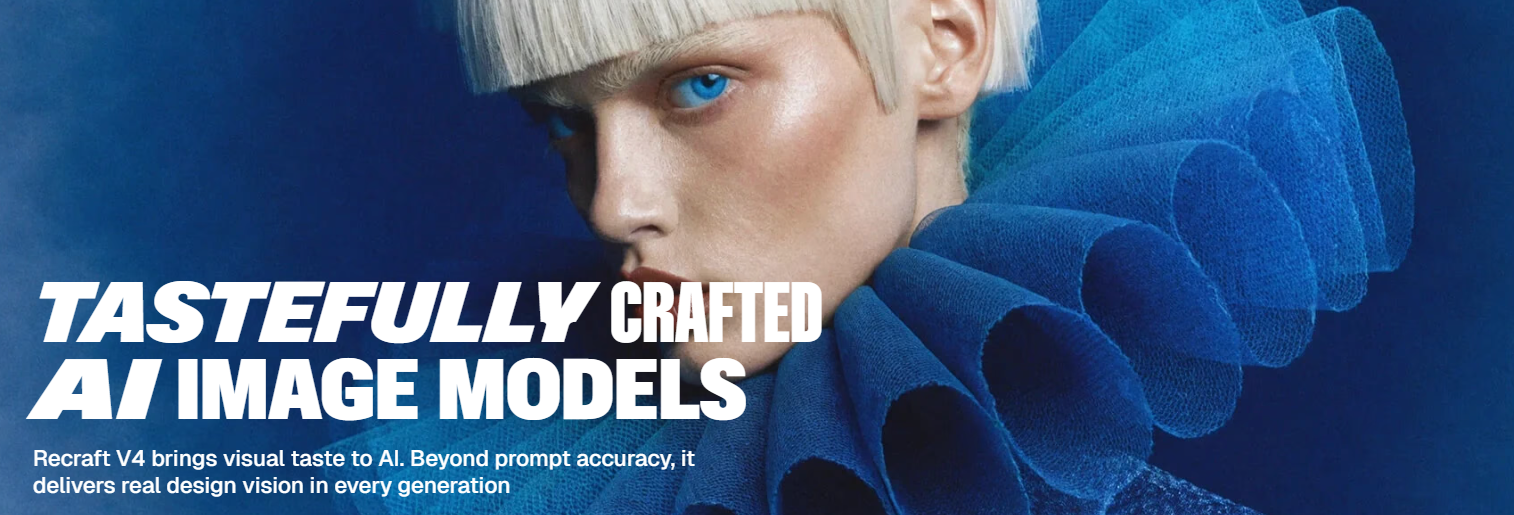
Create high-quality images, vectors, and branding visuals with Recraft AI.
Recraft AI is a design platform powered by AI that creates excellent visuals. It is specifically designed for designers, providing tools to create not only pictures but also vector graphics, branding elements, and mockup designs.
The new version of Recraft, called Recraft V4, goes beyond the current model by integrating proper prompt understanding with an enhanced "design sense." In other words, the outputs are not just accurate but also beautiful and ready for use in real-life creative endeavors.
Features Of Recraft AI
Advanced Image Generation
It can create clear and beautiful images from simple text you type.
Built-in Design Aesthetics
The images look well-designed, with good colors, balance, and layout.
Vector Image Creation
It can make special images (like SVGs) that are easy to resize and edit without losing quality.
Photorealistic Outputs
Create images that look very real, like actual photos.
Style Consistency Without Training
You can upload your own images, and it will copy that style for future designs.
Customizable Design Control
Easily adjust and change the designs to match your needs.
All-in-One Creative Studio
Edit and improve your images, vectors, and mockups.
Use Cases Of Recraft AI
Graphic Designers
Very suitable for developing logos, defining brand image, and producing vector artworks.
Social Media Managers
It allows you to create engaging posts, promotional visuals, and ad creatives.
Web & UI/UX Designers
You can develop website graphics and UI components.
Product Designers
Provide the means to represent your ideas visually with the help of mockups and well-prepared presentations.
How To Use Recraft AI
- Sign up and access the Recraft studio.
- Enter a text prompt describing the image or design you want.
- Choose the format (image, vector, or mockup).
- Generate and review results.
- Edit or refine the output using built-in tools.
- Download or reuse the design in your projects.
What We Like About Recraft AI
High-Quality Output
The designs come out clean and sharp, especially the vector files, which are easy to scale and edit.
Accurate Text Rendering
It does a surprisingly good job with text, which is where many AI tools usually struggle.
Brand Consistency
You can keep your designs looking uniform, which is really helpful for branding work.
Versatile Features
From mockups to background removal, it packs in a good range of useful tools.
User-Friendly
The interface feels simple enough to pick up quickly, even if you're not a pro designer.
What We Don't Like About Recraft AI
Performance Issues
It can occasionally lag or not generate results as expected.
Credit-Based Pricing
You might run out of credits faster than expected if you use it a lot.
Recraft AI Pricing Plans
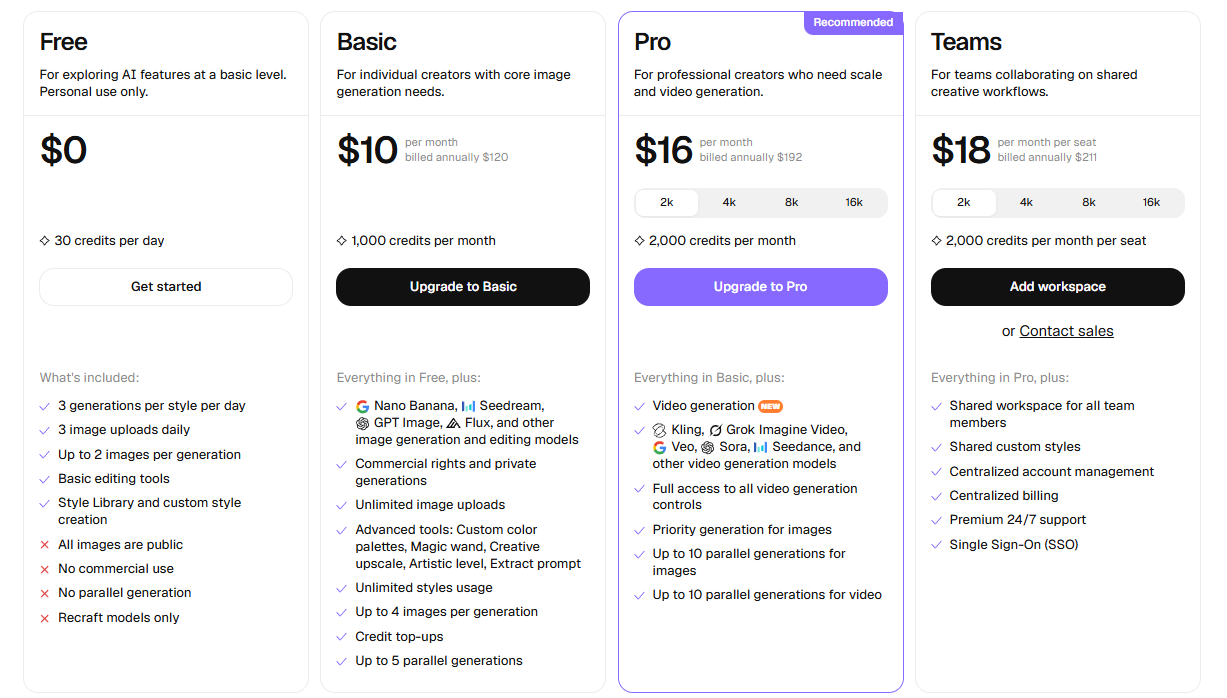
Free Plan
Best for testing the platform and exploring basic features.
- 30 credits per day
- 3 generations per style daily
- 3 image uploads per day
- Up to 2 images per generation
- Basic editing tools
- Style library and custom style creation
Basic Plan – $10/month
Ideal for individual creators with regular design needs.
- 1,000 credits per month
- Access to multiple AI models
- Commercial usage rights
- Private image generation
- Unlimited image uploads
- Advanced tools
- Unlimited style usage
- Up to 4 images per generation
- Credit top-ups available
Pro Plan – $16/month
Designed for professionals who need more power and speed.
- 2,000 credits per month
- Video generation support
- Access to advanced video models
- Full control over video generation settings
- Priority image generation
- Up to 10 parallel image generations
Teams Plan – $18/month per seat
Built for teams working on shared creative projects.
- 2,000 credits per month per user
- Shared workspace for collaboration
- Shared custom styles
- Centralized account and billing management
- Premium 24/7 support
- Single Sign-On (SSO) access
FAQs About Recraft AI
What makes Recraft AI different from other tools?
Recraft AI focuses on design quality and offers vector generation, which most AI image tools don’t provide.
Can beginners use Recraft AI?
Yes, but there may be a small learning curve for advanced features.
Does it support branding work?
Yes, it’s especially strong for consistent brand visuals and style creation.
Can I create realistic images?
Yes, it can generate highly photorealistic visuals.
Is Recraft AI free?
It has a free plan, but advanced features require a paid subscription.
Conclusion
If you are looking for just an image generator, Recraft AI provides you with more than that. Recraft AI is mostly focused on design for creating polished designs with visuals that can be used. It has great features like vector generation, style consistency, and high-quality outputs.
Alternatives To Recraft AI
Leonardo AI
Good for game assets and creative visuals.
Playground AI
Useful for both creating and refining visuals.
Flair AI
Great for branded content, especially for product-focused designs.
Pixa
Great for generating and editing visuals.