Pixa
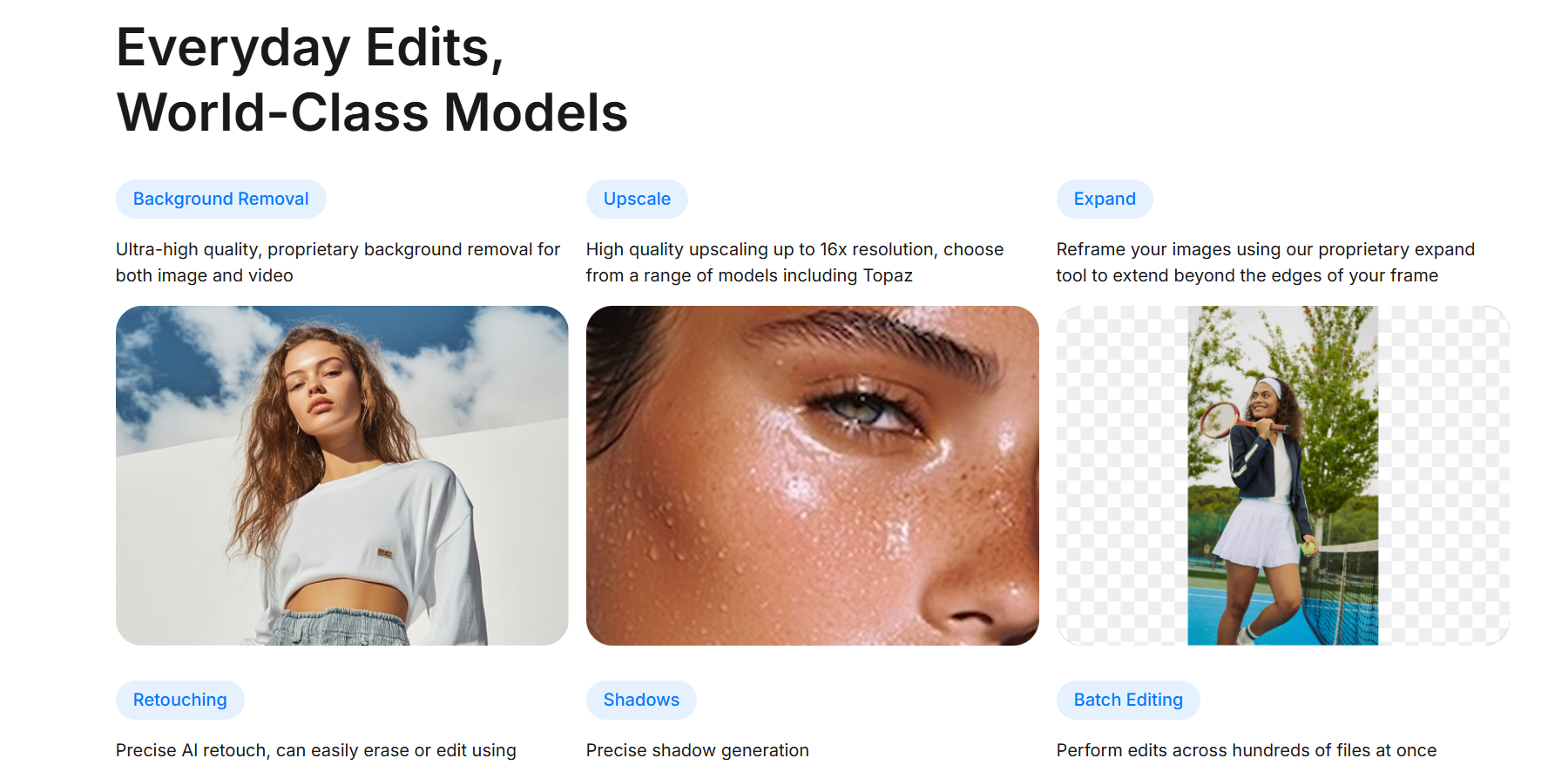
Create and edit stunning visuals using Pixa.
Pixa helps its users generate top-notch pictures and visual content. It's a pretty handy app for anyone who wants to make marketing graphics, social media posts, or just about any digital work. All it takes is writing a simple text prompt, and it will be turned into beautiful and eye-catching images.
Features Of Pixa
AI-Powered Image Generation
Just tell Pixa what type of image you want and it will come up with a pretty accurate visual. The more detailed and clear your prompt is, the better the images will be.
Multiple Artistic Styles
Realistic photography, digital illustrations, and abstract art are some of the main artistic styles that users can experiment with.
High-Quality Image Output
Pixa creates great quality images that are perfect for different purposes such as websites, social media, ads, and presentations.
Beginner-Friendly Interface
Thanks to a neat dashboard, even users who are using Pixa for the first time can easily navigate and create images without any hesitation.
Fast Processing
Resulting images within a few seconds surely help content creators to stick to a consistent content publishing schedule.
Customization Options
To increase the level of accuracy and creativity, users can modify prompts, change styles, and edit outputs.
Use Cases Of Pixa
Social Media Content
Create scroll-stopping Instagram posts, Facebook ads, and YouTube thumbnails.
Blog Graphics
Design featured images and article visuals effortlessly.
Marketing Campaigns
Produce ad creatives and promotional graphics quickly.
E-commerce Stores
Generate product mockups and sales banners.
Branding Materials
Create posters, cover images, and presentation slides.
Creative Projects
Explore digital art, concept designs, and storytelling visuals.
How To Use Pixa
Create an Account
Sign up on the platform and log in to your dashboard.
Enter Your Idea
Describe the image you want. For example, “An office workspace with warm lighting and plants.”
Choose Style & Settings
Select the artistic style, resolution, or additional customization options.
Generate the Image
Click the generate button and let the AI create your visual.
Refine if Needed
If the result isn’t perfect, adjust your prompt or style and regenerate.
Download and Use
Once satisfied, download the image and use it for your project.
What We Like About Pixa
- Extremely easy to use.
- Fast image generation.
- Suitable for beginners and professionals.
- Saves time and effort.
- Wide creative flexibility.
- No technical or design skills required.
What We Don't Like About Pixa
- Limited credits in the free plan.
- AI results may require prompt refinement.
- Subscription needed for full access.
Pixa Pricing Plans

Free – $0/month
- Limited background removal
- Limited upscaling
- Free export without watermark
Pro – $10/month
- 600 AI credits monthly
- Use any AI model
- Unlimited background removal
- Unlimited upscaling
- 3-person team access
- Batch editing
- Commercial license
Business – $30/month
- 3,600 AI credits monthly
- Use any AI model
- Unlimited background removal
- Unlimited upscaling
- 10-person team access
- Batch editing
- Commercial license
FAQs About Pixa
Is Pixa suitable for beginners?
Yes, the platform is designed to be user-friendly and requires no prior design experience.
Can I use Pixa images for commercial projects?
Usually, yes, but it's a good idea to check Pixa's licensing terms first before using the images for commercial purposes.
Does Pixa offer a free plan?
Many AI tools offer limited free credits. Premium plans typically provide more generations and features.
What makes Pixa different from traditional design tools?
Unlike traditional software, Pixa doesn’t require manual design skills. It relies on AI and text prompts to generate visuals automatically.
Is Pixa cloud-based?
Yes, it runs entirely online, so there’s no need to install software.
Conclusion
Pixa is redefining the way we create images in this digital age. With a blend of AI capabilities and a super easy to navigate interface, it even allows those who have never created images before to come up with amazing ones in no time at all.
Alternatives To Pixa
Leonardo AI
Leonardo AI features powerful text-to-image generation and editing functions, providing you with top quality AI art and visuals with friendly prompts.
Playground AI
If you want to create AI art and visuals using very simple prompts and easy edits, then this text-to-image generation and powerful image editing tools are just perfect for your needs.