Fathom AI
Record, transcribe, and summarize meetings automatically
Fathom AI is an AI tool designed to record, transcribe, and summarize online meetings. It works quietly in the background, joining scheduled video calls and sending notes afterward so users don’t have to take manual notes during conversations.
Launched in 2020, Fathom has grown steadily and now positions itself as more than just a note-taker. Its long-term goal is to become a “meeting intelligence layer” — a tool that not only documents meetings, but also highlights decisions, tasks, and insights across conversations. While the branding suggests something bold and futuristic, the product itself stays focused on reliability and simplicity.
Features Of Fathom AI
Fathom AI focuses on core meeting workflows rather than heavy customization or experimentation. Its main features include:
Automatic Meeting Recording
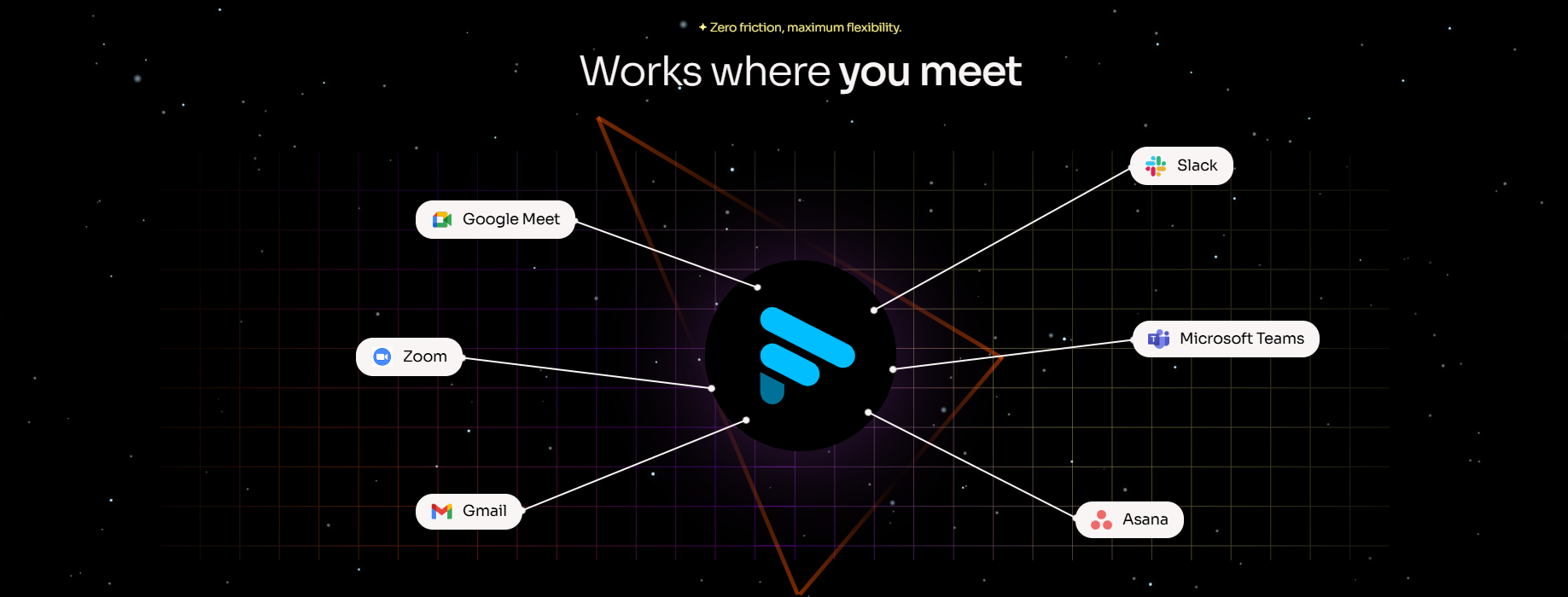
Connect your calendar, and Fathom joins Zoom, Google Meet, or Microsoft Teams calls automatically.
Accurate Transcription
Meetings are transcribed with speaker labels and high accuracy, even for different accents.
AI-Generated Summaries
After each call, Fathom provides a short, structured summary highlighting key points and outcomes.
Action Items & Questions
The tool identifies tasks and notable questions discussed during the meeting.
Time-Stamped Playback
Click any part of the transcript to replay the exact moment in the meeting.
Shareable Clips & Notes
Users can share highlights, clips, or summaries with teammates or external participants.
Ask Fathom
A conversational search feature that lets users ask questions about past meetings.
Integrations
Native integrations with tools like HubSpot, Salesforce, Slack, and task tools such as Asana (via plans or workflows).
Use Cases Of Fathom AI
Fathom AI works best in structured environments where meetings follow clear agendas.
Sales Calls
Sales teams can review calls, extract action items, and sync insights with CRMs.
Internal Team Meetings
Helps teams keep track of decisions and next steps without manual note-taking.
Client Check-Ins
Useful for documenting agreements, timelines, and responsibilities discussed on calls.
Recruiting & Interviews
Enables teams to revisit candidate responses without replaying full recordings.
Operations & Admin Workflows
Supports repeatable meetings where consistency matters more than nuance.
How To Use Fathom AI
Sign Up and Connect Your Calendar
Grant access so Fathom can identify scheduled meetings.
Choose Meeting Platforms
Enable Zoom, Google Meet, or Microsoft Teams.
Join a Call
Fathom automatically joins eligible meetings as a participant.
Attend the Meeting Normally
No extra interaction is required during the call.
Review Notes Afterward
Access transcripts, summaries, action items, and playback links once the meeting ends.
Share or Export
Send notes to teammates, clients, or connected tools.
What We Like About Fathom AI
Reliable Transcription Accuracy
Performs well even with different accents and speaking styles.
Generous Free Plan
Unlimited recordings and transcripts make it easy to test long-term.
Simple Setup
Minimal configuration required to start using it.
Fast Summaries
Notes arrive quickly after meetings end.
Stays Out of the Way
Doesn’t interrupt meetings or demand constant interaction.
What We Don't Like About Fathom AI
Limited Customization
Summary tone and structure cannot be easily adjusted.
Weak Handling of Nuance
Emotional context, intent, and subtle cues are often missed.
Structure Confusion
Even well-organized meetings can be summarized inaccurately.
Calendar Sensitivity
Automatically joining private or sensitive calls can be uncomfortable if settings aren’t carefully managed.
Bland Output
Summaries are accurate but often feel generic and stiff.
Fathom AI Pricing Plans
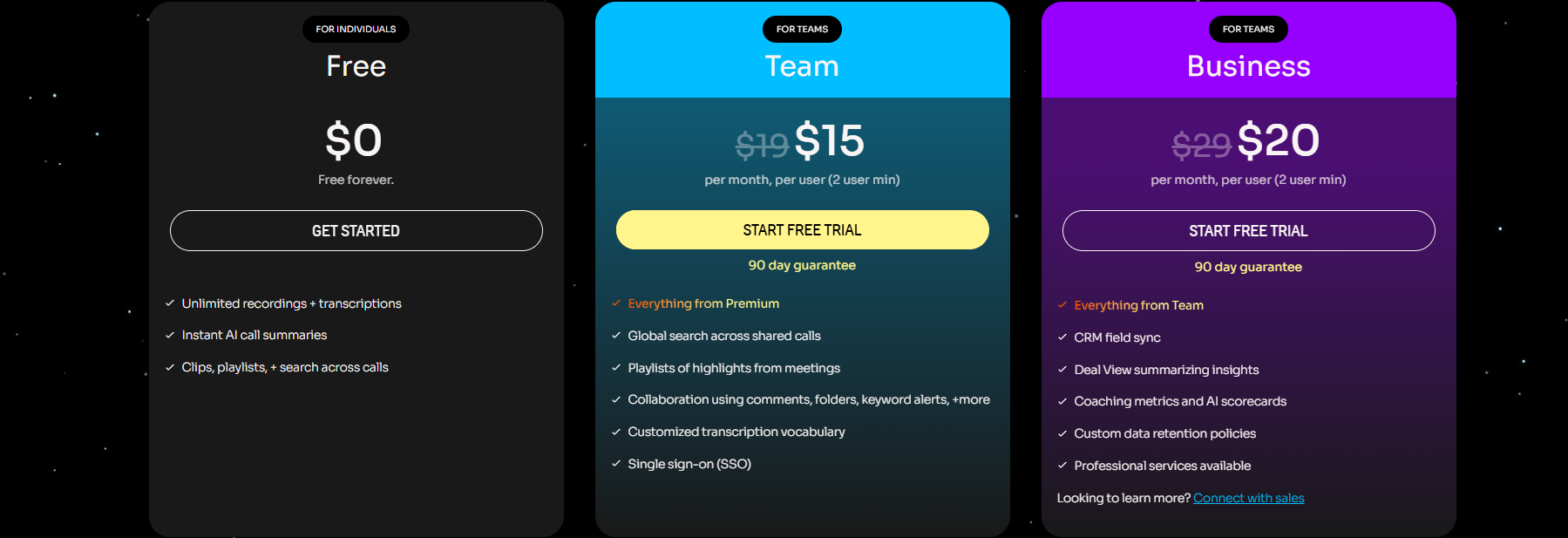
Free Plan
- Unlimited recordings and transcriptions
- Instant AI call summaries
- Clips, playlists, and search across calls
- Free to use with no time limit
Team Plan (For Teams) — $15 per user/month
- (2-user minimum, 90-day guarantee)
- Everything included in Premium
- Global search across shared calls
- Playlists of meeting highlights
- Team collaboration with:
- Comments
- Shared folders
- Keyword alerts
- Customized transcription vocabulary
- Single sign-on (SSO)
- Free trial available
Business Plan (For Teams) — $20 per user / month
- (2-user minimum, 90-day guarantee)
- Everything included in Team
- CRM field sync
- Deal View summarizes insights
- Coaching metrics and AI scorecards
- Custom data retention policies
- Professional services available
- Free trial available
- Option to connect with sales
FAQs About Fathom AI
Is Fathom AI free to use?
Yes, Fathom offers a free plan with unlimited recordings and transcripts.
Which meeting platforms does it support?
Zoom, Google Meet, and Microsoft Teams.
Does Fathom record meetings automatically?
Yes, once calendar access is granted.
Can summaries be customized?
Customization is limited, especially on lower-tier plans.
Is Fathom good for teams?
It works best for teams with structured and repeatable meetings.
Conclusion
Fathom AI is a reliable meeting assistant that does what it says exactly, no more, no less. It records meetings, accurately transcribes conversations, and provides clean summaries with almost no user effort.
However, it struggles with meetings that need emotion, context, or deeper meaning. If you like clear, structured notes and accuracy, Fathom can work well for you. But if you want smarter insights, flexible summaries, or notes that capture tone and feelings, it may feel a bit underwhelming.
Overall, Fathom AI is dependable, orderly, and functional, but it is not going to change how you work.