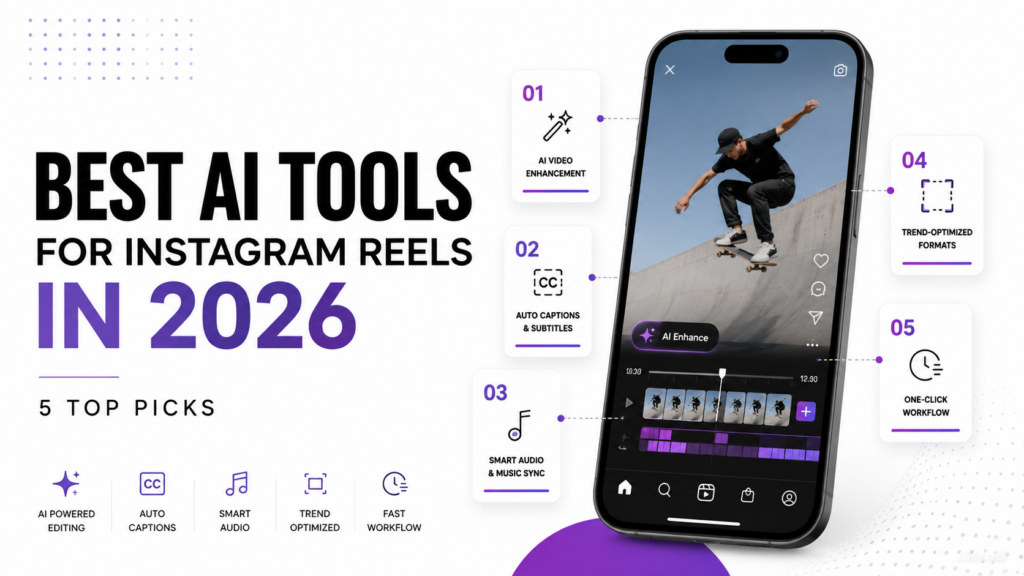
Instagram Reels have become a daily habit for most of us. After spending hours scrolling through each one, you will notice that some are created with the intention to sell something, while others just casually express themselves. But one thing is common among all of them: They want to stand out among others and get views, likes, and comments.
Since instgaram reels have gained popularity, the competition is higher than ever. The quality of reels is getting better. With better setup, camera angle, editing, and clear speech. Low-effort content may not be favoured by the Instagram algorithm.
The good thing is you can use AI tools for making Instagram Reels. This may help you create more reels with better quality in a short time.
What is an Instagram Reel?
Instagram Reels are full-screen, vertical videos that can be up to 15 minutes long. This is an update from last year’s 90-second limit. Reels let creators improve their videos using a range of editing tools. These include filters, captions, stickers, backgrounds, AI features, and co-creation tools. Creators can also use a library of sounds and music to add audio to their videos.
Why Old Editing Apps Aren’t Enough Anymore
Manual editing apps were made for a slower way of making content. They expect you to have time to go through videos, choose the best parts, cut clips by hand, and write captions one line at a time. This worked when posting a few times a week was normal.
Now, Reels are different. Accounts that grow fast are posting daily, sometimes several times a day, and trying different hooks or edits of the same clip to see what works. Doing all that editing by yourself is hard for most people. These tools are also made for different things. A traditional editor wants you to know what a “good clip” is before you start editing.
AI tools for Reels are designed to know what grabs attention, like pacing and hook strength. They can find the best 30 seconds from a 40-minute video without you watching it.
Captioning has also changed. Auto-captions used to be an extra feature in editing software, often slow and hard to sync. Now, they are a key part of these tools, creating styled, timed captions quickly because many viewers watch Reels without sound.
This doesn’t mean manual editing is useless. Many creators still want full control over their work, and some content needs a slower, careful edit. But for the fast pace of Reels in 2026, AI tools save a lot of time that used to take hours each week, which is why they are now part of many creators’ regular work.
AI Tools for Instagram Reels At A Glance
| Tool | Best For | Key AI Features | Main Strength | Free Plan |
| HeyGen | AI avatar videos | AI avatars, editing, captions, translation | Easy video creation | Yes |
| InVideo AI | Faceless Reels | Text-to-video, AI voiceovers, stock media | Fast content creation | Yes |
| OpusClip | Repurposing long videos | AI clipping, captions, reframing, beat matching | Great short-form clips | Yes |
| Topview AI | Product & ad videos | Product-to-video, AI avatars, UGC videos | Ecommerce-focused | Yes |
| Klap | Shorts and Reels | AI clipping, reframing, captions, face tracking | Simple repurposing | Limited |
Best AI tools for Instagram Reels
Below, I have listed the top 5 best AI tools for Instagram Reels that you should use today.
HeyGen: The One-Tap Editor That Does the Boring Work For You
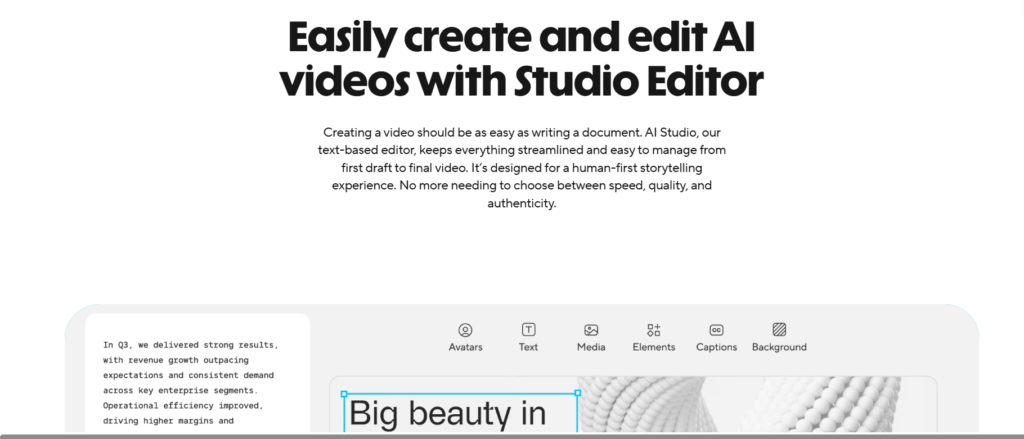
HeyGen is an AI tool that helps you make videos and Instagram Reels. You can choose an avatar and generate auto captions. It is made for creators, marketers, and small teams.
Features
- AI Video Editing: Trims and edits footage
- AI Avatars: Use realistic digital avatars without facing the camera yourself
- Auto Captions: Generates captions through speech to text.
- Background Removal: Remove or replace backgrounds.
- Translation and Dubbing: Adapt videos into different languages.
- Templates: Start with ready-made layouts for videos.
Strengths
- Easy to use
- Fast editing
- Great for marketing videos
- No advanced editing skills needed
Weaknesses
- Limited advanced editing
- Avatars can feel less natural
- Higher plans can be expensive
Pricing
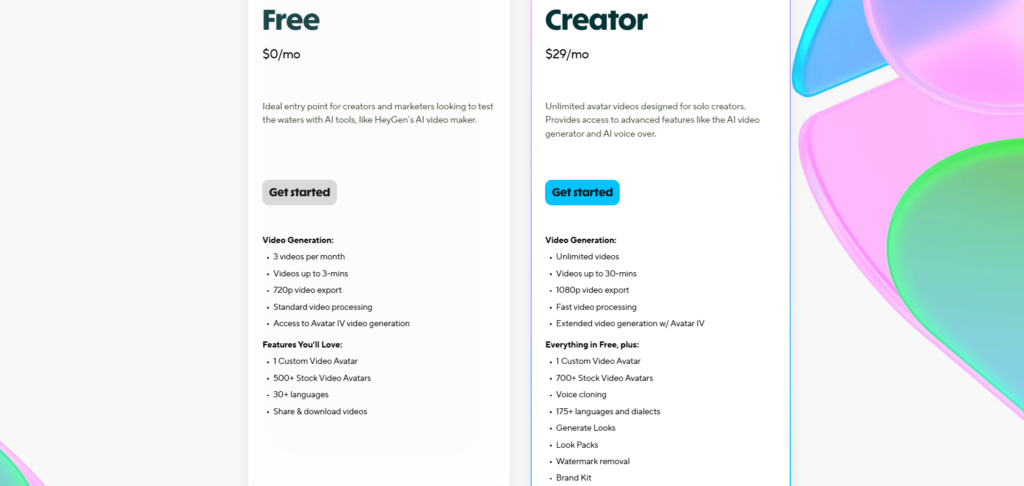
Free plan available. Paid plans unlock more videos, avatars, and advanced features.
InVideo AI – Best For Faceless Reels
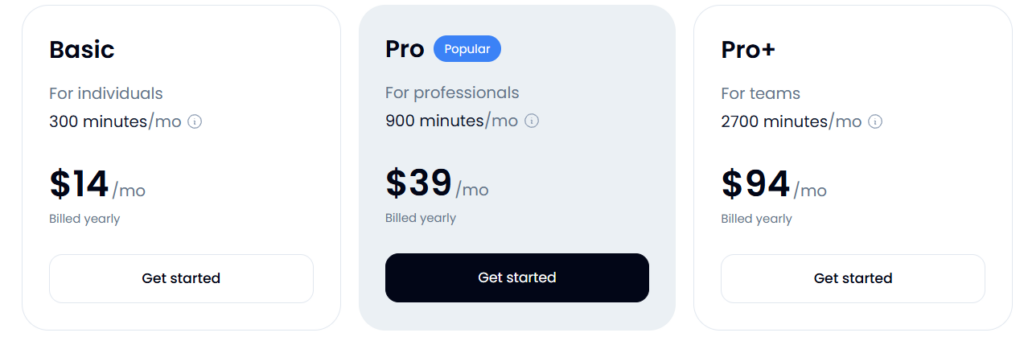
InVideo AI is a video editing tool designed to create videos. Describe the reel you want to create, and it will be created. You can ask to trim scenes, remove parts, change the script, or modify visuals too.
Features
- Text-to-Video: Turn a simple prompt or script into a complete video.
- AI Voiceovers: Add AI-generated narration without recording your own voice.
- Stock Media: Automatically matches scripts with relevant stock footage and visuals.
- AI Video Editing: Make changes to generated videos using text-based instructions.
- Subtitles: Add captions automatically for social media content.
- Faceless Video Creation: Build videos without appearing on camera.
- Social Media Formats: Create content suited for platforms such as Instagram, YouTube, and TikTok.
Strengths
- Great for faceless videos
- Fast content creation
- Beginner-friendly
- Good for social media
Weaknesses
- AI footage can miss the context
- Videos may need editing
- Some features require paid plans
Pricing
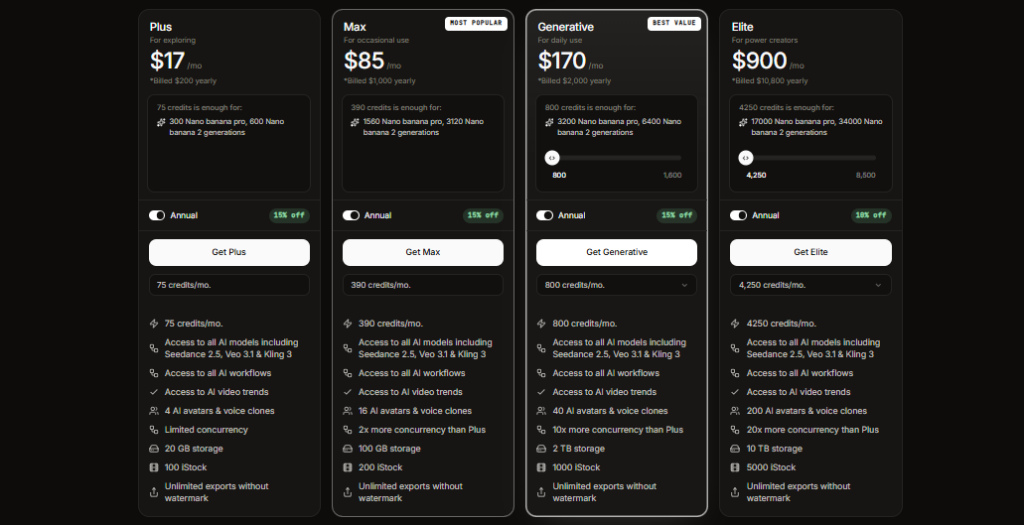
Free plan available. Paid plans offer more AI generations and features.
OpusClip: The AI That Actually Understands Pacing and Beat-Matching
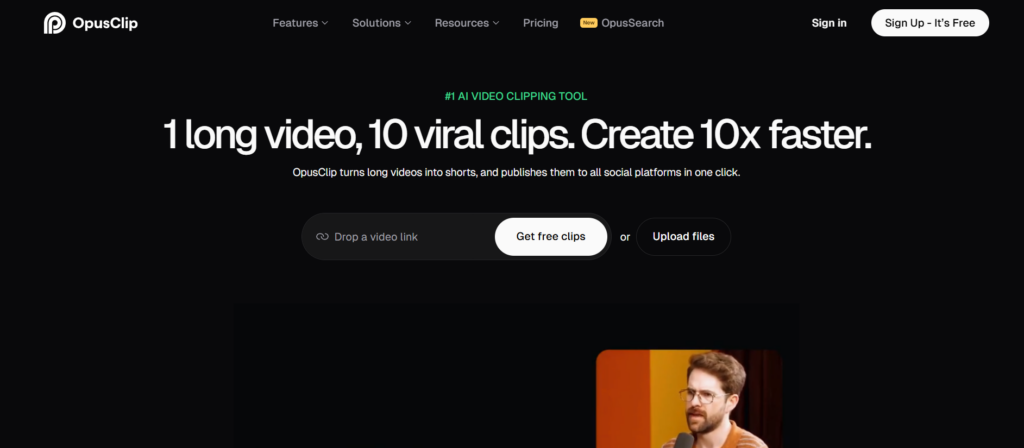
Opus Clip is an AI tool for creating clips from long videos. This tool is most useful for those who create long videos on YouTube and want to gain some following on Instagram too. They can create short clips from their long videos.
Features
- AI Clipping: Finds strong moments in long videos and turns them into short clips.
- Virality Score: Helps identify clips that may perform well based on the content.
- Auto Reframe: Keeps the main subject visible when converting videos to vertical formats.
- Dynamic Captions: Creates animated captions automatically.
- AI B-Roll: Adds supporting visuals to make clips more engaging.
- Beat Matching: Syncs edits and visual changes with the rhythm of the content.
- Social Media Optimization: Creates clips designed for platforms such as TikTok, Instagram Reels, and YouTube Shorts.
Strengths
- Excellent for repurposing videos
- Saves editing time
- Strong captioning
- Great for short-form content
Weaknesses
- Clips aren’t always perfect
- Some manual editing is needed
- Advanced features require paid plans
Pricing
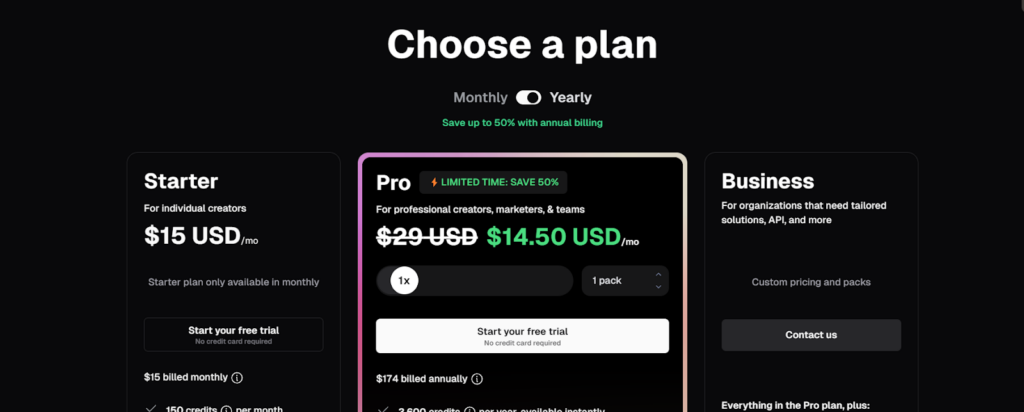
Free plan available with limits. Paid plans provide more processing and features.
Topview AI
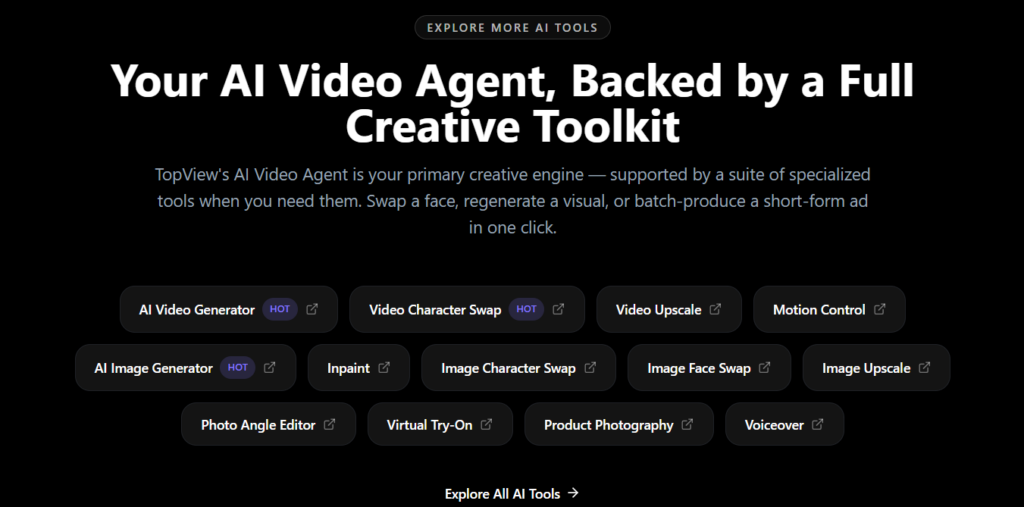
Topview AI is a video creation platform for producing professional marketing and promotional videos. It is made specifically for online content creators and helps them do all the things needed to create a well-made video.
Features
- AI Video Generation: Create marketing videos from simple prompts or product information.
- Product-to-Video: Turn product images and assets into promotional videos.
- AI Avatars: Add virtual presenters to videos.
- AI Voiceovers: Generate narration for promotional content.
- Video Templates: Use ready-made formats for ads and social media.
- UGC-Style Videos: Create videos designed to resemble user-generated content.
- AI Editing: Automatically assemble visuals, scripts, voiceovers, and effects.
Strengths
- Great for product marketing
- Fast ad creation
- Multiple video styles
- Useful for ecommerce
Weaknesses
- Mainly focused on marketing
- Generated videos may need polishing
- Some features are plan-limited
Pricing
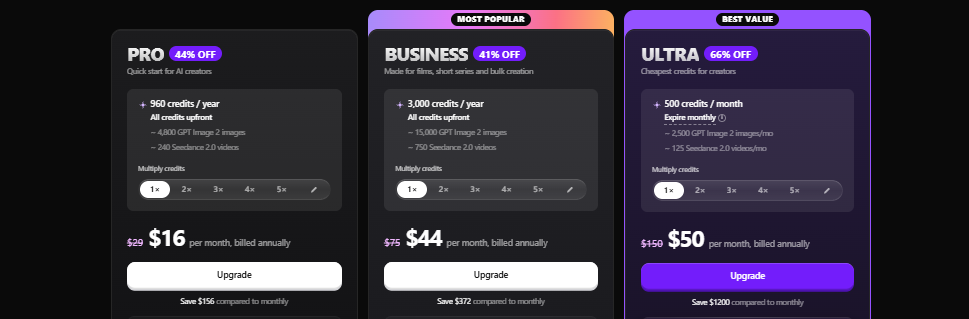
Free and paid plans are available, with paid plans offering more credits and features.
Klap
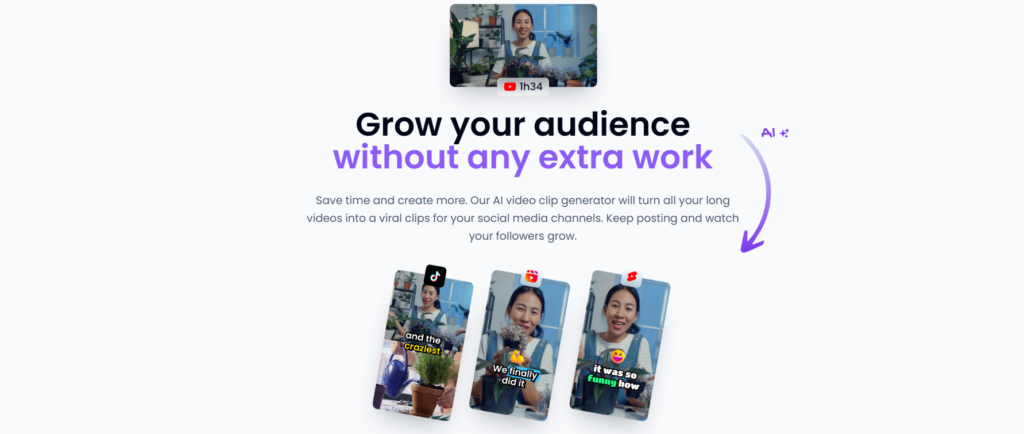
Klap is an AI tool for creating clips from long videos and making content for different social media platforms. Klap is best for content repurposing. If your goal is more posts from fewer recordings, then this tool does that job well.
Features
- AI Clip Generation: Automatically identifies key moments from long videos.
- Auto Reframing: Converts landscape videos into vertical clips.
- AI Captions: Generates captions automatically.
- Smart Face Tracking: Keeps speakers properly positioned in the frame.
- Custom Branding: Add branding elements to generated clips.
- Multiple Aspect Ratios: Prepare content for different social platforms.
- One-Click Editing: Turn long-form footage into short-form content with minimal manual work.
Strengths
- Easy to use
- Great for short-form content
- Saves editing time
- Good for podcasts and interviews
Weaknesses
- Clip selection can miss context
- Limited manual editing
- Advanced features require paid plans
Pricing
Free access is available with limits. Paid plans offer higher usage and more features.
Mistakes People Make Picking an AI Instagram Reels Tool (And How to Avoid Them)
Many people tend to make some common mistakes while picking an AI tool for instagaram reels. These are some of them:
Judging the tool by its free trial
Most of these tools look great when used for free. Then you hit the watermark, run out of credits, or find out your project disappears after 3 days, and you realize the free version isn’t really the product. Before signing up, think about how you’d actually use it week to week, then check that against the cheapest paid plan, not the free one.
Not paying attention to how credits get used up
Unlimited videos doesn’t always mean unlimited credits. A lot of these platforms burn through credits way faster for certain features, like avatar generation, than for basic captioning or auto-editing. It’s worth checking the pricing page for anything that mentions “credits per minute” before you sign up, not after you’ve run out mid-month.
Choosing the tool with the most features instead of the one that fits what you actually do
If you’re clipping a podcast, you probably don’t need an avatar generator. If you’re making product ads, you don’t need a tool built for repurposing hours of long-form video. Pick based on your actual workflow, not the longest feature list. Otherwise you end up paying for a higher tier just to get stuff you’ll never use.
Assuming AI editing means you don’t have to edit anything
These tools handle the tedious parts well: cutting clips, adding captions, reframing footage. But they don’t consistently pick the right hook or pacing on their own. If you skip reviewing the output, you’ll end up with clips that are technically fine but don’t actually perform. Treat the AI version as a starting point, not the finished product.
Not checking that exports actually fit Instagram’s current format
Reels specs change more often than people expect, especially safe zones and caption placement. If a tool hasn’t updated its presets, you might get captions that end up hidden behind Instagram’s UI. It’s worth doing one test export and previewing it directly in the Reels composer before scheduling a batch of content.
Committing to annual billing before testing real output quality
The annual discount looks appealing, but the quality of AI editing, voices, and avatars varies more between these tools than the marketing pages suggest. Try a monthly plan first and run at least one real project through it. If it holds up after a few weeks, switch to annual then.
Conclusion
None of these five tools do the exact same job, which is really the main thing to take away. HeyGen is built for avatar-led content, InVideo AI is closer to a full generative video platform, OpusClip and Klap both turn long recordings into short clips but suit slightly different content types, and Topview AI is built specifically around product and ad videos.
If you’re new to this, it will make more sense to test one tool for a couple of weeks on a real project before signing up for an annual subscription. Pricing pages or demo videos aren’t enough.
When you put your real footage through an AI reels tool or see how that tool generates its avatars or scripts to suit your specific niche, the right tool jumps out.
The best AI reel generators aren’t making up for the editing decisions we take; they are just automating the stages that took the most time.
FAQs
Does using AI editing hurt reach or get flagged by Instagram?
No, Instagram doesn’t penalize content just because it was edited with AI tools. The platform cares about watch time, engagement, and whether people are actually enjoying the content, not what software touched it. Where creators do run into trouble is with obviously AI-generated avatars or voices used without disclosure, since that’s a separate issue tied to authenticity rather than editing itself. Auto-captions, reframing, and AI-assisted clipping are standard practice at this point and don’t affect distribution.
Can these tools write hooks and captions too, or just edit video?
Depends on the tool. OpusClip and Klap focus mainly on finding and cutting the best moments from existing footage, though both generate captions automatically. HeyGen and InVideo AI go further and can generate scripts or hooks from scratch since they’re built around creating video, not just trimming it. Topview AI also writes ad-style scripts and hooks as part of turning a product link into a finished video. If script writing matters to you, check that specifically before picking a tool, since it’s not universal across all five.
How to get 10,000 views on Instagram reels?
There isn’t one magical trick, but two things are consistently true for effective reels: The first two seconds have to immediately capture the viewer’s attention; Instagram’s algorithm watches for how many people make it through that initial period.
And, posting regularly is a better strategy than posting expertly. Accounts that are posting daily typically see a few more opportunities for the reel to take off. The caption and text overlays still make a difference, as many people watch the app muted; otherwise, it’s mostly a question of testing-posting multiple versions of the same reel with differing hooks or pacing and seeing which Instagram amplifies.