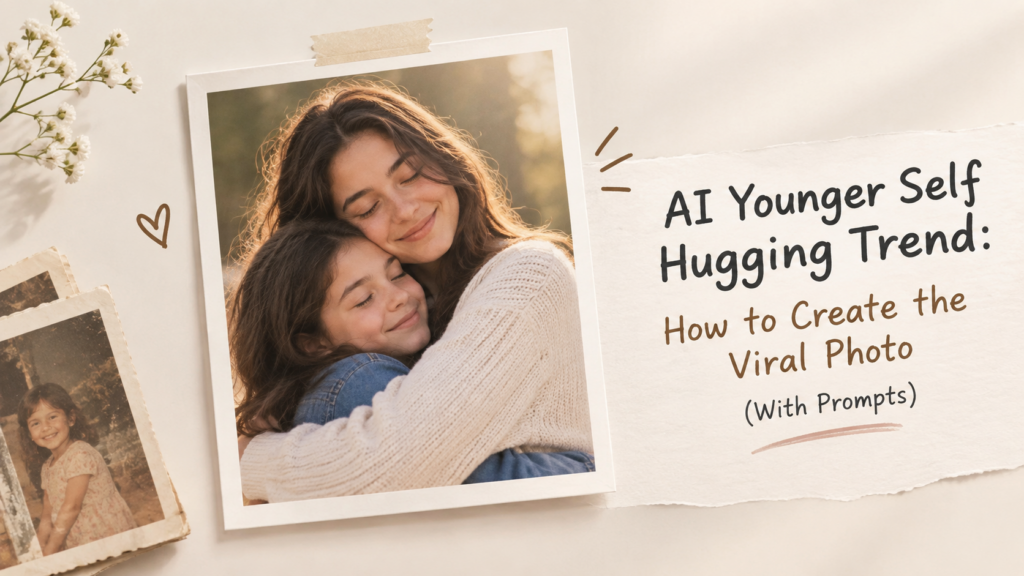
This AI trend of having your younger self hug your present self is going viral, specifically on Instagram Reels.
This trend is similar to many other viral nostalgic trends on Instagram. If you want to create one for yourself, then keep reading till the end, as in this article, I am going to cover everything about the AI Younger Self Hugging Trend.
What is the AI younger self hugging trend?
AI younger self hugging trend is an Instagram trend that uses AI image generation features to connect two distinct phases in one’s life and make it look realistic.
The realism is what makes the AI younger self hugging trend so emotional and nostalgic. It feels as if you have actually met your younger self. The child who would wonder what they would be like when they grow up.
To create an AI younger self hugging photo, you will need a childhood picture and a recent photo of yourself. Then, a prompt describing what type of interaction should happen in the picture, which in this case is a hug.
The most popular version usually shows the adult standing or kneeling beside their younger self and giving them a hug. Some variations show the two versions holding hands, sitting together, or looking at each other.
The idea also works because the final image creates a moment that could never have been photographed in real life.
How to create the AI younger self hugging photo
You don’t need advanced photo-editing skills to try the trend. Most of the work comes down to choosing suitable photos and writing a clear prompt.
Choose a good childhood photo
Start with a childhood picture where your face is reasonably clear.
A front-facing or slightly angled photo usually works better than a picture where the child is far away. Avoid heavily blurred photos, extreme filters, or images where the face is covered.
The AI needs enough visual information to understand the appearance.
Choose a recent photo
Pick a current photo that clearly shows your face and overall appearance.
If possible, choose a photo with good lighting and minimal obstruction. A simple portrait can work better than a heavily edited selfie.
Try to keep the two source photos reasonably clear. Poor-quality input images can make the final result less convincing.
Upload both photos to an AI image generator
Use an AI image generator that supports image uploads or image references.
Upload the childhood image and the current image together. Depending on the tool, you may need to identify which image represents your younger self and which represents your present-day appearance.
The exact process varies between tools, but the goal is the same: give the model enough visual reference to preserve the person’s identity while creating the new scene.
Write a specific prompt
A vague prompt such as “make them hug” may not give you the result you want.
Describe the relationship between the two people, their ages, pose, setting, lighting, and photographic style.
You can change the setting depending on the mood you want. Fix the pose and details, as the first generation may not get everything right.
The hands might look unnatural, the faces may change slightly, or the age difference may not be obvious enough. If your image generator supports editing or regeneration, describe the specific part you want changed instead of rewriting the entire prompt.
For example, you could ask it to:
- Make the child slightly shorter
- Keep the adult’s face closer to the current reference
- Make the hug look more natural
- Correct the hands and fingers
- Keep the childhood clothing unchanged
- Use a more realistic camera perspective
- Make the background less distracting
AI younger self hugging prompt ideas
Different prompts can create very different versions of the trend. Here are a few starting points you can adapt.
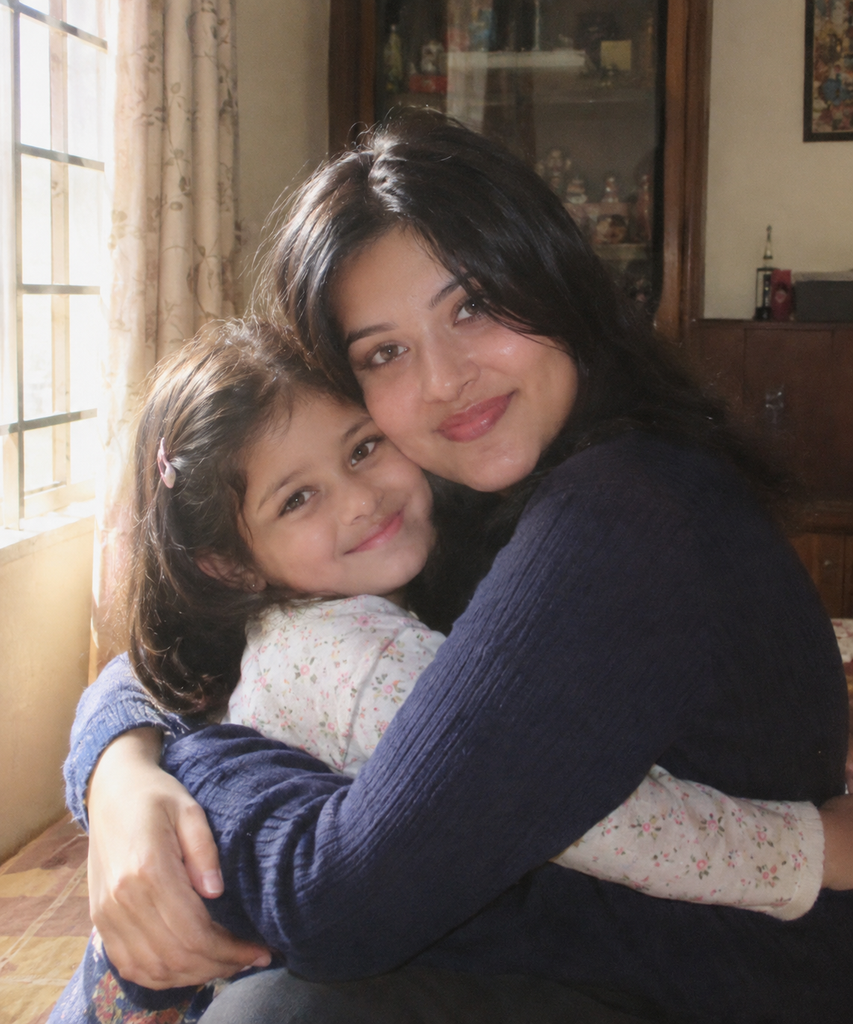
Childhood home
Create a realistic photograph of an adult hugging their younger self inside their childhood home. Preserve the recognizable facial features of both versions. The child should look naturally like the younger version of the adult. Warm natural window light, authentic expressions, realistic proportions, subtle nostalgia, candid family photography.
Result Using ChatGPT:
Outdoor childhood memory
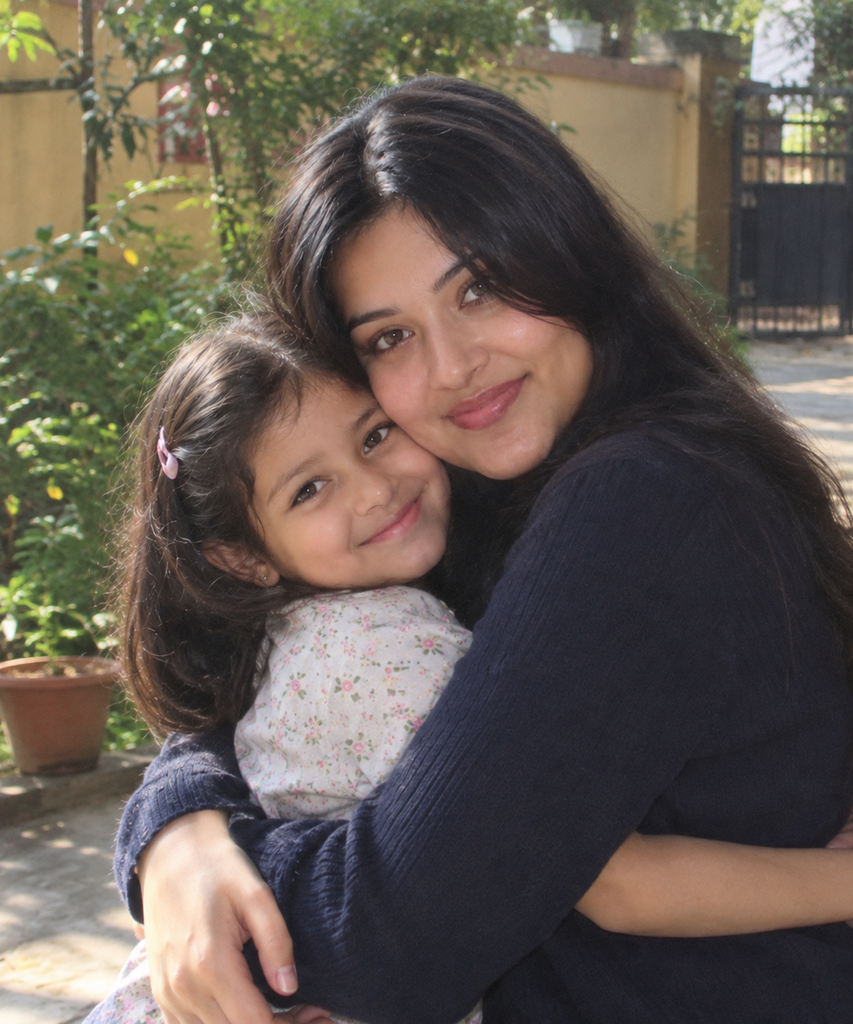
Create a realistic photo of the adult version of the person gently hugging their younger self outdoors in a familiar childhood setting. Keep both faces recognizable and consistent with the reference photos. Natural daylight, realistic skin texture, candid pose, soft background, authentic photography.
Result Using ChatGPT:
Old family-photo look
Create a realistic family photograph showing an adult version of the person hugging their younger self. Combine the two reference images naturally while preserving their facial identity. Use slightly warm lighting and the look of an old family photograph, but keep the faces sharp and realistic.
Result Using Gemini:
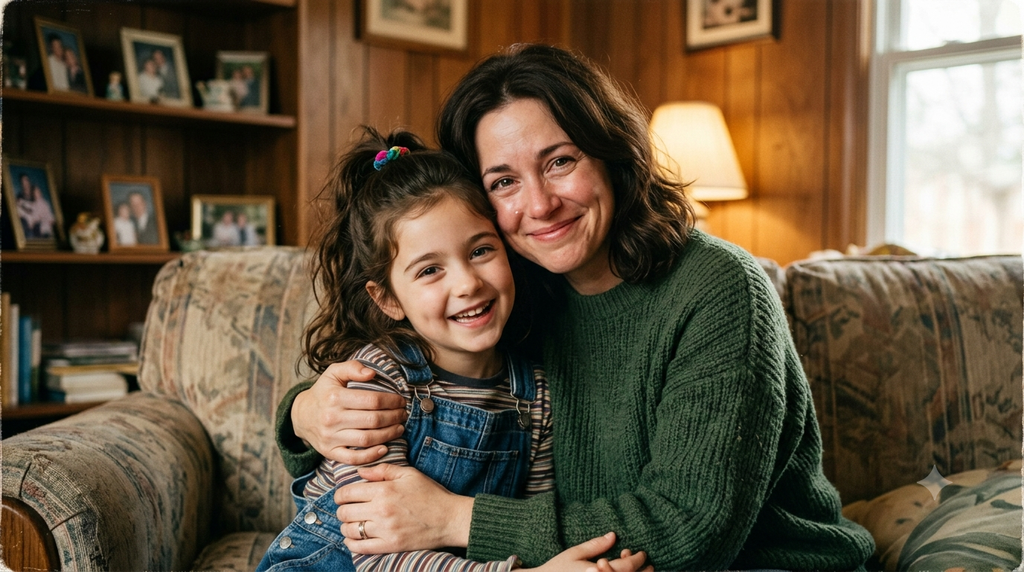
Simple studio portrait
Create a realistic studio photograph of an adult and their younger self standing together in a natural embrace. Preserve the identity and facial features from both reference images. Simple background, soft lighting, realistic skin texture, natural body proportions, understated emotional expression.
Result Using Gemini:
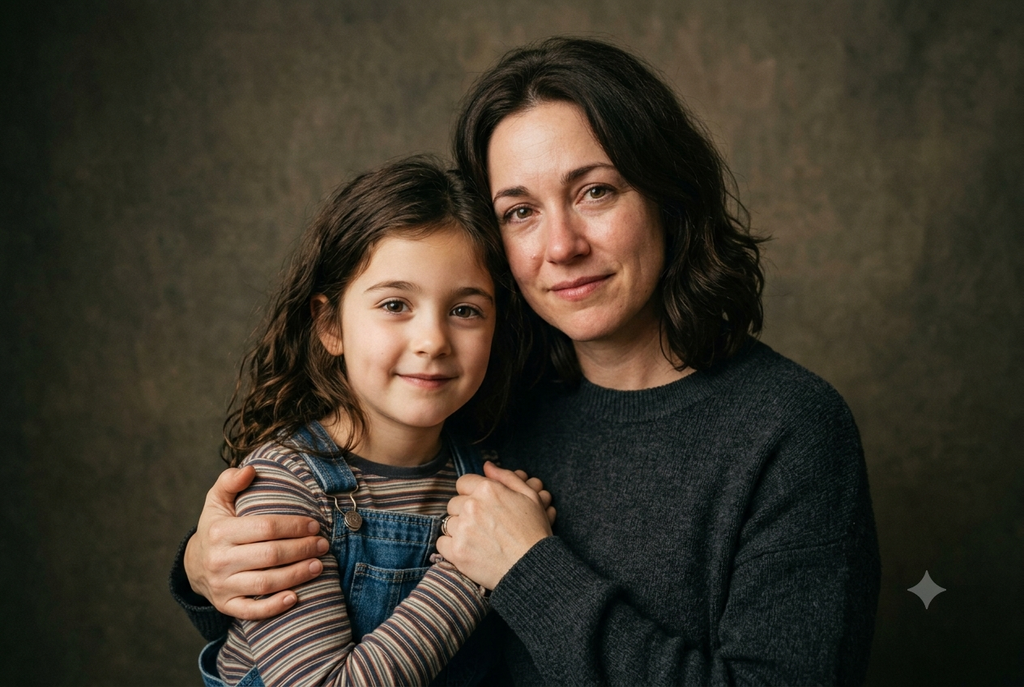
How to make the image look more realistic
The biggest challenge with this trend is getting the two versions to look like the same person at different ages.
Use consistent facial references
Clear source photos give the model more information to work with.
Don’t overdescribe the face
If you’re already providing reference images, let them do most of the work. Adding a long list of facial features can sometimes produce an artificial result.
Describe the age difference
Mention that one subject is the adult version and the other is the same person as a child. This helps establish the relationship between the two.
Keep the pose simple
A natural hug is usually easier for an image generator to create than a complicated pose involving several objects or unusual body positions.
Ask for realistic proportions
This is particularly useful when combining an adult and child because AI can sometimes make the child too large or the adult’s proportions inconsistent.
Avoid excessive effects
Heavy cinematic lighting, glowing effects, extreme color grading, or artificial backgrounds can make the photo look more generated.
Best AI tools for the younger self trend
Several AI image generators can be used for this trend, depending on the image-reference and editing features available to you.
ChatGPT
ChatGPT is the most popular choice for creating the AI Younger Self Hugging photo. Upload reference images and describe the scene you want to create. It is particularly convenient if you want to generate and refine the image through several prompt changes.
Google Gemini
Gemini can also be used for image-generation workflows where reference images are available. You can provide the childhood and current photos and describe how you want them combined.
Midjourney
Midjourney is another option for users who want more control over the visual style. Reference-image features can help guide the appearance of the generated image, although getting a close identity match may require several attempts.
Adobe Firefly
Adobe Firefly can be useful when you want to combine generative image creation with more traditional editing controls. It can be a practical option if you want to make additional changes after generating the main image.
Conclusion
The AI Younger Self Hugging Trend is a sweet and nostalgic trend going viral all over social media. While generating the images, you should keep in mind that your face might look a little different sometimes, as every facial detail may not be identified by AI. Try a few different childhood photos, simplify the prompt if the result looks artificial, and focus on getting the interaction between the two versions to feel natural.
FAQs
How do I create the AI younger self hugging trend?
Upload a childhood photo and a recent photo to an AI image generator, then use a prompt asking it to create a realistic hug between the younger and older versions of yourself.
Which AI tool can create a younger self hugging photo?
Tools such as ChatGPT, Google Gemini, Midjourney, and Adobe Firefly can be used for this type of AI image. Features and results vary between tools.
What photos work best for the younger self AI trend?
Clear, well-lit photos where the face is visible usually work best. A childhood photo with minimal blur and a recent portrait with a clear view of your face can help create a more recognizable result.

Sapna Ghodasara is the founder of Guide of AI Tool, where she writes in depth reviews of AI tools for marketers, creators and businesses. Her reviews focus on what matters before you pay for a tool: real use cases, honest pros and cons, pricing, and how well it fits into an everyday workflow.
Sapna is the cofounder of SEOMagicLab. That mix of technical training and daily marketing work lets her judge AI tools from two angles: how well the technology actually performs and whether it delivers real value for the people using it.