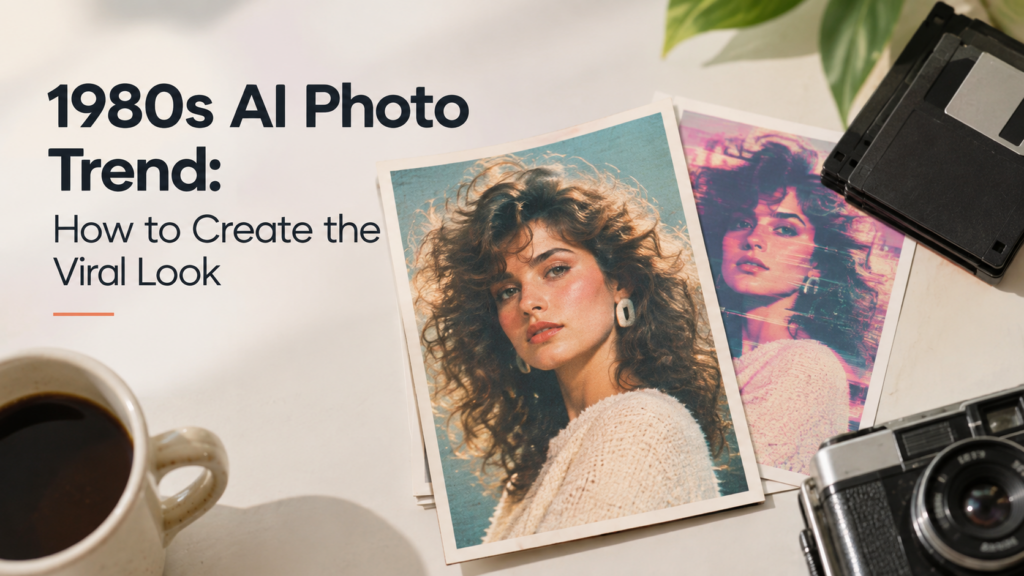
If you’ve scrolled through Instagram or TikTok recently, you’ve likely already come across them. Friends with teased-up bouffant hairstyles, vibrantly patterned bomber jackets, and fuzzy throwback photographs with a distinctly 1985 feel. It is the 1980s AI Photo trend, and people are obsessed.
All you do is upload a photograph of yourself, and an AI tool turns the normal picture of you into a throwback-style portrait that looks as though it was captured years, even decades, ago. In these pictures, your likeness still appears identical, but everything other than your face changes. From hairstyles and clothing choices to clothing backgrounds and fuzzy, fading photos.
What Is the 1980s AI Photo Trend, and How Is It Different From Old Filters
You’re probably thinking, “Haven’t we had retro filters for years?” Well, we have. However, this trend is quite different. Whereas old retro filters would have added some color effect or made the picture look grainy compared to your original selfie. The 1980s AI Photo Trend creates a new picture.
The AI not only changes the hairstyle and attire but will redesign accessories and scenery in that picture, maintaining a close resemblance to the face.
How the Trend Works
Most people are using ChatGPT‘s image tool to create these photos, though other apps offer similar features. Here is the basic process.
- Upload a clear photo of yourself, ideally one where your face is easy to see.
- Ask the AI to turn your photo into a 1980s-style portrait.
- Give it details about the style you want, like the hair, clothes, lighting, and setting.
- Wait for the image to generate, then review the result.
- If it does not look right, ask the AI to try again with more specific instructions.
To get a good result, you have to be specific. A vague request like “make me look like the 80s” often gives you a generic, weak result. A detailed request works much better.
A Prompt That Works For Creating The 1980s AI Photo Trend
OpenAI actually shared an example prompt that many people have used to get strong results. It asks the AI to keep your face, skin tone, and age the same, while reimagining your hair, clothing, and surroundings with bold, unmistakable mid-1980s style. It also asks for things like film grain, faded color, direct flash, and a bit of softness, so the photo feels like a real picture from 1985 instead of a modern photo with a filter slapped on top.
You can write your own version of this kind of prompt. The main parts to include are:
Tell the AI to keep your face and identity the same.
Name the year or decade you want, like 1985.
Describe the hair, clothing, and accessories you want.
Mention a setting, like a mall photo studio, a school gym, a birthday party, or a family living room.
Ask for film grain, faded colors, and soft lighting to make it look authentic.
Tell it to avoid modern objects, like smartphones or modern cars.
Popular Looks People Are Trying
1980s had different aesthetics. Since the AI rebuilds the whole photo, you can choose almost any flavor of the 1980s you want. Some of the most popular styles include:
Mall photo studio portraits with laser backdrops
Bollywood-style studio shots
Old family album photos
Magazine cover shots
School yearbook photos
Wedding-style portraits
Disco and arcade scenes
How to Create the 1980s AI Photo Trend Viral Look
Go to any AI chatbot or image tool that creates images using a prompt. I am using ChatGPT Images. Type in a prompt and send it
This is a sample prompt I have used for the 1980s AI Photo Trend:
Create a photo that looks like an authentic 1980s studio portrait. Keep the person’s facial features, identity, and natural proportions recognizable. Give the image a classic 1980s photography look with soft studio lighting, subtle film grain, slightly faded colors, warm skin tones, gentle flash, vintage hair and fashion styling, and a nostalgic department-store portrait-studio background. Use realistic analog photography, mild imperfections, soft focus, and the look of a scanned 1980s photograph. Avoid modern camera quality, excessive filters, cartoon effects, distorted facial features, or overly artificial skin.
If you are going to use your own photo, just simply change it into this one:
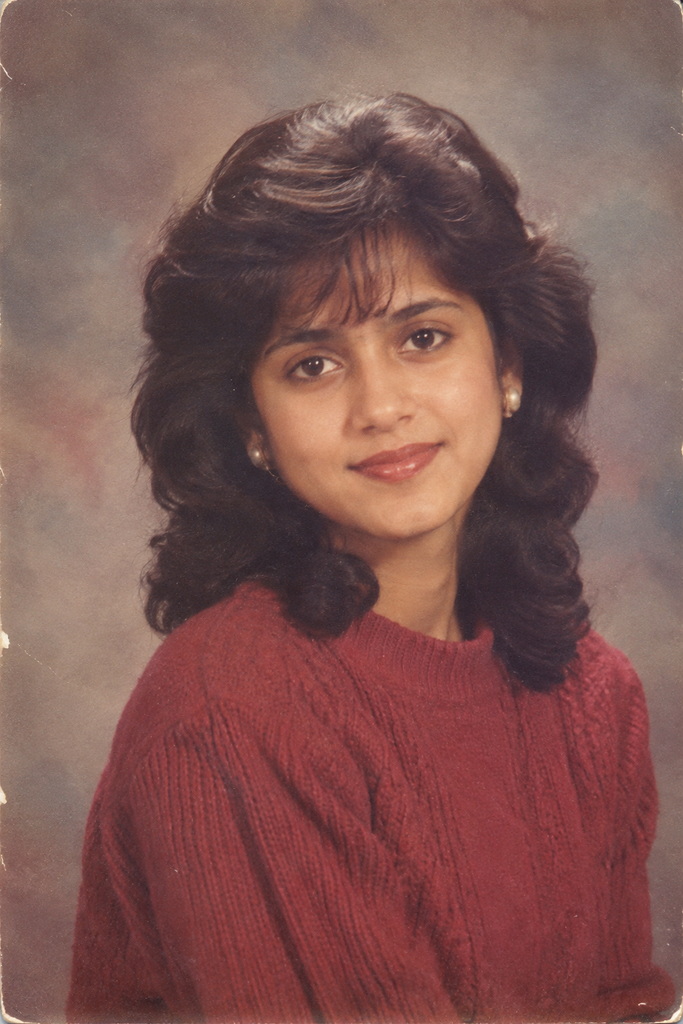
Transform this photo into an authentic 1980s studio portrait. Keep the person’s facial features, identity, and natural proportions recognizable. Give the image a classic 1980s photography look with soft studio lighting, subtle film grain, slightly faded colors, warm skin tones, gentle flash, vintage hair and fashion styling, and a nostalgic department-store portrait-studio background. Use realistic analog photography, mild imperfections, soft focus, and the look of a scanned 1980s photograph. Avoid modern camera quality, excessive filters, cartoon effects, distorted facial features, or overly artificial skin.
This is the result:
Tips for Getting a Great Result in the 1980s AI Photo Trend
Use a clear starting photo
A photo with good lighting and a clear view of your face will give the AI more to work with.
Be specific, not vague
Naming an exact style, like “Bollywood studio portrait” or “American mall photo studio,” works much better than a general request.
Do not skip the film texture
Without asking for grain, soft focus, and faded colors, your photo can end up looking too clean and modern.
Expect to try more than once
The best results usually come from the second or third try, not the first one.
Keep your face recognizable
Always tell the AI to preserve your facial features, skin tone, and identity, so the final photo still looks like you.
Reasons the 1980s AI Photo Trend Took Off
Part of the appeal is nostalgia. People love imagining what they would have looked like in another era, or picturing their parents’ generation. It also helps that the trend is so easy to try. You do not need any photography skills or editing software. All you need is one photo and a good prompt.
This trend is also part of a bigger shift in how people use AI. Instead of using it just for work tasks, more people are using it for fun, personal projects like this one. As AI image tools keep improving, trends like this are likely to keep showing up in new forms.
If you want to try it yourself, start with a clear photo, write a specific prompt, and do not be afraid to regenerate the image a few times until you get a look you love.
FAQs
Do I need to know how to write good prompts?
Well, no, but it would really help. A prompt that simply reads “make me look like a big 80s” will only offer a fairly average photo. By adding in the context of your hair, style, and setting/background, you could generate a great picture.
Will the AI change what I actually look like?
No, your face and skin tone will be as you normally are-they always have to remain the same for the trend to look realistic.
Why does my result look too modern or too clean?
Normally, that’s because the style doesn’t include faded colors and film grain. The picture looks like a real picture from a time when filters didn’t exist! Adding a faded colour palette/filter or softening the image could help.
How many tries does it usually take to get a good photo?
Most people don’t achieve the ultimate photograph on their first attempt-most take two or three attempts to get the style that works for them, usually by tweaking the prompt.
Is this 1980s AI Photo Trend only for solo photos?
Of course, it can be adapted. The trend will also work for a couple, a family or even a group photo. Kids or the whole family have all been known to get in on the fun!
Is it safe to upload my photo to these AI tools?
Depending on which AI the image is uploaded to, privacy issues are always likely in one way or another. Privacy of an image is always the key-try and avoid sharing with tools that need your login details when unnecessary.
Sapna Ghodasara is the founder of Guide of AI Tool, where she writes in depth reviews of AI tools for marketers, creators and businesses. Her reviews focus on what matters before you pay for a tool: real use cases, honest pros and cons, pricing, and how well it fits into an everyday workflow.
Sapna is the cofounder of SEOMagicLab. That mix of technical training and daily marketing work lets her judge AI tools from two angles: how well the technology actually performs and whether it delivers real value for the people using it.

