Vsub
Create powerful faceless videos with captions
While scrolling social media, you might have seen posts that feature gaming footage or other images but with no one in the video. The voice, in most cases, sounds robotic, and the video presents a story from Reddit or some other social platform.
Such videos are extremely popular, attract a huge number of views, and are quite simple to make since you do not have to reveal your face at all.
What is Vsub?
Vsub is an AI tool that helps you make videos. You can turn text or stories into videos with only a few clicks. It adds visuals, subtitles, and timing that can be uploaded to TikTok, YouTube Shorts, and Instagram Reels
Features Of Vsub
AI Video Maker
Vsub uses smart AI to help you create videos automatically. You simply enter your text or pick a style, and the program creates a video for you. You don’t even have to be a proficient editor to churn out nice, and professional looking videos.
The AI manages the details such as scene transitions, effects, and ensures the visuals are in sync with the music or narration. This way, a lot of time is saved and video making is made very simple, even for absolute beginners in video editing.
Big Collection of Video Styles
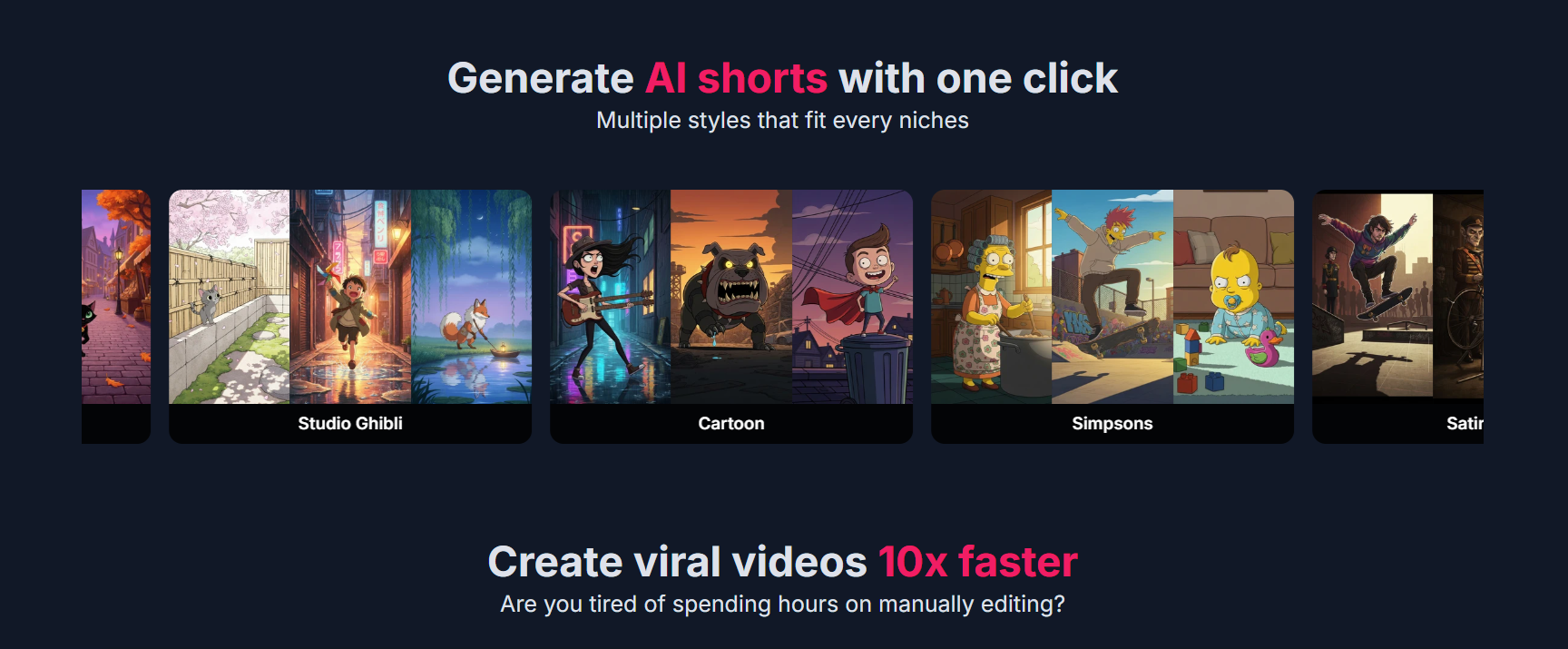
Vsub comes with many different templates for all kinds of content. You can create movie-style videos for emotional or serious stories, cartoon-style videos for fun and playful content, or anime-style videos inspired by Japanese animation.
Moreover, 3D styles are available for modern visuals, comic-style designs that look like digital comic strips, future green styles for tech and eco themes, and colorful trippy art styles for creative projects.
Auto Subtitles with Fun Emojis
Vsub is capable of generating subtitles for your video files all by itself and it can even throw in some animated emoticons in the captions. That way, the text gets more fun, expressive, and easier to follow.
This feature is considerate of the folks who are either watching silently or are hearing impaired. The emoticons also give the captions some emotional vibe and character, thus making them more fun and pleasant to read.
Many Types of Video Content
Vsub allows you to create many different types of videos. You can turn online stories into video stories, show fake chat conversations for comedy, make quiz videos with multiple choices, create “this or that” style content, or even generate short cinematic AI movies.
This flexibility helps creators try new ideas and discover what kind of content their audience likes the most.
Use Cases Of Vsub
Faceless Videos
You can make videos without showing your face.
Story Videos
You can turn Reddit or online stories into videos.
Gaming Videos
You can use gameplay clips with an AI voice. This type of content gets many views.
Quiz and Fun Videos
You can make quiz videos and choice-based content.
Marketing Videos
You can create simple videos to promote products or services.
How To Use Vsub
Create an Account
Sign up on the Vsub website.
Pick a Style
Choose a video template you like.
Add Your Text
Paste your story or idea.
Generate Video
Let the AI make the video.
Download and Share
Save the video and post it online.
What We Like About Vsub
No Skills Needed
You do not need to know video editing.
Saves Time
Videos are made quickly.
Good for Short Content
Works well for TikTok, Reels, and Shorts.
Many Styles
You can choose from many templates.
What We Don't Like About Vsub
Not Fully Free
Most features need a paid plan.
Uses Credits
Credits can finish fast if you make many videos.
Less Custom Control
You cannot change everything.
Needs Internet
It does not work offline.
Vsub Pricing Plans

Starter – $29/month
- 5,000 credits per month
- $1 for 300 extra credits
- Export videos up to 2 minutes
- Best for beginners and short videos
Pro – $49/month
- 10,000 credits per month
- $1 for 325 extra credits
- Export videos up to 10 minutes
- Good for regular creators
Premium – $99/month
- 25,000 credits per month
- $1 for 350 extra credits
- Export videos up to 20 minutes
- Team collaboration included
- Best for teams and heavy users
FAQs About Vsub
What is Vsub?
Vsub is an AI tool that helps you create subtitles and captions for videos quickly and easily.
Who can use Vsub?
Anyone can use Vsub, including YouTubers, video creators, marketers, teachers, and businesses.
Do I need editing skills to use Vsub?
No. Vsub is very easy to use. You don’t need any video editing skills.
Can Vsub create subtitles automatically?
Yes. Vsub uses AI to turn speech into text and add subtitles automatically.
Does Vsub support different languages?
Yes, Vsub supports multiple languages, making it helpful for global audiences.
Can I edit the subtitles?
Yes. You can edit the text, timing, font, size, and colors of the subtitles.
Is Vsub good for social media videos?
Yes. Vsub is great for YouTube, Instagram, TikTok, and other social platforms.
Does Vsub work online?
Yes. Vsub works online, so you don’t need to download heavy software.
Conclusion
Coming up with interesting content to share on the web is tough, especially when you have to keep posting without a dip in quality.
Nowadays, with the help of AI, making great videos has become accessible to everyone, with no need for special skills or costly software. So creators can concentrate on their concepts while the technical stuff is handled.
Vsub is a superb choice for faceless content and is perfect for influencers, marketers, teachers, and beginners. It is a time saver, cheaper, and gives you artistic freedom, hence it can be a great tool to help you grow in digital space.