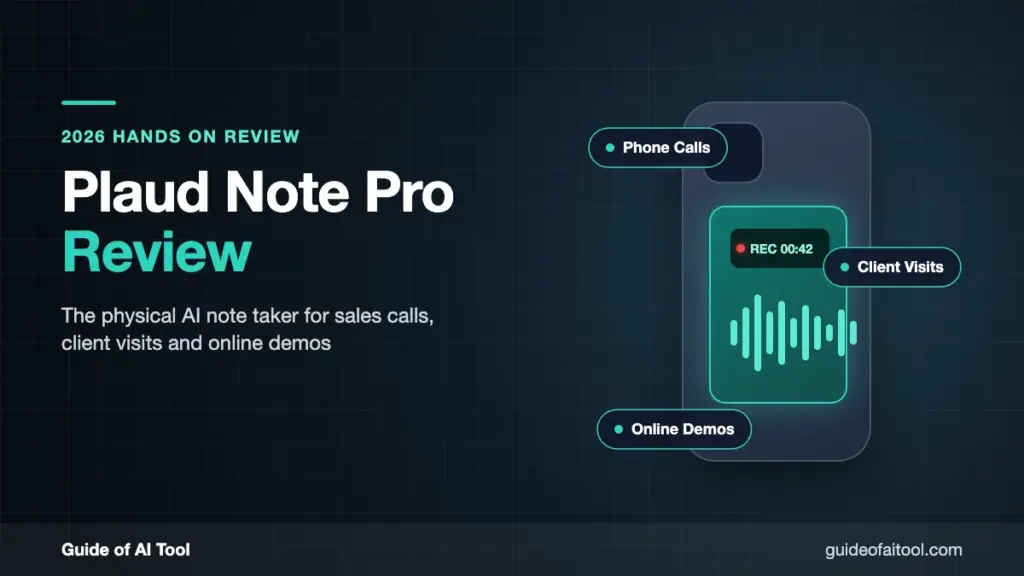
Plaud Note Pro is a physical AI note taker for salespeople whose day mixes regular phone calls, in-person client visits, and online product demos. Choose it if you want one device for all three, and skip it if every call happens on a computer and your manager needs auto-join, CRM field sync, deal analytics, and team coaching, where software platforms like Fathom, Fireflies.ai, or Gong are more complete. The card-shaped device attaches magnetically to the back of a phone to record calls, sits on the table to record client meetings, and hands Zoom, Google Meet and Microsoft Teams off to Plaud Desktop.
In this Plaud Note Pro review, the short answer is that it suits individual salespeople, consultants, and field teams whose conversation channels change often, who need to keep the original audio and who are willing to check the AI output after meetings.
In sales, what I care about isn’t how human the summary sounds. It’s four concrete things: whether I can replay the client’s exact words, whether prices and dates can be verified, whether next steps have an owner, and whether the record can follow the deal from phone calls through in-person and online meetings.
Plaud Note Pro is strongest on the first and the fourth. It keeps the original audio for me to replay, and its three recording entry points for phone calls, in-person visits, and online meetings share a single account. AI can help me organize prices, dates, and next-step owners, but I still have to check them myself. Its limits are the $189 hardware cost, transcription plans billed by the minute, and team sales analytics that trail mature SaaS platforms.
Recording Sales Calls with Plaud Note Pro Is Straightforward
Plaud Note Pro attaches to the back of the phone with a magnetic case. The VPU picks up the phone’s internal vibrations, and 4 MEMS microphones record the surrounding sound. Its smart dual-mode recording works out whether it’s a phone call or a face-to-face recording, so I don’t have to open the App and find a mode after a client calls.
This approach suits people who still take client calls through the phone’s earpiece. A separate device does the recording, so switching to the CRM, checking a quote or getting notifications doesn’t tie up a phone recording app. The 0.95-inch InstantView AMOLED display shows recording mode, battery and file status, so as soon as I pick up a call I can confirm the device has started.
Finishing the call recording doesn’t mean the sales record is done. I first check the client name, price, purchase quantity, go-live date, and next-step owner, then send the summary to the CRM. Names, company names, and product abbreviations often aren’t in the general vocabulary. Plaud supports custom vocabulary, but the first time a new client comes up, it’s still worth replaying the original audio.
Compared with earbud-style devices, Plaud Note Pro doesn’t require me to wear earbuds all day or lock sales calls into a particular meeting platform. The trade-off is keeping the device on the back of the phone for every call and making sure the phone case doesn’t interfere with the magnet or vibration pickup. If team members are used to desktop softphones or a corporate call center, the advantage of hardware stuck to the phone shrinks considerably.
Face-to-Face Client Meetings Are Where This Device Makes Its Strongest Case
Room size, table reflections, air conditioning, overlapping speech, and device orientation all change how audio is picked up. Before a real client meeting, I record a ten-minute test with the actual seating arrangement, paying special attention to whether people at both ends of a long table are transcribed correctly.
Sales conversations often have a few moments you can’t afford to miss: the client naming a budget for the first time, confirming the decision-maker, raising a security objection, or agreeing to the next meeting. A short press of Plaud Note Pro’s physical button adds a Highlight, so the later summary prioritizes that context. When there’s a whiteboard, a quote sheet or an implementation timeline, I can also add images in the Plaud App so the audio and visuals sit in the same record.
The 64GB of local storage suits trade shows and back-to-back visits. When there’s no stable network on site, the device saves the audio first, and I sync and process it back at the hotel or office. Officially, Enhance mode records for up to 30 hours and Endurance mode for up to 50 hours. For a salesperson out seeing clients all day, the phone doesn’t have to keep carrying the recording load and the battery drain.
Online Sales Demos Need Plaud Desktop
Plaud Note Pro itself doesn’t join Zoom, Google Meet, or Microsoft Teams automatically the way a meeting bot does. Online meetings are captured by Plaud Desktop, which records the computer’s microphone and system audio without adding a bot to the participant list. After recording, the audio, transcript, and summary go into the same Plaud account, according to the official Plaud Desktop documentation.
Plaud Desktop supports macOS and Windows and covers common platforms including Zoom, Google Meet, Microsoft Teams, Slack Huddles, Webex and Lark. Salespeople can add Highlights or screenshots during a demo, so when reviewing client objections later, they don’t have to hunt for the demo slides and the transcript separately.
Bot-free recording works better for clients who don’t want an extra attendee in the meeting, but it doesn’t handle notice automatically. Before recording, I still need to get the consent required by local law, company policy, and the client contract. A cleaner participant list and whether the recording is legal are two separate questions.
This desktop workflow has one more purchase requirement. Plaud Desktop needs a Plaud device bound to the account and an active Plaud Starter Plan or higher. People who only need online meeting notes can go straight to the free plans from Fathom or Fireflies.ai, with no need to spend $189 on hardware first.
From Call to Follow-Up Email, AI Is Most Useful for Exposing What’s Been Missed
Plaud Intelligence turns recordings into text with speaker labels, then generates summaries, action items, a mind map, and Ask Plaud Q&A. Officially, it supports 112+ languages, custom vocabulary and 10,000+ templates. Salespeople can use BANT, MEDDIC, client visit, or custom formats to consistently extract budget, decision authority, needs, timeline, objections and next steps.
I don’t let templates judge the opportunity stage for me. When a client says “let’s revisit next quarter,” it may be a clear timeline or a polite no. A client asking about price doesn’t confirm a budget either. The summary can gather the relevant quotes in one place, but whether the deal moves forward is still for the account owner to judge.
After a meeting, I use Ask Plaud to identify the client’s main concern, the people involved in the decision, promised materials, the next contact date and unanswered questions. Then I go back to the matching timestamps to check the original audio before drafting the follow-up email. AI can cut down replay time, but it can’t confirm quotes and commitments for the salesperson.
Test Transcription Accuracy with Your Own Sales Vocabulary
I couldn’t find any independent word error rate data from a blind test of Plaud Note Pro against mainstream meeting software using the same sales call, the same accent and the same noise conditions. So I won’t cite unverifiable numbers like “95% transcription accuracy” or “20% better than a certain tool.”
There’s a simple test to run before buying. Prepare a ten-minute conversation that includes five names, three product names, two prices, one date and one clear action item. Once it’s transcribed, check each item, then test again from the far end of a conference room and on a real phone call. In a sales record, an amount turning from $15,000 into $50,000 is far more serious than missing a few filler words.
Speaker identification needs to be checked separately. Online meetings usually get more clues from separate audio tracks and participant identities. When several people sit in the same room, the device hears a mixed signal. Two people talking at once, similar voices or people moving around can all throw off speaker labels. When commitments are involved, I go back to the audio to confirm who said it.
Plaud Note Pro Review: Pros and Cons for Sales
| Pros | Concrete impact on sales work |
|---|---|
| Records regular phone calls | Even when the client never joins Zoom or Teams, you keep an audio record |
| Official pickup range of up to about 5 meters | Ordinary conference rooms and client visits don’t have to rely on the phone’s microphone alone |
| 64GB local storage | Recordings can be saved first at trade shows, on business trips and on weak networks |
| Up to 30 or 50 hours of recording | Fewer mid-day recharges and device swaps during back-to-back visits |
| Physical Highlight button | Mark the moment you hear a budget, objection or deadline |
| Plaud Desktop | Online demos don’t need a meeting bot to join |
| One Plaud workspace | Call, in-person and online material isn’t scattered across three tools |
| Limits | Conditions to accept before buying |
|---|---|
| $189 hardware cost | People who only take online meetings will struggle to earn it back |
| Free transcription is only 300 minutes/month | Several sales meetings a week usually call for Pro or Unlimited |
| Doesn’t attend meetings on the user’s behalf | When you’re absent, Plaud Desktop can’t bring back a record the way a meeting bot can |
| Fewer team sales analytics | No reason to present it as a full replacement for Gong or Fathom Business |
| Summaries still need review | Names, amounts, dates, speakers and commitments can’t go into the CRM automatically as is |
| Recording consent is the user’s responsibility | A discreet form factor doesn’t reduce legal or company policy requirements |
One-Year and Three-Year Costs Depend on Monthly Call Minutes
Plaud Note Pro’s official price is $189, and binding the device includes the Plaud Starter Plan with 300 transcription minutes per month. The Plaud Pro Plan costs $99.99 billed annually with 1,200 minutes per month. The Plaud Unlimited Plan costs $239.99 billed annually, with unlimited transcription.
| Plan | Year 1 cost | 3-year cost | Sales call volume it fits |
|---|---|---|---|
| Plaud Note Pro + Starter | $189 | $189 | Up to 300 minutes a month, about 5 one-hour meetings |
| Plaud Note Pro + Pro | $288.99 | $488.97 | Up to 1,200 minutes a month, about 20 one-hour meetings |
| Plaud Note Pro + Unlimited | $428.99 | $908.97 | Over 1,200 minutes a month, unlimited transcription for heavy recording of calls, visits or training |
These figures use US-site dollar prices as of October 28, 2026, excluding taxes, shipping, accessories, promotions and extra minutes. Transcription minutes reset monthly and don’t roll over. When five salespeople each need their own recordings, you also have to count five devices and five plans, not just one device at $189.
Software tools usually cost less to start. Fathom Free offers unlimited recording and transcription, and Fireflies.ai also has a free plan. They’re better suited to online sales meetings. Plaud Note Pro’s cost only makes sense when regular phone calls, client sites and weak-network recording are truly part of daily work.
Settle Client Data Access Before the First Recording
Sales recordings can contain contact details, quotes, payment terms, procurement plans, unreleased products and competitor information. I first decide who can view recordings, who’s responsible for deletion, how material is handed over when an employee leaves, and who carries out a client’s deletion request.
Plaud’s Trust & Security page states that data in transit uses TLS 1.2 or higher and data at rest uses AES-256, and lists standards including ISO 27001, ISO 27701, SOC 2 Type II, HIPAA, GDPR and EN 18031. Plaud states that it doesn’t use recordings or transcripts to train AI models.
Local storage only protects the stage before syncing. Once recordings are uploaded and turned into transcripts, summaries or Ask Plaud answers, the data enters the cloud processing pipeline. Medical, financial, legal or enterprise buyers should also confirm that data region, DPA, BAA, team permissions and retention policy meet their requirements.
Whether it’s a phone call, a conference room or an online demo, notify participants before recording and get consent as applicable law requires. Sales leaders should also write this rule into the process so no one decides when recording is allowed based on their own reading of it.
How Plaud Note Pro Compares with Software Sales Note Tools
| Option | Best for | Main trade-off |
|---|---|---|
| Plaud Note Pro | A mix of phone calls, client visits and online demos | Complete multi-scenario recording, weaker team analytics and CRM automation |
| Fathom | Mainly Zoom, Google Meet and Microsoft Teams | Mature software workflow, weaker on regular phone calls and offline on-site recording |
| Fireflies.ai | Teams that need meeting search, integrations and a team conversation library | Stronger automation, in-person and mobile recording depend on extra entry points |
Which Salespeople Are a Good Fit for Plaud Note Pro
Field sales reps, real estate agents, consultants, recruiters and AEs who run face-to-face discovery meetings are more likely to use every recording entry point Plaud Note Pro offers. Their day might start with a regular phone call, move to a client’s office and end with an afternoon demo on the computer, and a dedicated device keeps all three in one place.
Salespeople with packed trade show and training schedules are a good fit too. Its 64GB of storage, physical button and long battery life reduce reliance on on-site networks and phone battery. Syncing and reviewing once things quiet down is more realistic than writing up notes on the spot next to the booth.
Independent salespeople and small teams without a mature conversation intelligence platform can also use it as a personal recording entry point. The team does need to standardize summary templates, CRM fields and review rules first, though, or everyone will still produce notes in different formats.
When I Wouldn’t Buy It
When every sales call happens on Zoom, Teams, Google Meet or a desktop call center, I’d go with a software AI meeting assistant first. These tools join meetings automatically, link to calendars and don’t require buying hardware for everyone.
When a manager needs to compare the whole team’s talk-to-listen ratio, objection handling, deal stages and talk track performance, I also wouldn’t deploy Plaud Note Pro alone. It can provide single-session recordings and summaries, but platforms like Fathom Business, Fireflies.ai and Gong are designed more completely around cross-member analysis and CRM management.
People with very low monthly recording volume can start with their phone or the meeting platform’s built-in features. With only two or three internal meetings a month, $189 of hardware won’t pay for itself just because the summaries are tidier.
When a company explicitly bans recording client data on personal devices, or requires all recordings to go through a centralized bot, data residency and automatic retention policies, follow the internal procurement plan. Being portable doesn’t mean you can bypass IT and compliance requirements.
Is Plaud Note Pro the Best Physical AI Note Taker for Sales Calls?
Plaud Note Pro is an AI note taker suited to a hybrid sales process. When regular phone calls, client sites and computer meetings are all part of daily work, it cuts down on switching between recording entry points and keeps an audio record you can replay. Highlight, local storage and long battery life also address real problems in field sales.
It doesn’t make the judgment calls for the salesperson. Budget, decision-maker, purchase intent and next steps still have to be confirmed by the account owner, and auto-generated emails and CRM fields need to be checked before sending or saving.
If I were buying one today for a salesperson who’s often on the road, I’d choose Plaud Note Pro. If the team only sells online and cares more about auto-join, CRM sync and manager analytics, I’d keep the budget for a software platform. That boundary does more to decide whether it’s worth $189 than the “best AI note taker” label.
FAQ
Can Plaud Note Pro Record Regular Mobile Sales Calls?
Yes. The device attaches to the back of the phone with a magnetic case and uses the VPU to capture call vibrations. Before you start, still confirm that your phone, case and local recording laws allow it.
Can Plaud Note Pro Record Zoom, Teams and Google Meet?
Yes, through Plaud Desktop. The desktop app captures microphone and system audio on macOS or Windows without letting a meeting bot join. Using Plaud Desktop requires a Plaud device bound to your account and an active Plaud Starter Plan or higher.
Are Plaud Note Pro’s Free Transcription Minutes Enough for Sales?
The Plaud Starter Plan provides 300 minutes per month, roughly five one-hour meetings. That may be enough for occasional client meetings. Five one-hour meetings a week come to about 1,300 minutes a month, which slightly exceeds the Plaud Pro Plan’s 1,200 minutes, so at that volume I’d compare the Plaud Unlimited Plan. The Plaud Pro Plan fits lighter use.
Which Is Better for Sales, Plaud Note Pro or Fathom?
When regular phone calls, in-person client visits and online meetings are often mixed together, Plaud Note Pro covers more recording scenarios. When sales happen entirely online and you need auto-join, CRM field sync, Deal View and team coaching, Fathom is the better fit.
Do I Need to Tell the Other Party Before Recording a Client Call?
Decide based on the laws where participants are located, company policy and the client contract, and get the required consent. Plaud Note Pro doesn’t handle this legal and compliance responsibility for the user.

Sapna Ghodasara is the founder of Guide of AI Tool, where she writes in depth reviews of AI tools for marketers, creators and businesses. Her reviews focus on what matters before you pay for a tool: real use cases, honest pros and cons, pricing, and how well it fits into an everyday workflow.
Sapna is the cofounder of SEOMagicLab. That mix of technical training and daily marketing work lets her judge AI tools from two angles: how well the technology actually performs and whether it delivers real value for the people using it.