Liner AI
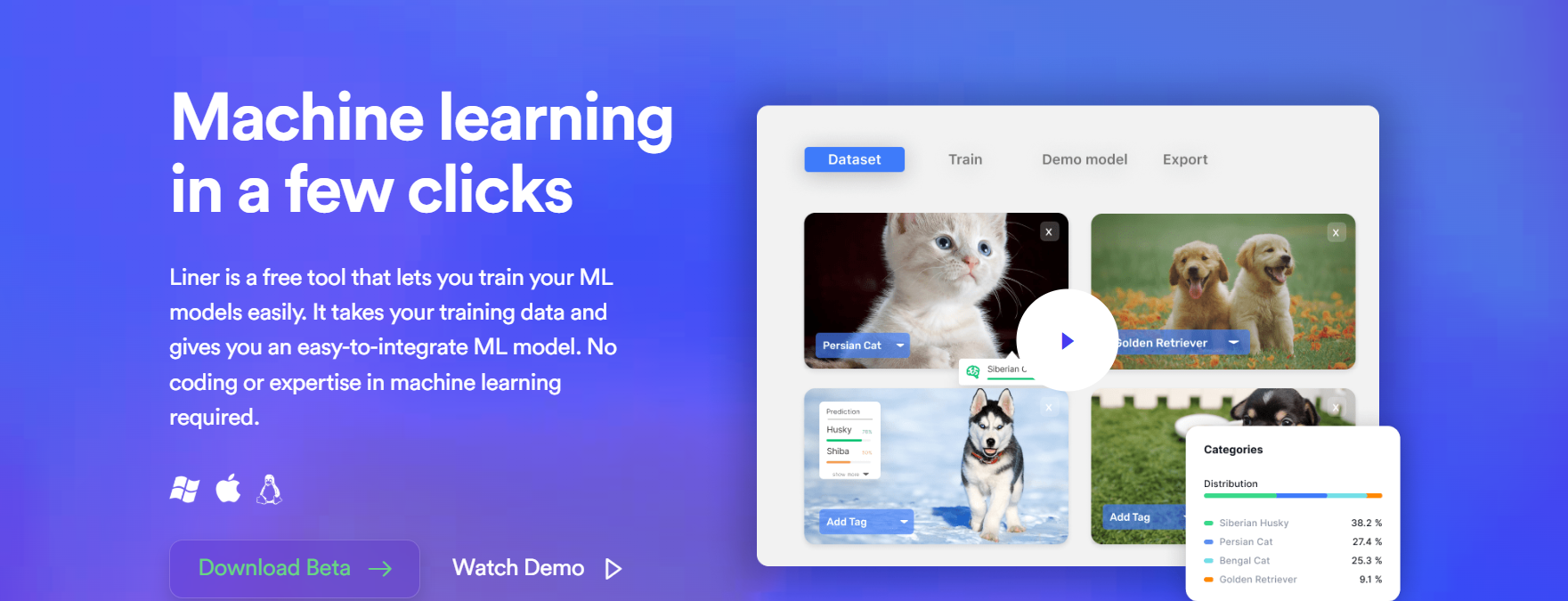
Build private ML models locally without coding
Liner AI is a free desktop software that enables anyone, even those without coding skills or technical know-how, to create their very own machine learning models. This tool tries to simplify the whole model-building process so much that users won't require GPUs, cloud infrastructure, or even the usual complicated algorithm setups.
Features Of Liner AI
Fully Local Model Training
All datasets and model processing stay on your computer. No cloud uploads, no third-party storage — ensuring maximum privacy.
Code-Free Workflow
The graphical interface simplifies complex ML processes into a few guided steps. No programming knowledge required.
CPU-Based Optimization
Unlike many ML platforms, Liner AI runs efficiently on standard processors. You don’t need high-end hardware.
Multi-Format Project Support
Users can build models for:
- Image classification
- Text classification
- Audio classification
- Video analysis
- Object detection
- Image segmentation
- Flexible Export Options
- Trained models can be exported in formats such as:
- Core ML
- TensorFlow Lite
- ONNX
These formats allow smooth integration into mobile apps, web platforms, and backend systems.
Use Cases Of Liner AI
Academic Learning
Students can make working AI models for their homework or research papers without taking so many weeks to get to know the frameworks.
Startup Prototyping
Founders can quickly validate AI-driven features for MVPs without hiring machine learning engineers.
Research Analysis
Researchers can classify experimental data, such as images or documents, while maintaining full data privacy.
Personal Innovation Projects
Hobbyists can make fun gadgets like sound locators, object recognizers, or special classifiers for smart homes.
Workflow Automation
Companies can work out text classification tools for customer tickets or internal document sorting purposes.
How To Use Liner AI
Install the Application
Download the Windows or macOS version and install it on your computer.
Create a Project
Choose the type of ML model you want to build and name your project.
Upload Your Dataset
Import labeled data (images, text, audio, etc.) into the platform.
Start Training
Click the training button and let Liner automatically select the best model architecture.
Export the Model
Once training completes, export the model in your preferred format for integration.
What We Like About Liner AI
Zero Cost Access
Liner AI is completely free to use, removing financial barriers for individuals and small teams.
No Programming Needed
With its easy-to-use interface, users can develop and train models even if they don't know programming.
Privacy-First Architecture
Since all data processing is done locally on your computer, you have absolute control and security over the sensitive data.
Efficient CPU Performance
This platform is designed to perform efficiently on regular processors.
Quick and Easy Setup
Setting up and starting a new project is so easy that it eliminates the need for a lengthy and complicated onboarding process.
Perfect for Learning and Prototyping
It is a great tool to have when you're starting, for students, and even developers who wish to quickly run experiments.
What We Don't Like About Liner AI
No Cloud Collaboration
Since it is desktop-based, team collaboration and remote access are limited.
Not Designed for Massive Datasets
The tool may struggle with extremely large-scale data that requires distributed computing.
Limited Integration Options
There are no built-in live API connections or automation integrations.
No Managed Cloud Deployment
It does not provide direct cloud hosting or real-time production deployment features.
Beta-Stage Constraints
As a product still in beta, occasional bugs or missing advanced features may occur.
Liner AI Pricing Plans
As of now, Liner AI is completely free. You do not need to buy any plan to use these features. This is what makes Liner AI a great option compared to many other tools that cost a lot while having similar features.
FAQs About Liner AI
Is Liner AI really free?
Yes. The tool is available at no cost during its beta phase.
Does it require programming skills?
No. The interface is designed for non-technical users.
Is my data uploaded to the cloud?
No. All processing happens locally on your device.
Can I deploy models in mobile apps?
Yes. Models can be exported in formats compatible with iOS and Android.
Is it suitable for enterprise-scale AI systems?
Not currently. It is better suited for individuals, education, and small teams.
Conclusion
Liner AI has made it possible for many people to use machine learning by totally changing the way we look at and interact with data. It allows anyone to develop AI-powered products just by leveraging a zero-cost local data processing environment and a super simple, user-friendly interface.
When it comes to scalability and collaboration, it might not be on the same scale as your run-of-the-mill cloud MLOps platform. It is a super-efficient tool for both rapid prototyping and education.
It is an excellent choice not only for students, indie developers, and researchers but also for anybody who's simply curious and wants to run AI experiments at home, with privacy and for free.