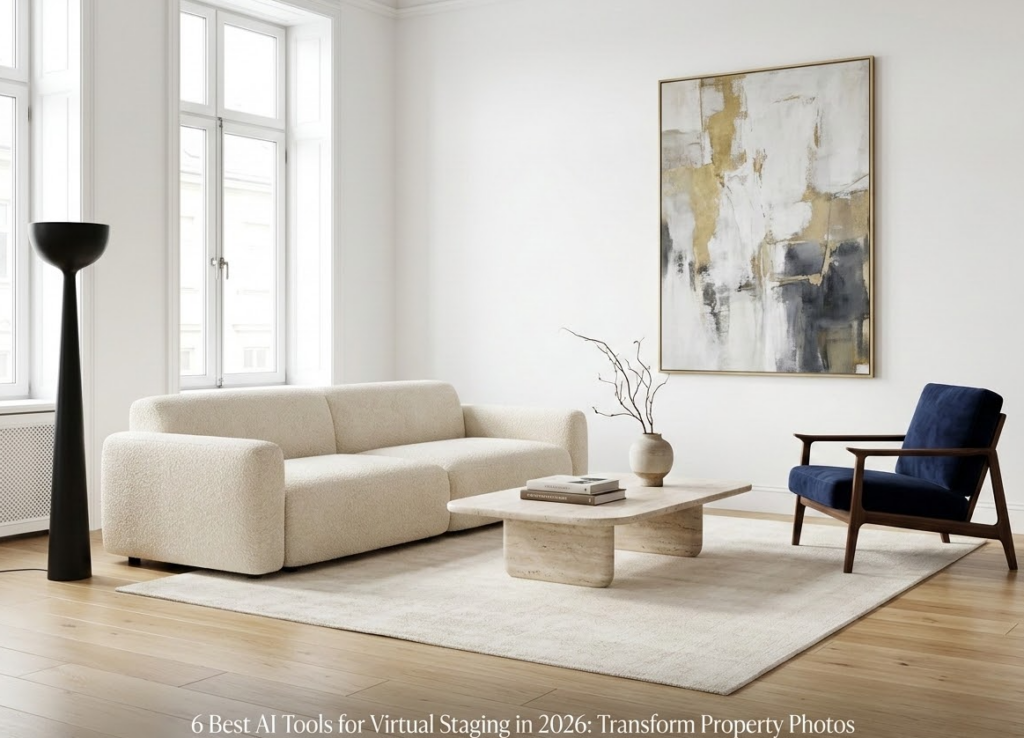
There is something strange about an empty room in a property listing. The room might be perfectly good, but without a sofa, a bed, or even a table, it is hard to tell what to do with the space.
Virtual staging changes that first impression without changing the actual property. A living room can be furnished in a few different styles, a bedroom can feel more complete, and an otherwise plain photo can give buyers a better idea of how the space might look when lived in. 83% of buyers’ agents said staging makes it easier for buyers to visualize a property as their future home.
What has changed in 2026 is how quickly this can be done. AI virtual staging tools can take an existing property photo and furnish it in minutes, often with several styles to choose from. Some produce surprisingly convincing results, while others still struggle with proportions, lighting, or keeping parts of the original room untouched.
So, rather than looking at every AI staging tool as if they do the same thing, this list focuses on the differences that actually matter when choosing one. Here are 6 AI tools for virtual staging worth trying in 2026, along with what each does best.
What Is Virtual Staging?
Virtual staging is a process that involves digitally furnishing and decorating a photo of a property with minimal or no real furniture. Without bringing the sofas, beds, tables, lamps, artwork, and rugs to your property, you can add digital furnishings using photo editing or AI tools.
Virtual Staging isn’t modifying or altering the property. It does not add or remove walls, doors, windows, flooring, or layout, but rather helps viewers to understand how their future living space can be used with the existing structure.
Virtual Staging is most useful for vacant and empty properties. An empty living room image does not give any clue about its size, utility, and function.
We can present the same room in several ways, such as modern Swedish, contemporary modern Scandinavian, elegant and classy Traditional, Luxe interior design, based upon the type and style of property.
It’s important to acknowledge that virtual staging can’t replace your real staging for physical showings. For actual viewings, your room and property will need to be staged with all required furniture, decoration, and decor, and professional photo capturing.
How Can AI Help With Virtual Staging?
AI is used to speed up virtual staging. Virtual staging previously relied on a designer to manually choose, drag, position, and resize every single item of furniture, make shadows, and ensure it fits well in the photo, which can all be handled with AI.
All you need to do initially is upload a photo of an empty/barely furnished room, with the AI then learning the space, floor, walls, door, windows, and space available to populate with furniture and décor.
Add furniture in minutes
The most obvious use is furnishing an empty room. An AI tool can generate a sofa, chairs, coffee table, television unit, bed, dining table, or other furniture based on the type of room.
This means one vacant property photo can be turned into a furnished version without arranging a physical photoshoot.
Try different interior styles
AI staging is not limited to adding random furniture. Many tools let you select an interior style.
For example, the same living room could be staged as:
- Modern
- Minimalist
- Scandinavian
- Contemporary
- Traditional
- Industrial
- Luxury
- Coastal
Stage different rooms
AI can work across different areas of a property, although results can vary between tools.
A living room might receive a sofa and coffee table, while a bedroom could be furnished with a bed, nightstands, lamps, and artwork. Kitchens and dining areas can also be enhanced with tables, chairs, and decorative elements.
Replace existing furniture
Some AI staging tools go beyond empty-room staging. They can remove existing furniture and replace it with something different.
For example, an outdated sofa can be removed and replaced with a more contemporary design. This can give buyers an idea of how a room might look after a relatively simple interior update.
However, this is an area where accuracy matters. The tool should not accidentally remove architectural features or alter permanent parts of the property.
Maintain the original room
A good AI staging result should add to the photograph rather than completely reinvent it. A beautifully furnished image is not particularly useful if the room no longer resembles the actual property.
The best tools attempt to preserve the original:
- Room dimensions
- Windows and doors
- Flooring
- Wall placement
- Ceiling height
- Built-in features
- Natural light
- Architectural details
Create multiple versions of one photograph
AI also makes it easier to create several variations from the same original image.
For example, a real estate professional could create:
Original: Empty living room
Version 1: Modern staging
Version 2: Minimalist staging
Version 3: Luxury staging
Things to Consider Before Virtually Staging a Property
Virtual staging can make property photos more appealing, but it should be used carefully. The purpose is to help someone understand the space, not to make the property look significantly different from reality.
Focus on the essential rooms first
Not every room of a property needs to be virtually staged. Rooms where furniture would have the largest effect, such as an empty living room, master bedroom, or dining room, are best. Rooms that are smaller or that appear less important can be left unchanged from the original photos. This also serves the benefit of making the listing appear less fabricated.
Evaluate the property as it stands
Virtual staging, while illustrating the potential of the property, will not fix underlying problems or shortcomings. A room that requires any structural repair or cleaning, painting, or decluttering needs to be handled before a staged view can be helpful. In most cases, staging only makes effective sense after the room has been presented in its appropriate condition.
Blend the staged and unstaged photos
Both staged and unstaged property images do not have to be mutually exclusive to a listing. An unstaged photograph allows viewers to get an immediate look at how the room is now, whereas a staged shot provides a preview of how the room may be viewed and furnished. For Vacant properties, the placement of unstaged photos along with staged ones can easily highlight the distinction in the visuals.
Maintain consistency in the listing
When you present the staging of a room, be certain that all other property photographs look appropriate in contrast and not out of place beside each. While the living room may be a lavish, heavily staged example, a group of empty rooms or cluttered space next to it does not seem to correspond appropriately.
AI Virtual Staging Tools At a Glance
| Tool | Best For | Key Features | Free Plan/Trial |
| RoomStaging | Fast property staging | AI virtual staging, room redesign, furniture replacement, multiple design styles | Free credits/trial |
| REimagineHome AI | Overall property visualization | Virtual staging, interior redesign, landscaping, object removal, image enhancement | Free credits |
| SofaBrain | Interior redesign & staging | AI staging, room transformation, furniture changes, style customization, walkthroughs | Free renders |
| AI HomeDesign | Real estate photo editing | Virtual staging, furniture removal, decluttering, image enhancement, room redesign | Free credits/trial |
| StageHQ AI | Simple virtual staging | AI furniture placement, room staging, style selection, property visualization | Free/trial options |
| Edensign | Real estate & interior design | AI virtual staging, interior redesign, furniture replacement, multiple styles | Free/trial options |
RoomStaging: Good for Quick Property Makeovers
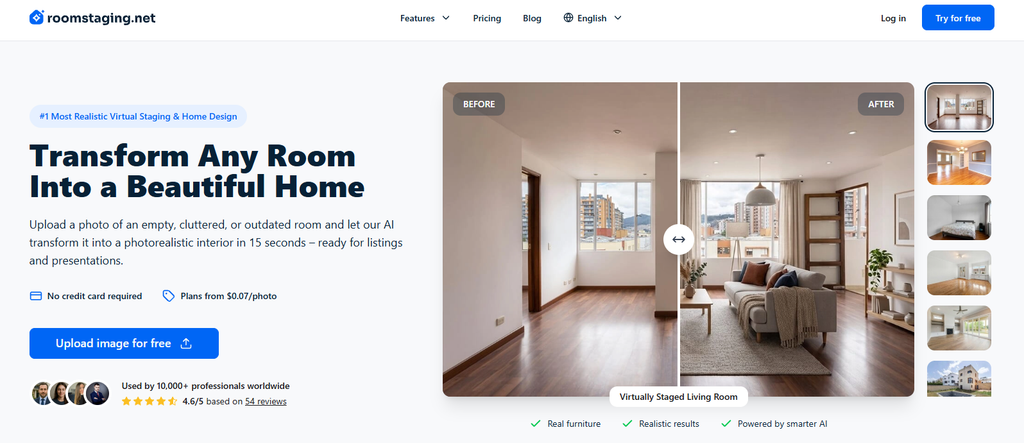
To use RoomStaging, you just have to take an empty property photo and make it look furnished without hiring a traditional staging service. It can add furniture and décor to vacant rooms while keeping the original structure of the space intact. This makes it useful for real estate agents who need attractive listing photos without spending time on manual editing.
Pros
- Designed specifically around real estate staging
- Simple workflow for creating furnished room images
- Multiple furnishing styles to choose from
- Useful for preparing vacant-property listings quickly
Cons
- Less suitable for users looking for advanced interior-design controls
- Results can vary depending on the quality and angle of the uploaded photo
- More limited than broader AI design platforms for non-staging projects
Reimaginehome AI: AI Tool for Complete Property Visualization

REimagineHome AI goes beyond furnishing an empty room. It lets users experiment with different interiors, remove unwanted objects, redesign existing spaces, and even visualize outdoor areas. This makes it a strong choice when you want to show not just what a property looks like now, but what it could look like after changes.
Pros
Handles both interior and exterior visualization
Can work with already furnished rooms
Supports object removal and room transformations
Useful for real estate, renovation, and design projects
Cons
The large number of features can make the platform feel less focused
Some AI-generated designs may need several attempts to get the desired result
Advanced usage can require paid credits
SofaBrain: Perfect for Interior Redesign Ideas
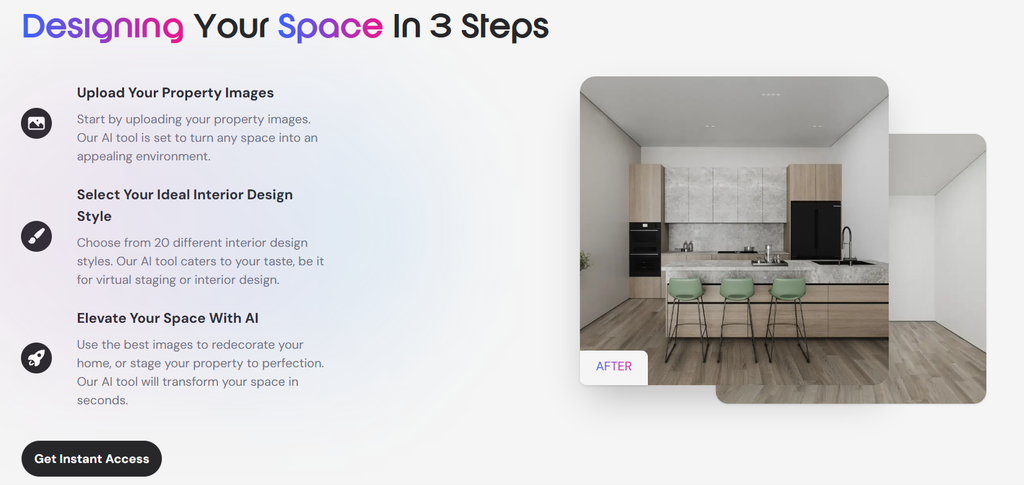
SofaBrain is particularly useful when staging is only part of the job. You can use it to transform an existing room, try different furniture arrangements, and explore new design styles. That makes it a good option for agents who want to show potential buyers how an outdated or empty space might look after a makeover.
Pros
- Combines virtual staging with interior redesign
- Offers a range of visual styles
- Can help visualize furniture and décor changes
- Useful beyond real estate listings
Cons
- More focused on visual concepts than detailed interior planning
- Some generated furniture arrangements may not perfectly match the room’s proportions
- Users wanting highly precise control may find the AI approach limiting
Al HomeDesign: Good for Real Estate Photo Editing
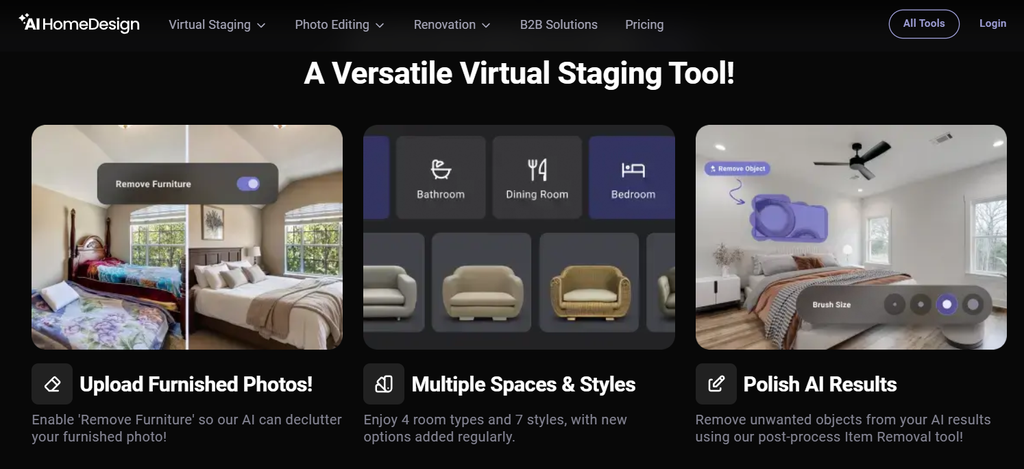
AI HomeDesign works well for agents who need more than just virtual furniture. Along with staging vacant rooms, it provides tools for decluttering, removing objects, redesigning interiors, and improving property photos. This makes it useful as an all-around image preparation tool for real estate listings.
Pros
- Includes several property-photo editing features
- Useful for both empty and furnished rooms
- Can remove unwanted furniture and objects
- Suitable for preparing multiple types of listing images
Cons
- The number of available tools may feel overwhelming at first
- AI edits may occasionally require regeneration
- Best results depend on clear, well-composed source images
Stage HQ AI: Exceptional for Straightforward Virtual Staging
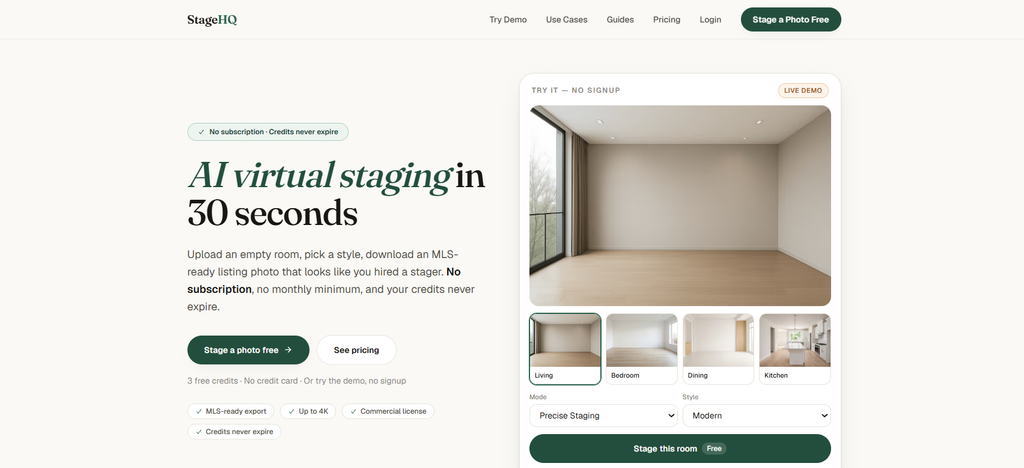
StageHQ AI takes a more focused approach to virtual staging. Instead of trying to be a complete interior-design suite, it concentrates on helping users furnish property images with AI-generated furniture and décor. This makes it a practical option for agents who primarily need polished visuals for vacant listings.
Pros
- Focused specifically on staging workflows
- Easy approach for users with limited design experience
- Helps make vacant rooms look more inviting
- Can save time compared with manual staging
Cons
- Fewer broader design capabilities than some competitors
- Not the best choice if you need extensive property-photo editing
- AI-generated furniture may occasionally need another attempt
Edensign: Ideal for design discovery

Edensign is a good fit for users who want to experiment with the visual direction of a room. Its AI design features can help furnish empty spaces, change the look of existing interiors, and explore different styles before committing to a particular design.
For real estate professionals, this can be useful for creating alternative versions of a listing photo. Designers and homeowners can also use the same features to explore ideas for their own spaces.
Pros
- Offers flexibility for different interior concepts
- Useful for both staging and redesign
- Helps users compare different visual styles
- Can be used for projects beyond property listings
Cons
- Less specialized for real estate workflows than dedicated staging platforms
- Generated designs may sometimes look more conceptual than realistic
- Advanced design experimentation may require multiple generations
Which Tool Should I Choose?
REimagineHome AI is the best overall choice for realistic staging and broader property visualization. RoomStaging works well for straightforward real estate staging, while SofaBrain is better for exploring different interior styles. AI HomeDesign is useful if you want additional listing-photo editing tools, StageHQ AI suits quick and flexible staging, and Edensign is a good option when design consistency matters across multiple property photos.
For most real estate professionals, REimagineHome AI is the strongest place to start, but testing the same property photo across a few tools can help you find the best option
FAQs
Is virtual staging worth it?
Yes, especially for vacant properties. It can help potential buyers understand how a room could be used without the expense and logistics of bringing in physical furniture.
Can virtual staging change the actual property?
No. Virtual staging only changes the photograph. The physical property remains exactly as it is. However, the generated image should be checked to make sure the AI hasn’t accidentally altered permanent features.
Is AI virtual staging expensive?
No, most of these tools offer free credits or trials, while others charge per image or through monthly subscriptions. If you only stage a few properties, pay-as-you-go pricing can be more practical.
Can you virtually stage a furnished room?
Yes. Many AI staging tools can remove existing furniture and replace it with different pieces or redesign the room in another style.
Should virtually staged photos be disclosed?
Yes. It is best to clearly indicate when furniture or other elements have been digitally added. This helps potential buyers understand what is actually present in the property.

Sapna Ghodasara is the founder of Guide of AI Tool, where she writes in depth reviews of AI tools for marketers, creators and businesses. Her reviews focus on what matters before you pay for a tool: real use cases, honest pros and cons, pricing, and how well it fits into an everyday workflow.
Sapna is the cofounder of SEOMagicLab, an SEO and link building agency serving B2B SaaS, ecommerce and content brands. That mix of technical training and daily marketing work lets her judge AI tools from two angles: how well the technology actually performs and whether it delivers real value for the people using it.