AI, to most people, is something that you open in a browser to ask a question and have a paragraph spit out to you. Even though this is really awesome, this is not the end of the line. You still need to copy and paste, switch through apps, go to a document, send an email, and complete the task on your own.
That isn’t the way that AI works anymore, though. AI can operate whole workflows. It can gather information, interface with the applications, trigger actions, and it’s capable of making decisions.
According to Gartner’s forecast, 33% of all enterprise software applications will include agentic AI by 2028, an increase from fewer than 1% of these applications in 2024.
This is indicative of the business world moving past AI as a helpful assistant to AI being able to actually carry out and execute tasks.
Here are 9 game-changing AI workflow builders worth considering in 2026 that you won’t want to miss. These are best for building an AI agent, automating day-to-day tasks, or streamlining business operations.
What Are AI Workflow Builders and Why Do They Matter?
AI workflow builders are a type of AI tool that facilitate rapid development of AI applications with minimal or no coding. These are tools featuring a visual editor where users chain various AI models, databases, services, and APIs to create an automated workflow.
Workflows like these are used to summarize documents, respond to customer inquiries, organize data, or orchestrate actions across many applications.
Key advantages include:
- Faster setup with visual drag-and-drop interfaces.
- Easy connections to AI models, databases, APIs, and business apps.
- Less coding required for automation.
- Workflows that can scale as needs grow.
- Useful for both technical and non-technical teams.
Best AI Workflow Builders
Tray AI
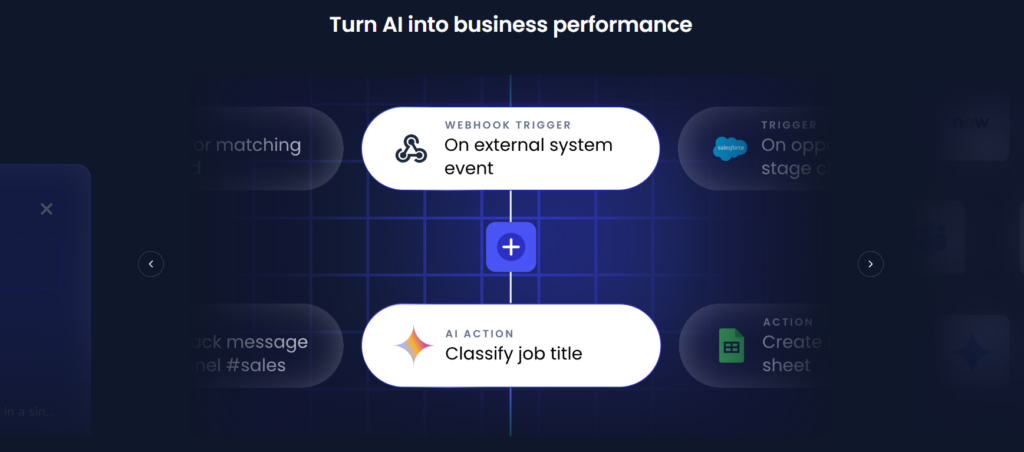
Tray AI is a fully automated, AI- powered integration to help your company connect data, apps, and business processes. Automate complex workflows, even if coding is not your expertise.
Features
- Visual drag-and-drop builder to develop workflows
- Integrate several AI models, APIs, and data sources.
- Vast library of integrations supporting hundreds of apps
- Connect with almost any app that you frequently use.
- Use API to communicate externally. Services give you more flexibility.
Strengths
- Flexible and extensible automation platform
- Deep AI Orchestration capabilities
- Accessible, intuitive, low-code
- Comprehensive integrations
Weakness
- Pricing is not mentioned.
- Some features require technical knowledge.
Pricing
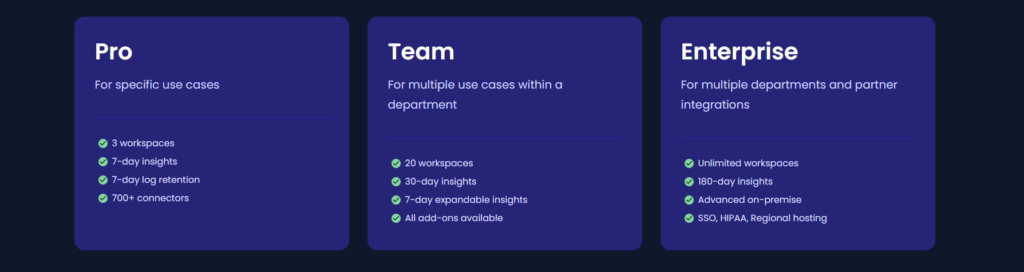
There are pro, team, and enterprise plans.
Retool
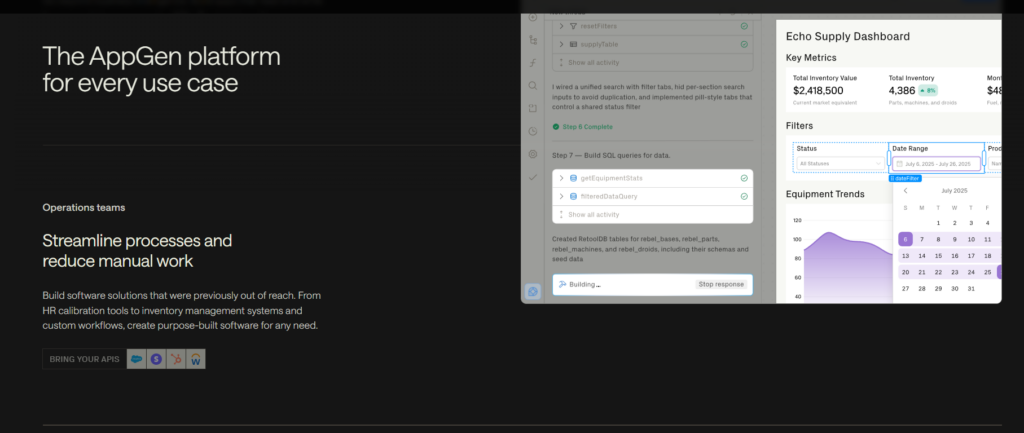
Retool is for building internal apps and business workflows. It helps teams build internal apps. Simply drag and drop elements like tables and buttons, integrate your data, and write a bit of logic. It also relies on AI to make the app even faster. Use Retool to build dashboards, admin panels, and workflow applications.
Features
- Drag-and-drop interface for building internal tools quickly.
- Connects to databases, APIs, and third-party services.
- Supports JavaScript and SQL for custom logic.
- AI-assisted app building and workflow automation.
- Role-based access control for secure collaboration.
- Deploy apps on the cloud or self-host them.
Strengths
- Speeds up internal app development with ready-made components
- Easily integrates with existing business systems
- Creates apps for iOS and Android
- Strong collaboration and permission management features
Weakness
- Design freedom is limited
- Advanced customizations often require coding knowledge.
Pricing
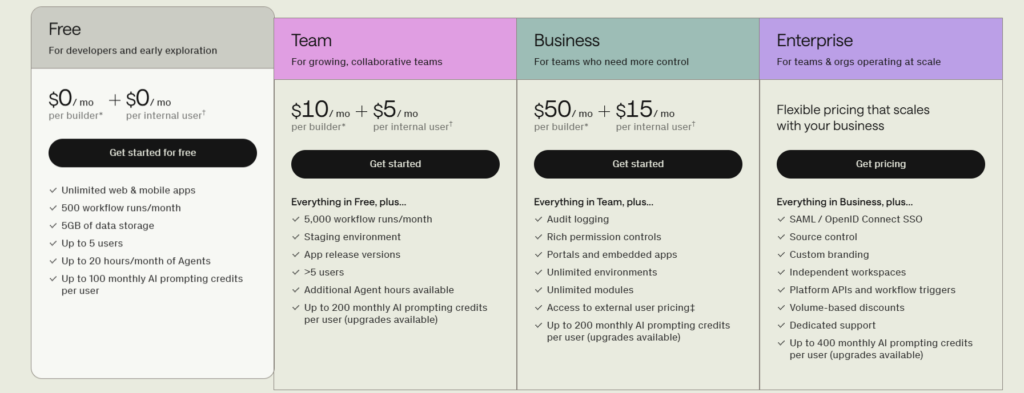
Team Plan starts at $10/user/month.
Durable AI
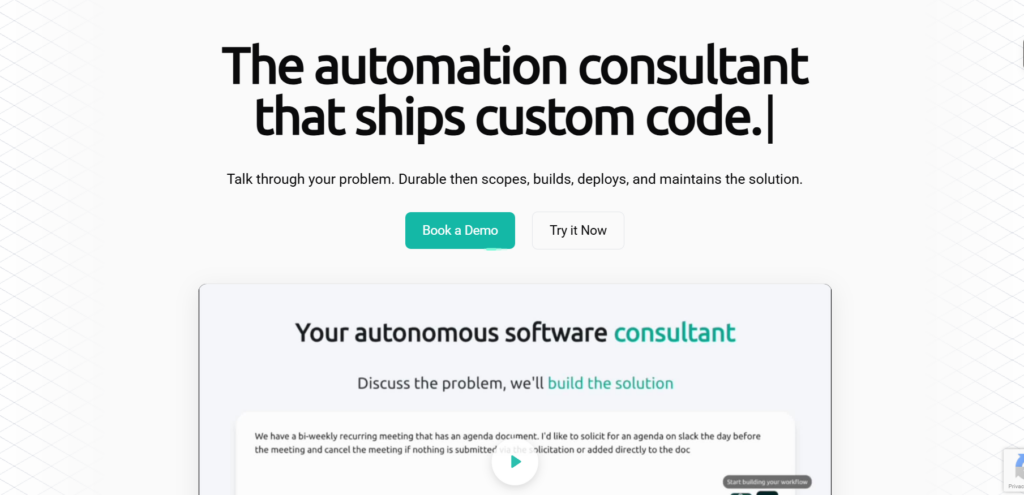
Durable AI is an AI tool for rapidly creating web applications. This tool is a good option for beginners. There is no need to have advanced technical skills to use this.
Features
- AI-powered website builder with one-click site generation.
- Built-in CRM and customer management tools.
- AI copywriting and content generation.
- Invoice creation and payment management.
- SEO optimization and analytics dashboard.
- Custom domain and business branding support.
Strengths
- Creates professional websites.
- Great all-in-one solution for freelancers and small businesses.
- Includes useful business management tools beyond website building.
- Simple interface with minimal learning curve.
Weakness
- Design customization is more limited than traditional website builders.
- Advanced features require paid plans.
- Best suited for small businesses rather than complex websites.
Pricing
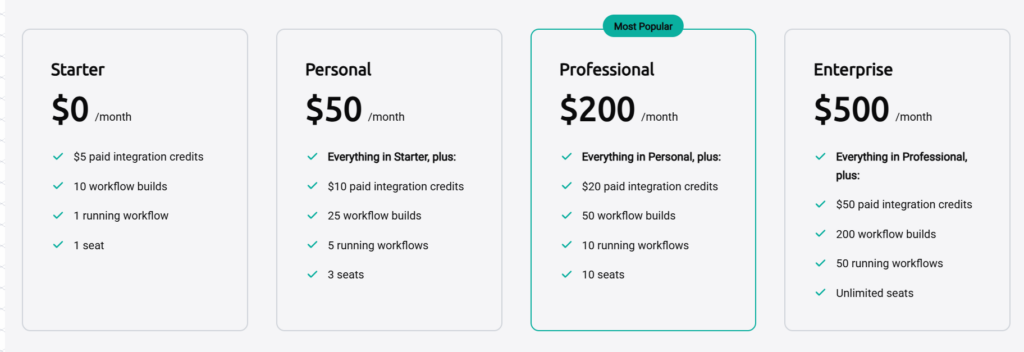
Starts at $15/month.
Replit
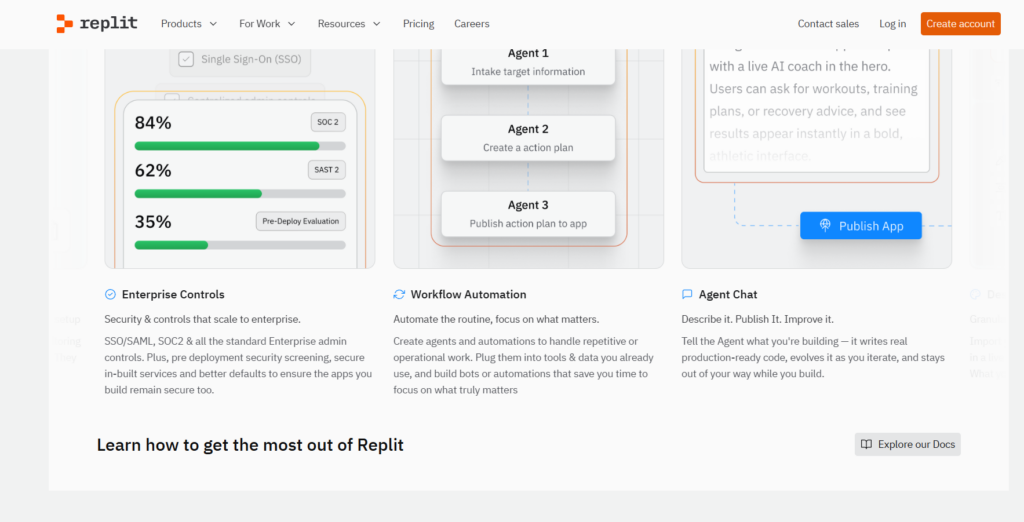
Replit is a cloud coding app. Anyone can code, run, and share code from a web browser. Being a cloud-based service means it does not require any downloads or set-ups for developers. They just need a computer, and they can code from anywhere.
Features
- Browser-based coding environment with AI assistance.
- Supports dozens of programming languages.
- AI agent for generating, debugging, and explaining code.
- Real-time collaboration for teams.
- One-click deployment for web applications.
- Integrated database and hosting options.
Strengths
- No local setup required.
- Simplified hosting removes the need for separate infrastructure tools.
- AI coding assistant improves development speed.
- Accessible from any device.
Weakness
- Heavy projects may perform better in local environments.
- Limited low-level control over system configurations.
- Limited resources on the free tier.
Pricing
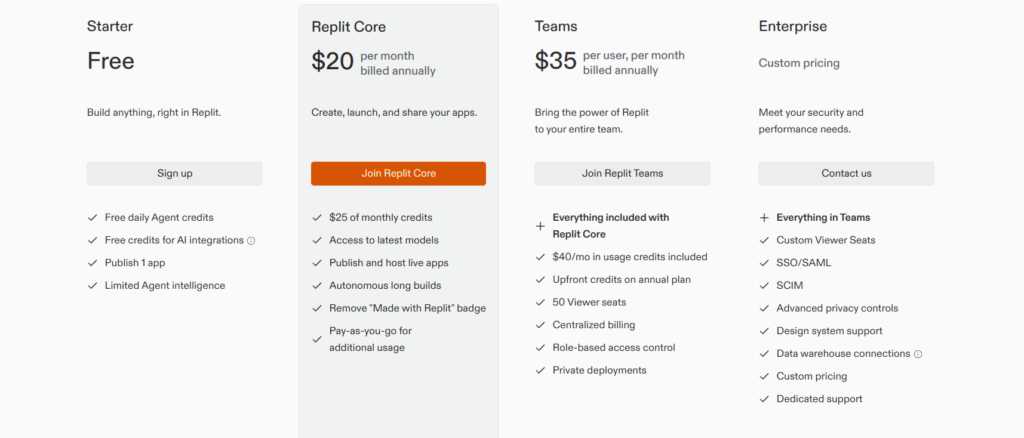
Starts at $20/month.
Softr
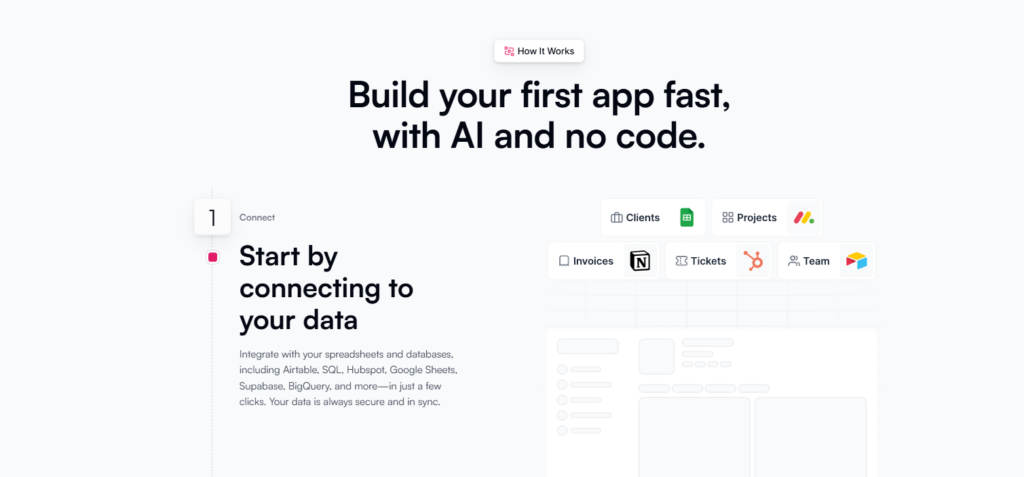
Softr is a no-code platform to build custom business apps, client portals, and internal tools with your own data in Airtable and Google Sheets. You can get started with its easy drag-and-drop interface without a single line of code.
Features
- Build full web apps without writing any code.
- Connects with Airtable, Google Sheets, SQL databases, and APIs.
- Drag-and-drop page builder.
- User authentication and membership management.
- Responsive templates for faster development.
- Built-in forms, payments, and automation support.
Strengths
- Easy for non-technical users.
- Strong Airtable integration.
- Strong integrations with popular data sources.
- Modern templates reduce development time.
Weakness
- Customization can be limited for advanced projects.
- Some integrations require higher-tier plans.
- Large-scale applications may need more robust platforms.
Pricing
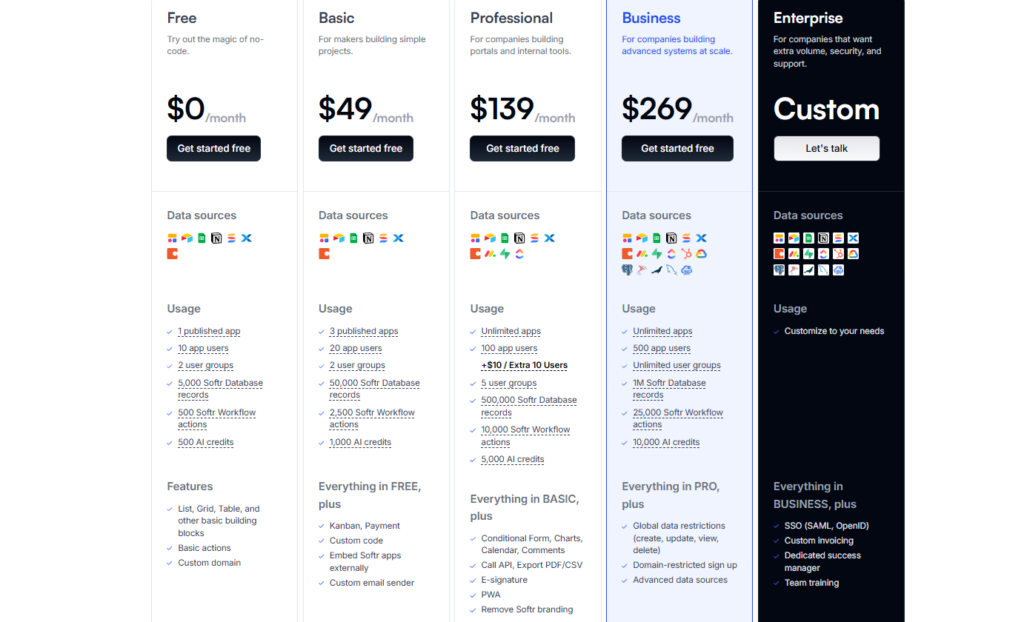
Starts at $8/month.
Visily AI
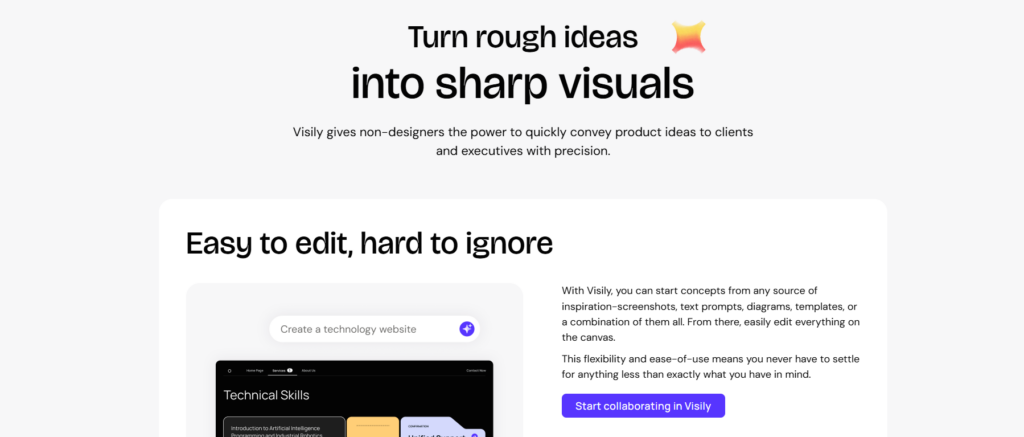
Visily AI is a creative design tool that enables people who are not designers to translate their ideas into final, professional-looking visuals. A number of AI design tools focus on the large and very creative parts of the design process.
Features
- AI-powered UI and wireframe generation.
- Convert screenshots into editable designs.
- Text-to-design capabilities.
- Smart templates for web and mobile apps.
- Real-time team collaboration.
- Export designs to Figma.
Strengths
- Great for rapid UI prototyping.
- Easy enough for non-designers.
- Saves significant design time with AI.
- Collaborative editing simplifies teamwork.
Weakness
- Not a complete replacement for advanced design software.
- AI-generated layouts may need manual refinement.
- Some export options are available only on paid plans.
Pricing
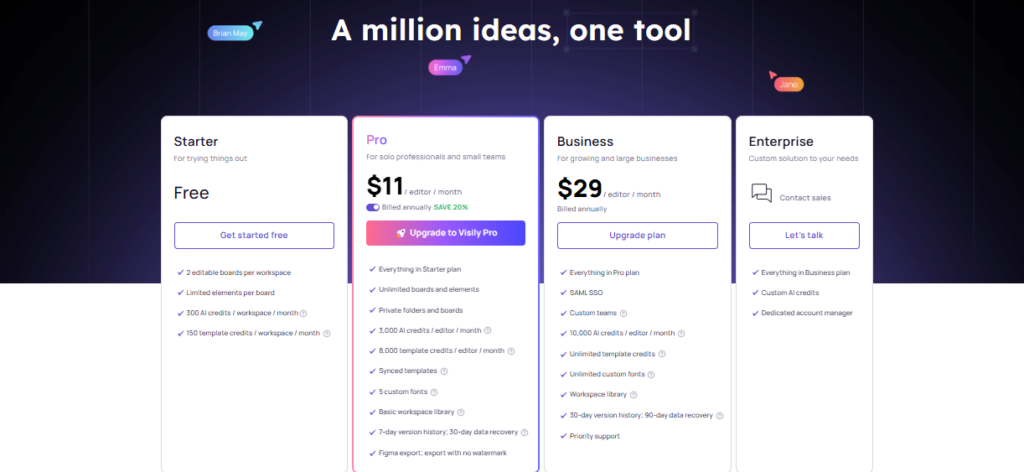
Starts at $19/editor/month.
n8n
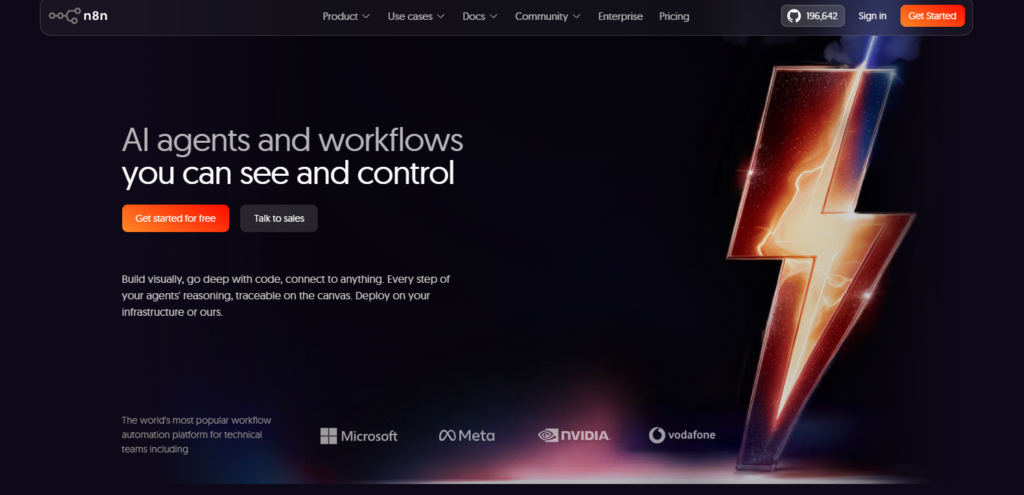
N8n makes workflow automation easy by connecting applications, APIs, and AI models without the need for extensive coding. Featuring an intuitive visual workflow builder, n8n makes automating repetitive processes, building AI workflows, and integrating hundreds of different services easy.
Features
- Open-source workflow automation platform.
- Connects with hundreds of apps and APIs.
- AI workflow automation support.
- Visual workflow builder with custom logic.
- Self-hosted and cloud deployment options.
- Supports JavaScript for advanced automation.
Strengths
- Highly flexible and developer-friendly.
- Self-hosting gives full control over data.
- Extensive integrations with business tools.
- Suitable for both automation beginners and advanced users.
Weakness
- Initial setup can be challenging.
- Advanced workflows may require technical knowledge.
- Cloud pricing increases with workflow usage.
Pricing
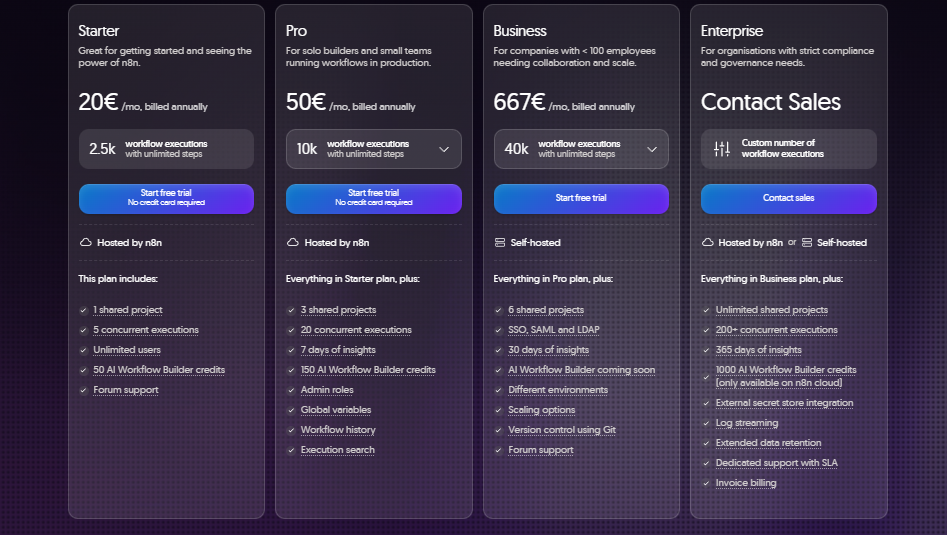
Starts at €24/month.
Flowise AI
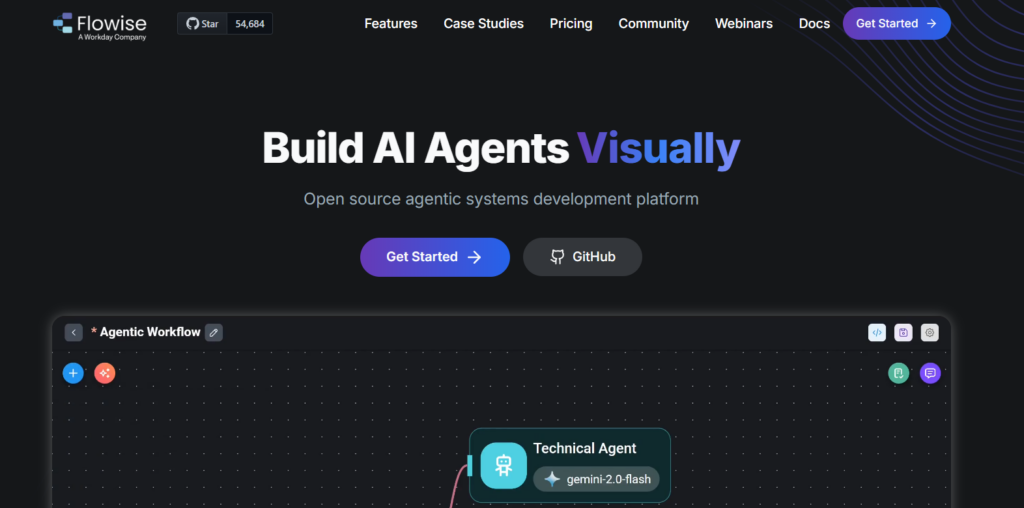
Flowise AI is an open-source platform for building and deploying AI Applications with LLMs visually. Flowise AI is a fully open-source, low-code visual platform to build your LLM AI applications. You can easily create chatbots, AI agents, and custom flows using your favorite AI providers and frameworks like LangChain.
Features
- Visual builder for creating LLM workflows.
- Supports LangChain and multiple AI models.
- Drag-and-drop node-based interface.
- API deployment for AI applications.
- Memory, vector database, and tool integrations.
- Open-source with self-hosting support.
Strengths
- Makes AI workflow development easier.
- Excellent for rapid chatbot prototyping.
- Flexible integrations with popular LLM providers.
- Active open-source community.
Weakness
- Requires AI and LLM knowledge for advanced use.
- Limited enterprise features compared to commercial platforms.
- Documentation may not cover every advanced use case.
Pricing
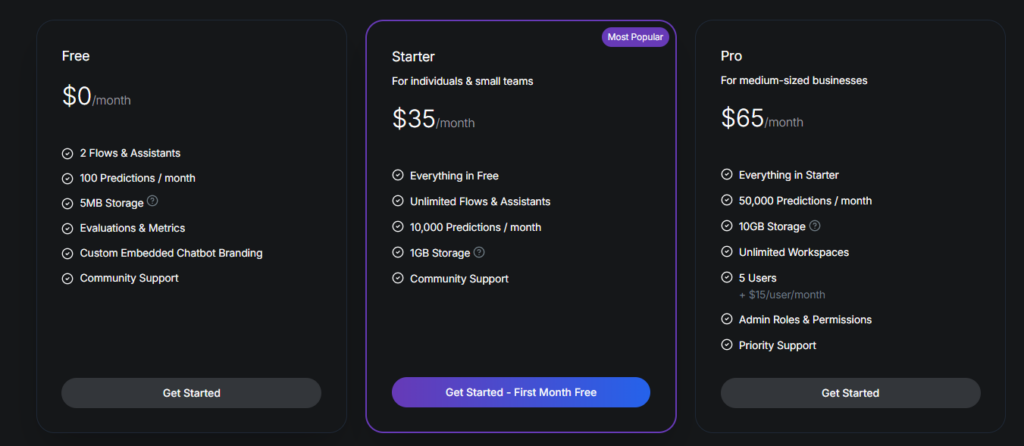
Custom pricing based on usage.
Langflow
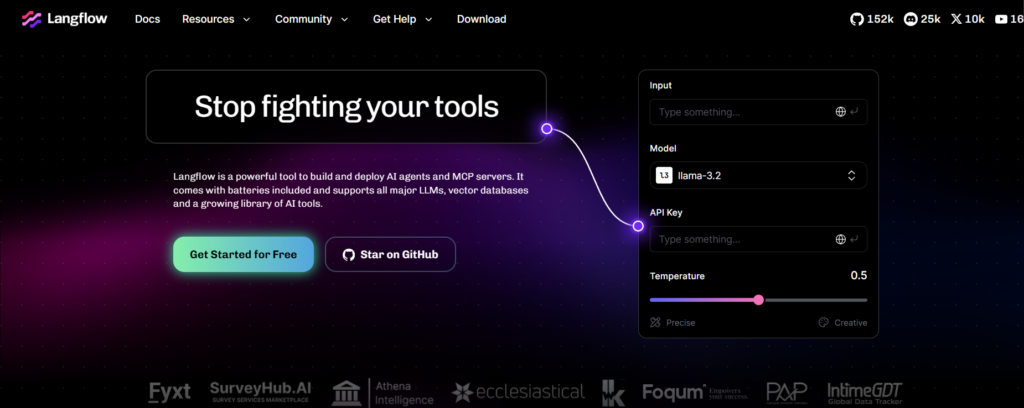
Langflow is a visual development platform for building LLM-powered AI workflows, built open source. It enables you to visually build, test, and deploy your own LLM-powered AI apps and pipelines, with support for many LLM providers, vector stores, and APIs. Langflow is perfect for any developer or AI team wanting to prototype or accelerate the development of intelligent apps.
Features
- Visual IDE for building AI and LangChain workflows.
- Drag-and-drop component-based workflow builder.
- Supports multiple LLM providers.
- Easy API deployment for created workflows.
- Vector database and memory integration.
- Open-source and customizable.
Strengths
- Beginner-friendly interface for AI workflow creation.
- Speeds up LLM application development.
- Flexible integration with modern AI tools.
- Ideal for experimenting with AI pipelines.
Weakness
- Better suited for AI projects than general automation.
- Advanced implementations may require Python knowledge.
- Enterprise management features are relatively limited.
Pricing
Custom pricing depending on deployment and support.
AI Workflow Builders Comparison Table
| Tool | Best For | No-Code | AI Workflow Automation | Integrations | Free Plan |
| Tray AI | Enterprise AI workflow automation | No | Yes | Extensive | Yes |
| Retool | Internal apps and business workflows | Low-code | Yes | Extensive | Yes |
| Durable AI | AI-powered website and app creation | Yes | Basic | Moderate | Yes |
| Replit | AI-assisted app development | No | Limited | Good | Yes |
| Softr | No-code business apps | Yes | Yes | Good | Yes |
| Visily AI | UI/UX design and app prototyping | Yes | No | Moderate | Yes |
| n8n | Open-source workflow automation | Low-code | Yes | 500+ | Yes |
| Flowise AI | Visual AI agent and LLM workflows | Yes | Yes | Good | Yes |
| Langflow | Building and testing LLM applications | Yes | Yes | Good | Yes |
Conclusion
With AI workflow builder platforms, it’s easier to automate tedious tasks, link up apps, and build smarter process workflows. For a software developer of an AI-powered application, a business that streamlines the workflow of daily operations, or a content creator trying to reduce time wasted, there is a solution available to meet your specific needs.
There are powerful enterprise solutions like Tray AI, open-source tools such as n8n, and some user-friendly tools that you don’t need any technical skills to use, such as Flowise AI.
Select an AI tool based on your workflow requirements, technical background, and how much budget you plan for the tool. Check through the feature list, sign up for a free plan to test, and find a platform.
FAQs
What is an AI workflow builder?
An AI workflow builder is a platform that lets you create automated workflows using artificial intelligence, helping you connect apps, automate tasks, and improve productivity.
2. Which is the best AI workflow builder?
Tray AI is one of the best options for enterprise automation, while n8n and Flowise AI are excellent choices for open-source and AI agent workflows.
3. Are AI workflow builders free?
Many AI workflow builders, including n8n, Flowise AI, Retool, Softr, and Replit, offer free plans with optional paid upgrades.
4. Do I need coding skills to use an AI workflow builder?
Not always. Tools like Softr, Flowise AI, and Visily AI are beginner-friendly, while platforms like Replit and Retool may require some technical knowledge.
5. What can I automate with an AI workflow builder?
You can automate tasks such as data processing, customer support, content generation, email workflows, AI agent interactions, app integrations, and business operations.
6. Which AI workflow builder is best for beginners?
Softr is a great choice for beginners because of its intuitive no-code interface, while Flowise AI is ideal for users interested in building AI-powered workflows visually.