The best AI clipping tool in 2026 is Klap, thanks to its AI-powered clip selection, smart reframing, and editing features that help turn long videos into polished short-form content. If you want to repurpose podcasts, interviews, or YouTube videos into Shorts, Reels, and TikToks, Klap is our top recommendation for an all-in-one clipping workflow.
AI Clipping Tools help creators save time by creating short videos from long ones. They can identify key moments, add captions, resize your videos to fit verticals, and get your clips ready for publishing.
In this guide, we look at 8 AI video clipping tools (Klap, OpusClip, Vizard, Submagic, Descript, CapCut, Riverside, and VEED). We’ll look at what features they offer, how much they cost, if they have a free version, and who they would be best suited for.
Quick Answer: Best AI Clipping Tool
Klap is the best all-round AI tool for clipping. It uses smart AI to pick out key moments, tracks speakers, intelligently re-frames, and can publish your clips. This means you can easily turn long videos into short captioned clips.
Here are our top picks:
- Best overall: Klap
- Best for AI-powered clip discovery: OpusClip
- Best for free AI clipping: Vizard
- Best for animated captions: Submagic
- Best for transcript-based editing: Descript
- Best free manual video editor: CapCut
- Best for recording and clipping podcasts: Riverside
- Best for browser-based video editing: VEED
Best AI Clipping Tools Compared
| Tool | Best For | Free Option | Starting Price |
| Klap | Best overall | 1 free video trial | $29/month |
| OpusClip | AI clip discovery | Free plan | $15/month |
| Vizard | Free AI clipping | Free plan | $29/month |
| Submagic | Animated captions | Limited trial options | $19/month |
| Descript | Transcript editing | Free plan | $24/month |
| CapCut | Manual short video editing | Free plan | $0 |
| Riverside | Podcast recording and clips | Free plan | $0 |
| VEED | Online video editing | Free plan | $0 |
How We Evaluated AI Clipping Tools
For evaluating AI Clipping tools, we have identified which ones can extract the important moments from long videos. The extracted clips should make sense on their own since most of them are for posting on Reels and TikTok, and the person viewing them may not have the context of the long video. The captions of the video should be readable and in sync with the video. And lastly, a good AI clipping tool should eliminate editing work and save time.
1. Klap – Best Overall AI Clipping Tool
Best for: Podcasters, YouTubers, interview creators, and businesses repurposing long videos.
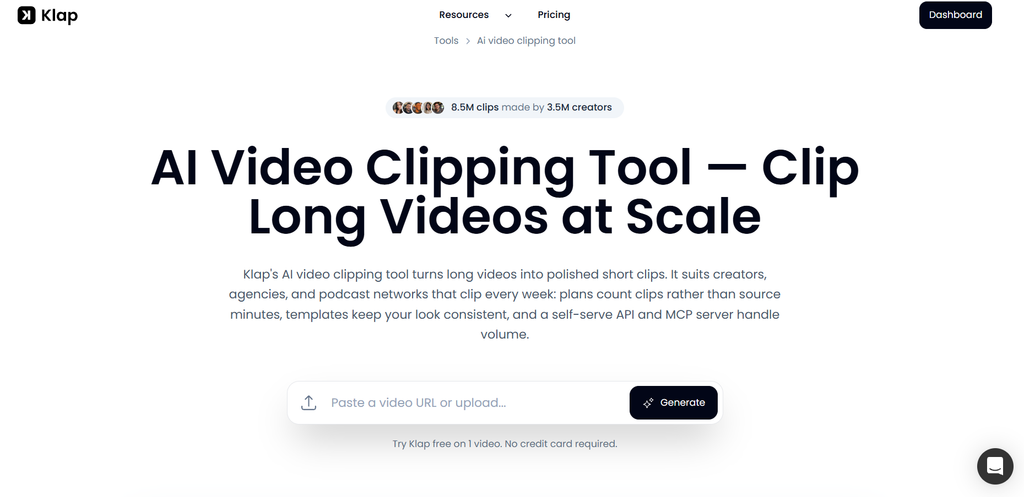
Klap is a video editing tool that will help you upload short videos from your long videos. This tool will make it easier for you to gain popularity on social media. When uploading a video to Klap, it will identify the best parts of your video and turn those interesting and engaging parts into short clips ready to be posted.
Why Klap Stands Out
AI that looks for complete ideas
Klap finds out which moments in a video are worth clipping. Random moments, filler words, and awkward silences are never clipped by Klap. Even if a particular section seems important, it will only clip it out if it makes sense without watching the entire video.
After a clip is generated, it is given a virality score for a better understanding of which clip has the potential to go viral on social media. You can also guide the AI on how to select a clip with the help of prompts. Prompts like funny moments and surprising facts can give the AI a good idea about where to extract clips from.
Clips that feel professionally edited
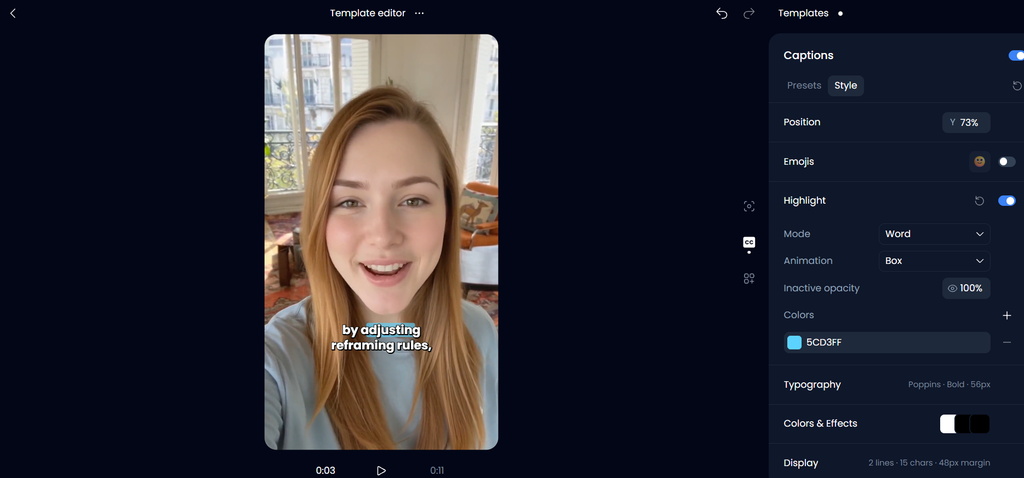
The clips genuinely look like they have been edited by a professional editor. The clips have almost no flaws and maintain a natural pace. The editing workflow allows cuts inside clips to remove pauses and unnecessary stretches. This can make a clip feel tighter than a simple start-and-end trim. You can also adjust cuts, captions, framing, and other elements in its browser editor.
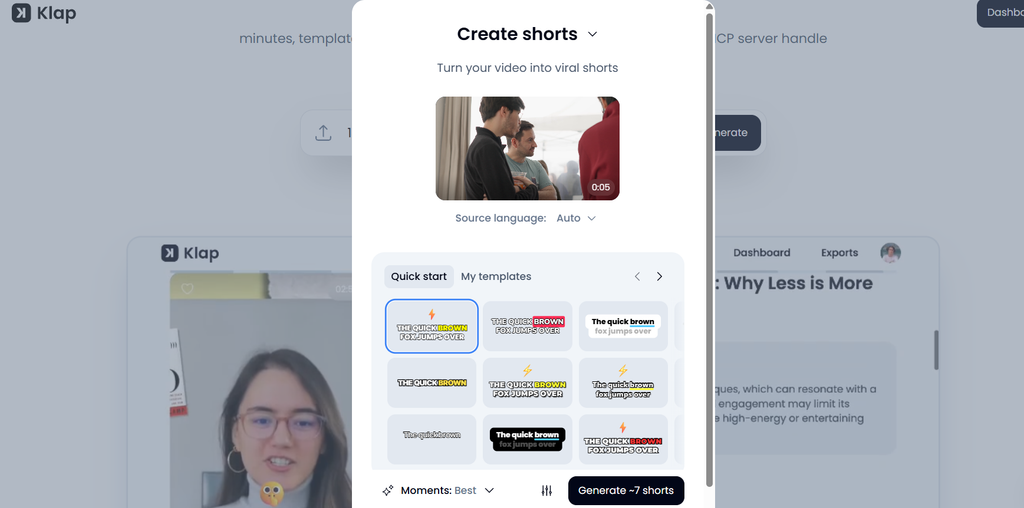
Smart vertical reframing
Klap uses AI Reframe to keep speakers visible when converting horizontal videos into vertical formats. It supports different layouts for multiple speakers, screen recordings, slides, and gameplay.
For podcast conversations, the layout can follow the active speaker or display multiple participants. For tutorials and screen-based videos, layouts help preserve the important content instead of cropping everything into a narrow frame.
Captions and publishing
Klap automatically generates animated captions that can be edited and translated. You can customize caption styles, add branding, and export clips in supported aspect ratios.
Its calendar lets creators schedule and publish videos to TikTok, YouTube, Instagram, LinkedIn, and Facebook. Analytics provide a place to monitor published clips and their performance.
Who Should Use Klap?
Klap is useful for:
- Video podcasters creating clips from full episodes
- YouTubers repurposing long videos
- Coaches sharing educational content
- Businesses turning webinars into social videos
- Creators who want clipping and publishing in one workflow
Klap Pricing
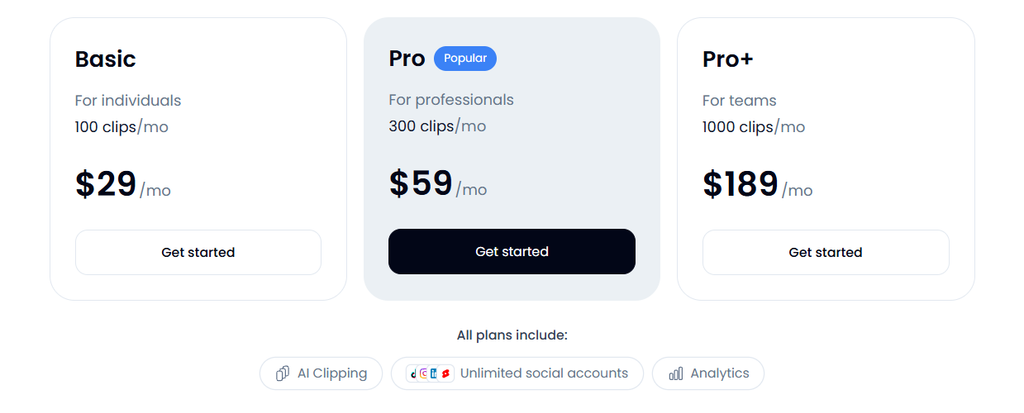
Klap offers three main monthly plans:
| Plan | Price | Clips |
| Basic | $29/month | 100/month |
| Pro | $59/month | 300/month |
| Pro+ | $189/month | 1,000/month |
Annual billing costs less. New accounts in most countries can try Klap on one video for free without a credit card.
Our verdict: Klap is the best overall AI clipping tool in this roundup for creators who want AI clip selection, editing, captions, reframing, and publishing in one place.
2. OpusClip – Best for AI-Powered Clip Discovery
Best for: Creators who want to extract multiple short videos from long recordings.
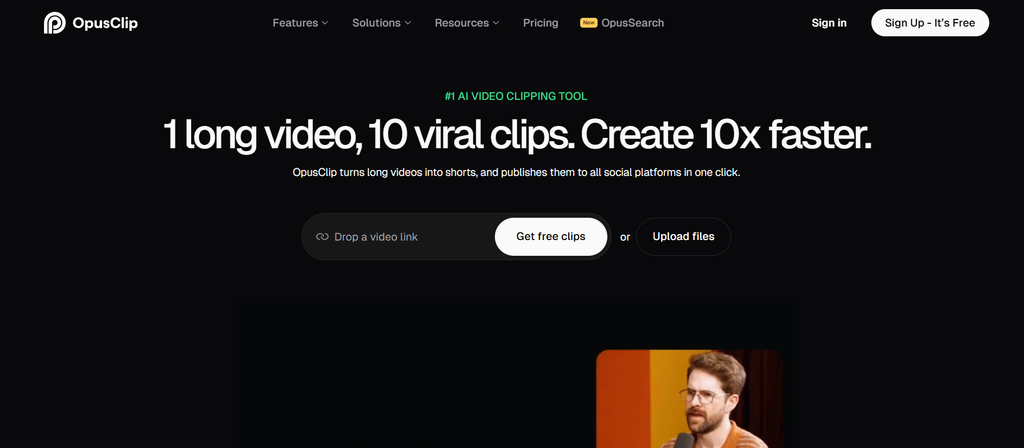
Opus Pro is an AI short clip generator that turns long videos into short social media clips with AI. It automatically finds the best parts of your videos and creates ready-to-post content for TikTok, YouTube Shorts, and Instagram Reels with a single click.
Key Features
- AI-powered clip generation
- Virality Score for ranking clips
- Animated captions
- AI reframing
- Social publishing options
- Tools for editing generated clips
OpusClip Pricing
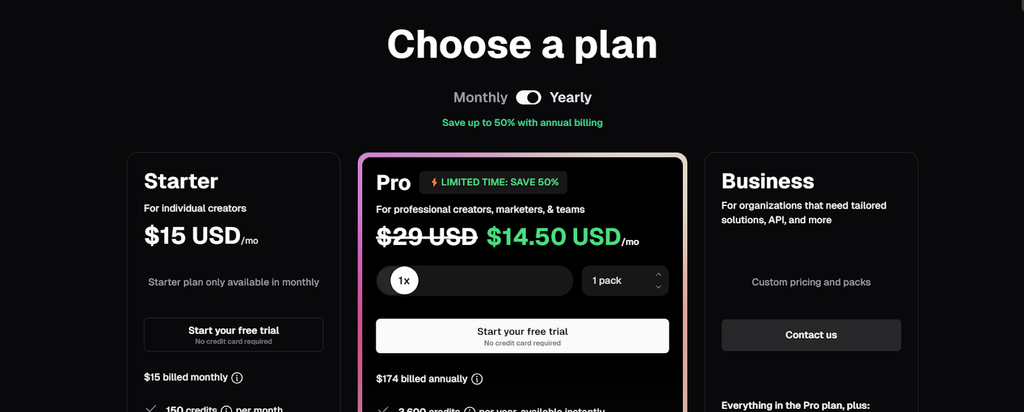
OpusClip offers a free plan with limited monthly credits. Its paid Starter plan begins at approximately $15/month, while Pro options cost more depending on usage.
Our verdict: OpusClip is a strong alternative to Klap for creators who prioritize discovering clips from long recordings.
3. Vizard – Best Free AI Clipping Tool
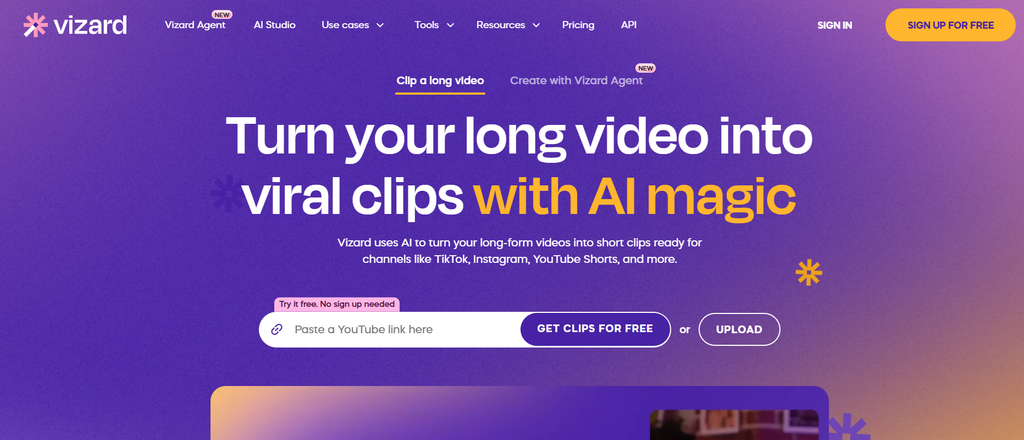
Best for: Beginners and creators who want to experiment with AI clipping before paying.
Vizard converts long videos into shorter clips using AI. It can analyze content, identify potential highlights, generate captions, and resize videos for social platforms. Vizard is especially useful for creators who work with webinars, interviews, and educational recordings.
The free plan gives users a way to explore the clipping workflow before upgrading. However, free exports may have restrictions such as lower resolution, limited credits, or watermarks.
Key Features
- AI clip generation
- Automatic captions
- Video reframing
- Social media formats
- Clip editing
- Export options
Vizard Pricing
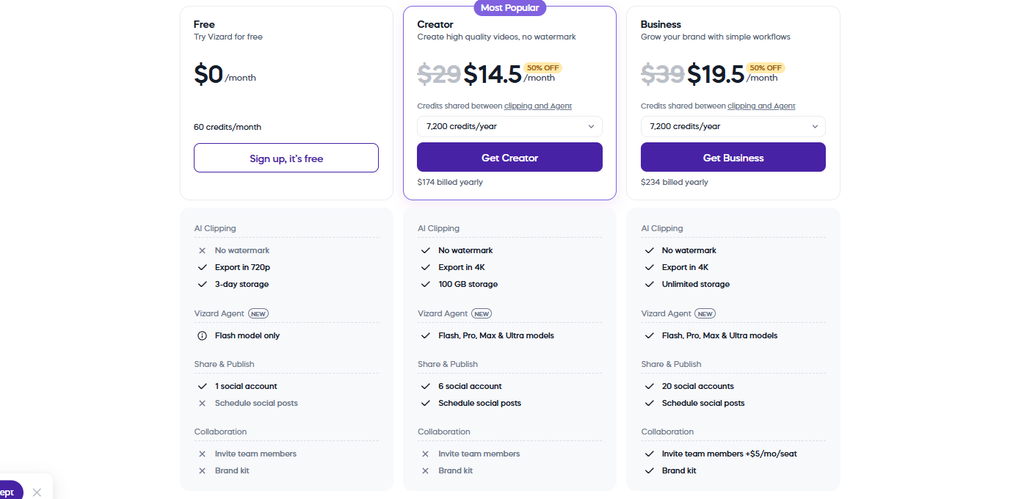
Vizard offers a free plan. Its Creator plan is listed at approximately $29/month with monthly billing, or $14.50/month when billed annually.
Our verdict: Vizard is a good choice if you want to try AI clipping without committing to a paid subscription immediately.
4. Submagic – Best for Animated Captions
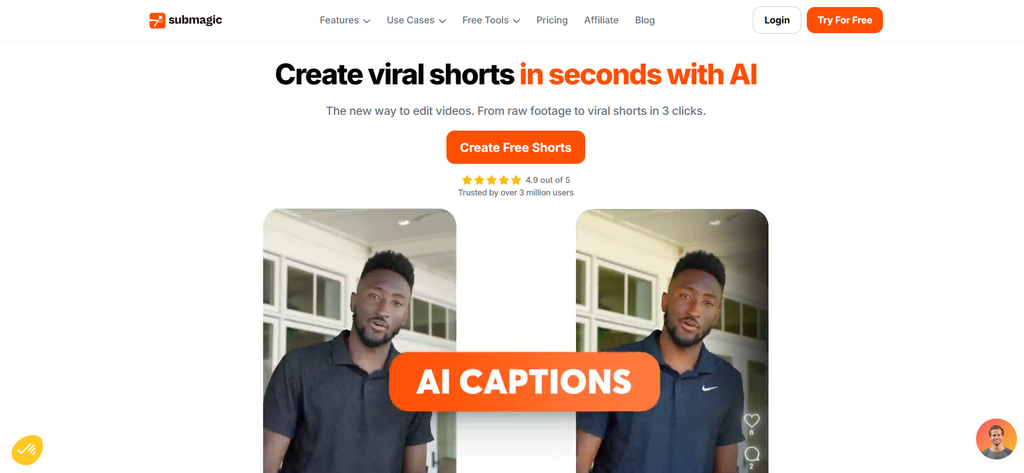
Best for: Creators who want visually engaging short videos with captions and effects.
Submagic is focused on short video clips and provides a great way to add animations, captions, and editing effects. It is great for talking head videos, social media clips, and promotion. The editing features include captions, which can help viewers follow the video, especially if they are watching the video without sound.
However, if you are looking for editing that focuses on the captions rather than the best parts of a long video, you may find a dedicated clipping tool like Klap to be more convenient. This is great if you have created short clips and want to make them more engaging.
Key Features
- Animated captions
- Subtitle customization
- Automatic editing features
- Zoom effects
- B-roll options
- Short-form video enhancement
Submagic Pricing
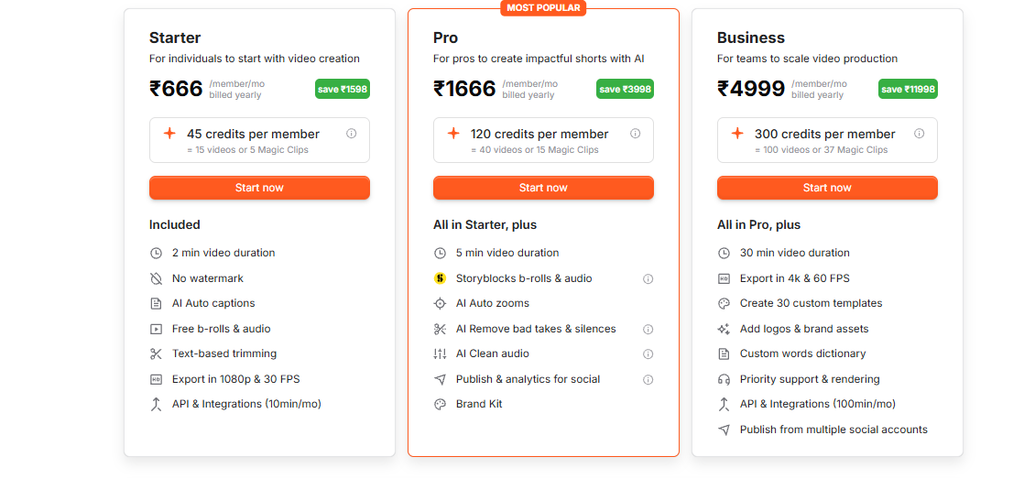
Submagic’s entry-level paid plans start around $19/month with monthly billing. Annual billing offers lower monthly rates.
Our verdict: Submagic is worth considering if captions, visual effects, and presentation are your main priorities.
5. Descript – Best for Transcript-Based Editing
Best for: Creators who want to edit videos by working with text.
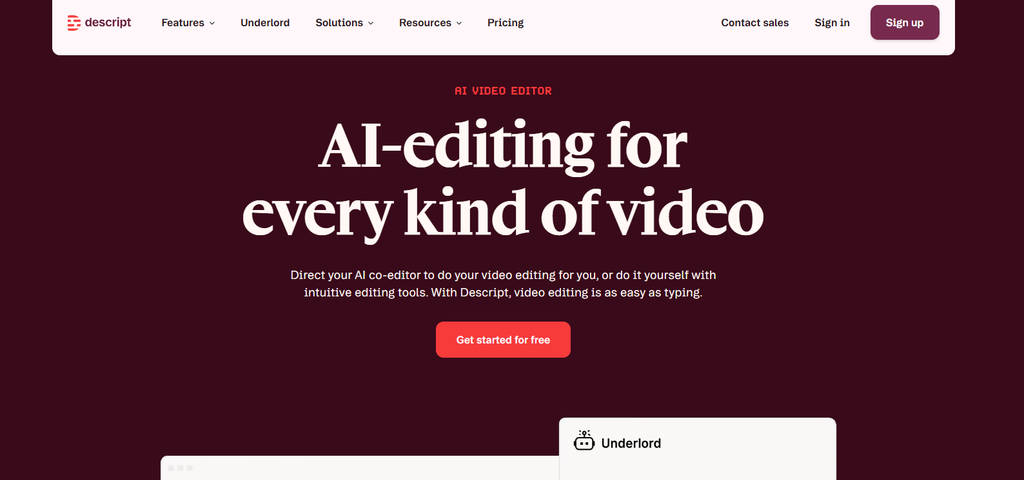
Descript takes a different approach to video editing. It transcribes recordings and allows users to edit their videos by modifying the transcript.
For example, deleting a sentence from the transcript can remove the corresponding section from the video.
Key Features
- Automatic transcription
- Text-based video editing
- AI clip generation
- Filler word removal
- Captions
- Audio editing
- Screen recording
Descript is useful for creators who want greater control over the original recording. You can clean up interviews, remove unwanted sections, and prepare content before creating shorter clips.
The editing approach can be especially helpful for educational videos, presentations, and podcasts.
Descript Pricing
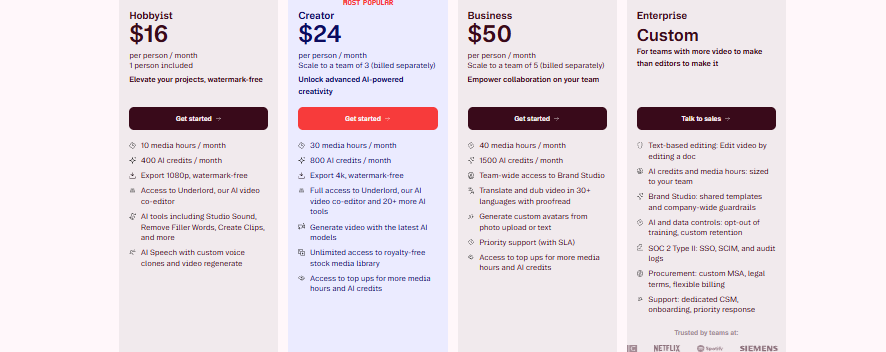
Descript offers a free plan with limited usage. The Hobbyist plan starts around $24/month with monthly billing, or $16/month when billed annually.
Our verdict: Descript is a strong option for creators who want transcript editing alongside video clipping.
6. CapCut – Best Free Manual AI Clip Maker
Best for: Beginners and social media creators who prefer editing clips themselves.
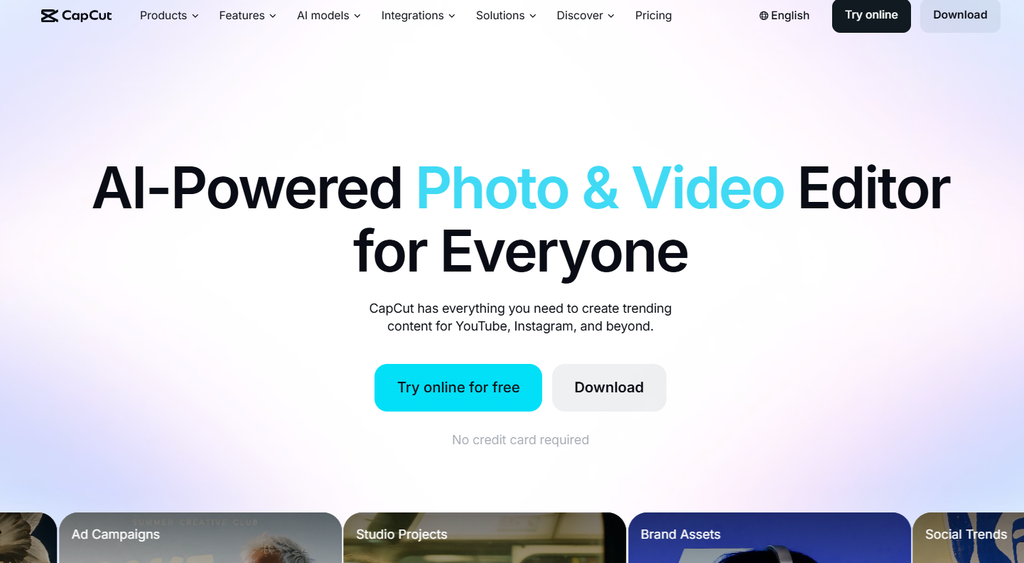
CapCut is a popular video editing tool that can be used on desktop, mobile, and in the browser. It provides editing tools including adding captions, effects, transitions, resizing, and more. This makes it really useful for editing your existing videos to make TikToks, Reels, and Shorts.
However, it is not specifically a tool for long video clipping. You may have to watch through your 60 minute podcast to find the best bits to include.
Key Features
- Automatic captions
- Video trimming
- Templates
- Transitions and effects
- Background removal
- Vertical video editing
- AI-assisted editing features
CapCut Pricing
CapCut has a free version with many basic editing features. Pro pricing varies by region, platform, and subscription options.
Our verdict: CapCut is a practical option for creators who want free editing tools and hands-on control over their videos.
7. Riverside – Best for Recording and Clipping Podcasts
Best for: Podcasters and interview creators who want recording and clipping in one platform.
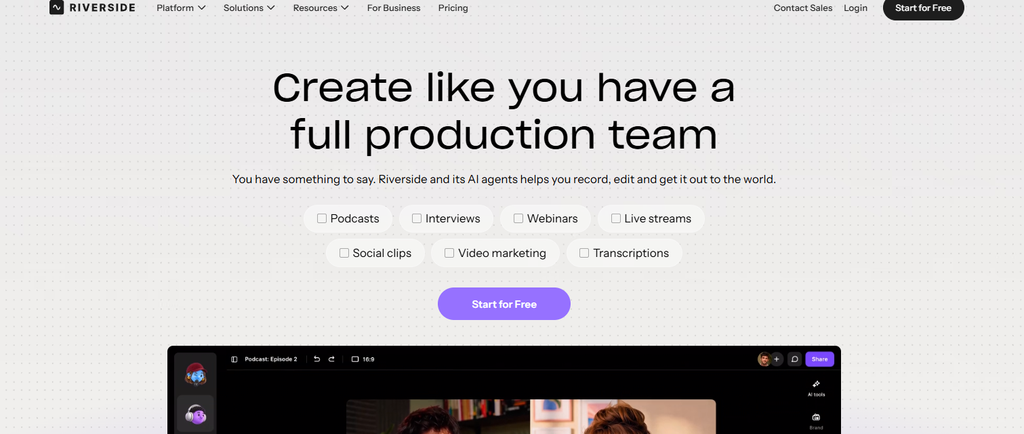
If you want to record interviews or conversations for your podcast, then Riverside is a great choice. It has an AI-based feature called Magic Clips, which can automatically pick the best parts of your recording and turn them into short videos.
The recording feature is very helpful for podcasters, but if you already have a large collection of YouTube videos or recordings, then a dedicated clipping application such as Klap may be a better option for you.
Key Features
- Remote podcast recording
- Separate audio and video tracks
- AI-generated clips
- Automatic transcription
- Captions
- Video editing
- Social media exports
Riverside Pricing
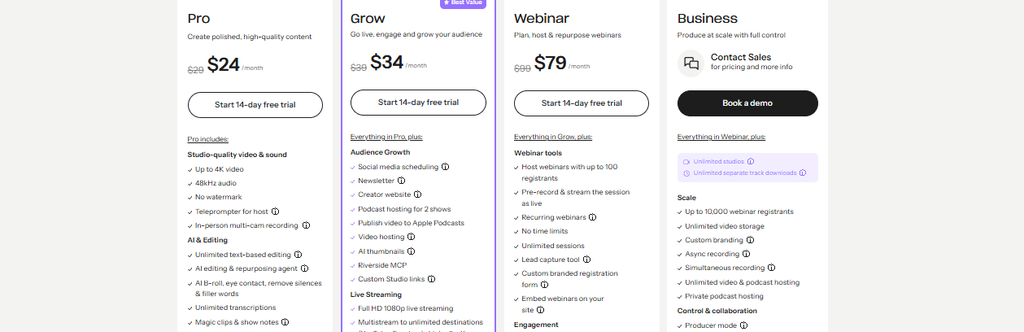
Riverside offers a free plan with limited recording and editing features. Paid plans include additional recording, export, and AI capabilities. Its Pro plan is approximately $35/month with monthly billing or $24/month billed annually.
Our verdict: Riverside is a good option for creators who need recording and clipping together.
8. VEED – Best for Browser-Based Video Editing
Best for: Creators who want to edit and subtitle videos online.
VEED is an online video editor that uses AI tools to caption, transcribe, resize, and improve videos. It can be a useful tool to help edit videos within your browser.
It is great for short videos, such as promotional clips, talking head clips, and social media. However, if you’re looking to automatically create several clips from a long podcast, then you may require a more specific clipping tool.
Key Features
- Automatic subtitles
- Online video editing
- Video resizing
- AI editing tools
- Background removal
- Screen recording
- Social video exports
VEED Pricing
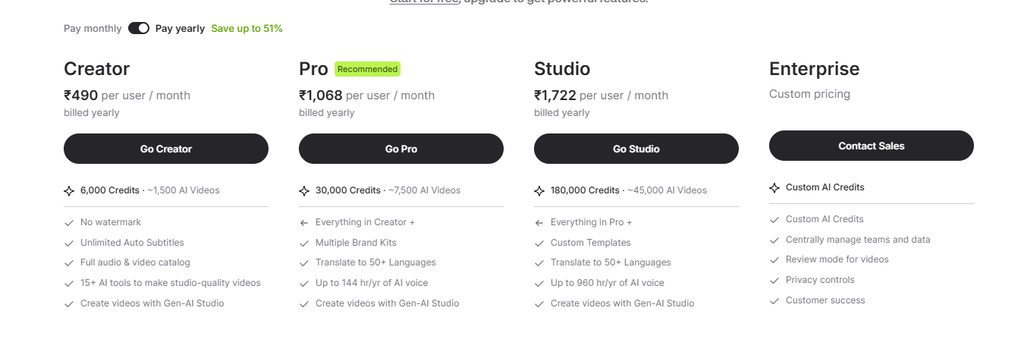
VEED offers a free plan with restrictions. Paid plans vary by feature and billing period, with entry-level Creator options commonly starting around $10/month when billed annually.
Our verdict: VEED is a flexible browser-based editor for creators who want captions and editing tools in one workspace.
How to Choose the Best AI Clipping Tool
For choosing the best AI clipping tool, you should first consider which types of videos you are going to need clips from.
Podcasts & Interviews
Klap can be used to create AI clips, track speakers, add captions and publish. Opus Clip and Riverside are also great options if finding clips and recording are important.
Free AI clipping
Vizard or Opus Clip are a great place to start if your budget is limited when it comes to trying out subscriptions. They both offer free trials. If you’d prefer to manually edit your clips, CapCut is a great option to try.
Professional looking captions
If you want to use animated subtitles and effects, Submagic would be a great choice. Klap can also be used to edit captions.
Full video editing
Descript is a great option for editing using transcripts. VEED and Cap Cut offer traditional editing.
Regular publishing
If you’re looking for a tool to create your clips and schedule them to your social media channels, Klap may be a good option. The calendar and analytics features can help to keep you publishing regularly.
Frequently Asked Questions
What is the best AI clipping tool of 2026?
Klap is the top choice for the best AI clipping tool of 2026. It has an AI clipper, intelligent re-framing, captions, editing, and publishing all in one place.
Can you use AI to select the best parts of a long video?
Yes, AI can scan through a video transcript to find moments that could be suitable as a clip. Klap, OpusClip, and Vizard can create several short videos from a longer recording. However, you should review the clips before publishing.
What is the best AI clipper for podcasts?
Klap is our top choice for podcasts. It can handle long recordings, speaker identification, re-framing for vertical format, and captions. OpusClip and Riverside are also great options.
Are there any better alternatives to OpusClip?
Other tools to consider would be Klap, Vizard, and Riverside. Klap is great to use if you want clipping, re-framing, captions, and publishing all in one place.
Can you publish AI-generated clips automatically on TikTok and YouTube?
Yes, some AI clipping tools allow you to publish or schedule your clips. Klap allows you to publish or schedule on TikTok, YouTube, Instagram, LinkedIn, and Facebook. Requirements will apply depending on your account and platform.
Is there a free AI clip generator?
Yes, Vizard and OpusClip have free plans; however, they are limited. Klap has a free trial for one video on new accounts in most countries. This means you can try out and edit your clips before upgrading.
Final Verdict – Which AI Clipping Tool Should You Use?
If you aim to turn long videos into short clips quickly, then Klap is our top choice for the best AI clipping tool of 2026. It has everything you need to create your clips quickly. It offers AI-selected moments, virality scoring, re-framing active speakers, captions, editing, and publishing. It is a practical choice if you often need to repurpose long videos.
OpusClip is another great choice for finding AI clips. Vizard is also worth trying for free clipping. Submagic is great for editing with captions. Descript, CapCut, Riverside, and VEED are all great for creators looking for various recording, editing, and improvement tools. If you want an easy way to turn your long videos into short, ready-to-post clips, then we would suggest starting with Klap.

Sapna Ghodasara is the founder of Guide of AI Tool, where she writes in depth reviews of AI tools for marketers, creators and businesses. Her reviews focus on what matters before you pay for a tool: real use cases, honest pros and cons, pricing, and how well it fits into an everyday workflow.
Sapna is the cofounder of SEOMagicLab. That mix of technical training and daily marketing work lets her judge AI tools from two angles: how well the technology actually performs and whether it delivers real value for the people using it.