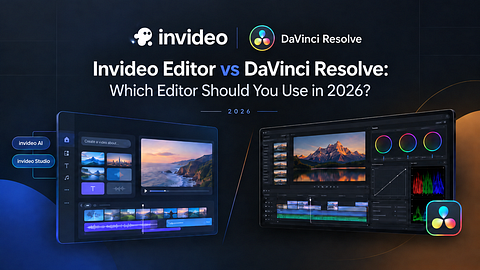
Comparing Invideo Editor vs DaVinci Resolve
| invideo Editor | DaVinci Resolve | |
|---|---|---|
| Workflow | A real timeline with AI agents you can assign editing work to, working manually or delegating freely | All-in-one software with a conveyor-belt style page layout (Cut, Edit, Fusion, Color, Fairlight, Deliver) |
| Ease of Use | Plain-language direction to agents, alongside a standard manual timeline | Higher learning curve, especially across its many dedicated pages |
| Specs | Runs entirely in the browser, no local hardware requirement | GPU-intensive, needs strong local hardware for demanding timelines |
| Resources | Newer product; growing documentation and community | Large, established community, official certification available |
| Pricing | Basic $9/Pro $25/Ultra $60 per seat/month, billed annually | Free version; Studio version ~$295 one-time purchase |
| Models & Plugins | 200+ generative models built directly into the project | Wide array of free and paid OFX plugins and Fusion tools |
Invideo Editor and DaVinci Resolve solve overlapping problems, cutting, grading, mixing, and delivering a finished project, from genuinely different starting points. One pairs a professional timeline with AI agents you can assign real editing work to. The other is a free, deeply specialized post-production suite built around color grading first and everything else second.
This guide breaks down workflow, color, audio, AI tools, and pricing so you can decide which one actually fits your project.
1. Overview: What Each Editor Is Best Known For
Invideo Editor
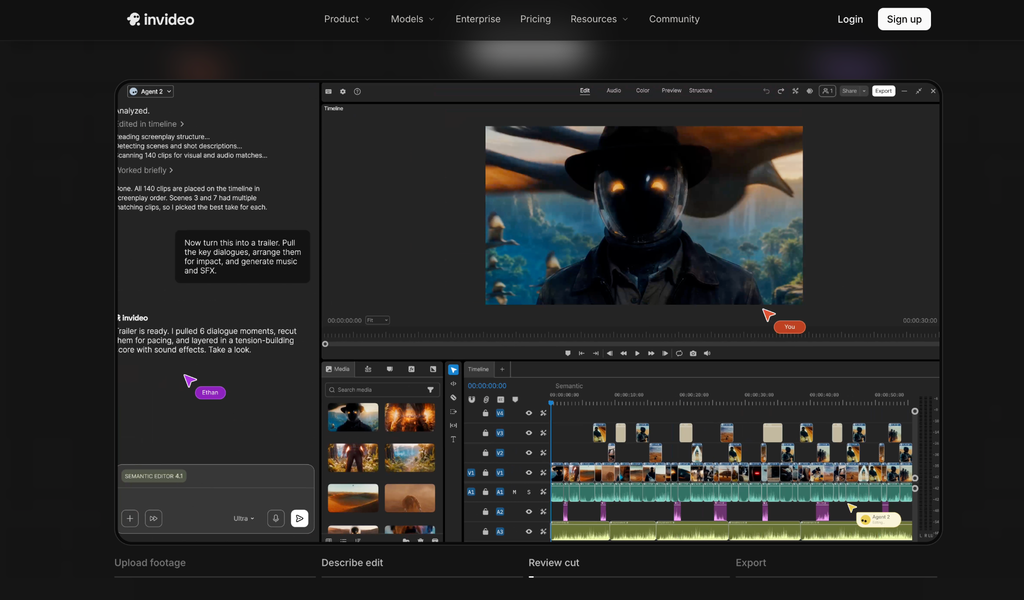
Invideo Editor pairs a real, frame-accurate timeline with AI-assisted video editing: agents assigned to do actual editing work, reviewing raw footage, assembling a base cut, syncing multicam angles, restructuring pace, grading, mixing, and dubbing, all from plain-language direction. Every agent action lands on a timeline that stays fully editable by hand, so a manual editor and an agent-driven one are the same project, not two separate tools..
Best known for:
- Agentic assembly that turns raw, unsorted footage into a working cut automatically
- A full professional toolset, keyframes, color grading, a built-in audio workstation, usable entirely by hand
- 200+ generative models available directly inside the edit
- Genuinely collaborative, multiplayer projects
DaVinci Resolve
DaVinci Resolve started as a high-end color grading platform and has grown into a full all-in-one post-production suite: editing, color, visual effects through Fusion, professional audio through Fairlight, and delivery, all inside one piece of software.
Best known for:
- Industry-standard color grading, still the benchmark most other tools are judged against
- A genuinely powerful free version
- An integrated workflow with everything under one roof
- Fast, stable performance on strong hardware
2. Editing Workflow
DaVinci Resolve
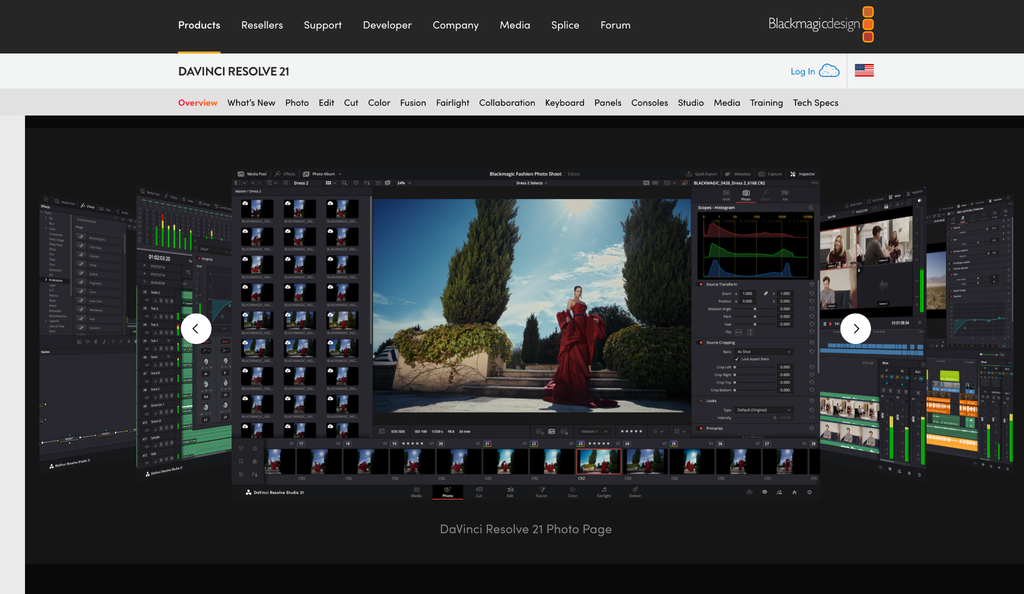
Resolve organizes work into distinct pages. Cut, Edit, Fusion, Color, Fairlight, and Deliver are moved through in a conveyor-belt-style sequence. Its Cut and Edit pages handle large, complex timelines well, though the page-based structure and depth take longer to learn than a single unified timeline.
Invideo Editor
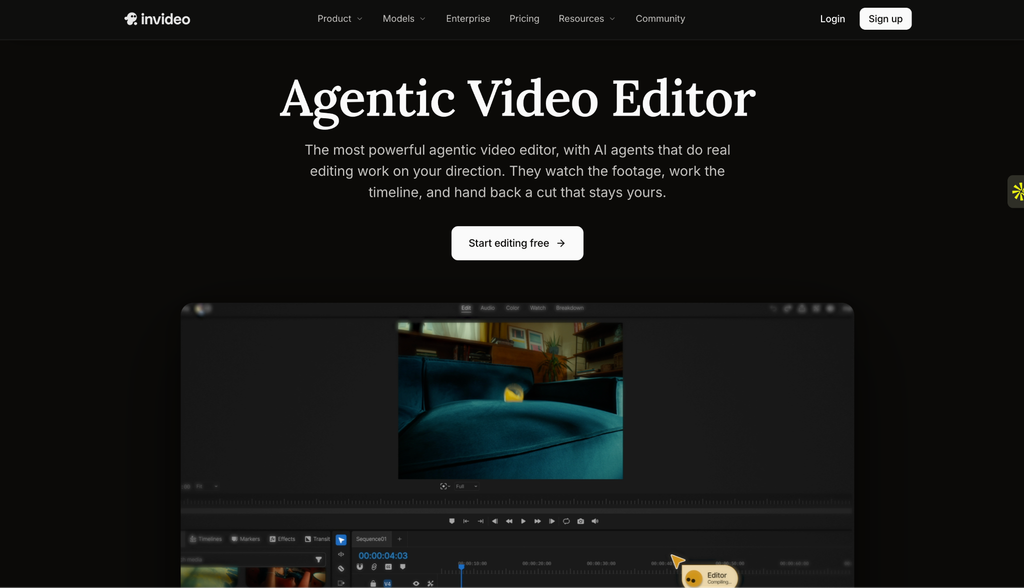
Invideo Editor starts from raw footage rather than an empty timeline: upload clips and describe the cut, and agents log takes, remove filler and false starts, and assemble a base cut before manual editing even begins. From there, the same project holds a full manual timeline, keyframes, restructuring, grading, audio, so a human editor can take over at any point.
Winner: Depends on the project. Resolve’s page-based structure suits a large, complex production with a dedicated colorist and sound mixer. Invideo Editor suits a project that starts from unsorted raw footage and benefits from an automatic first pass before manual refinement.
3. Color Grading
This category isn’t close, and it’s worth saying plainly.
DaVinci Resolve
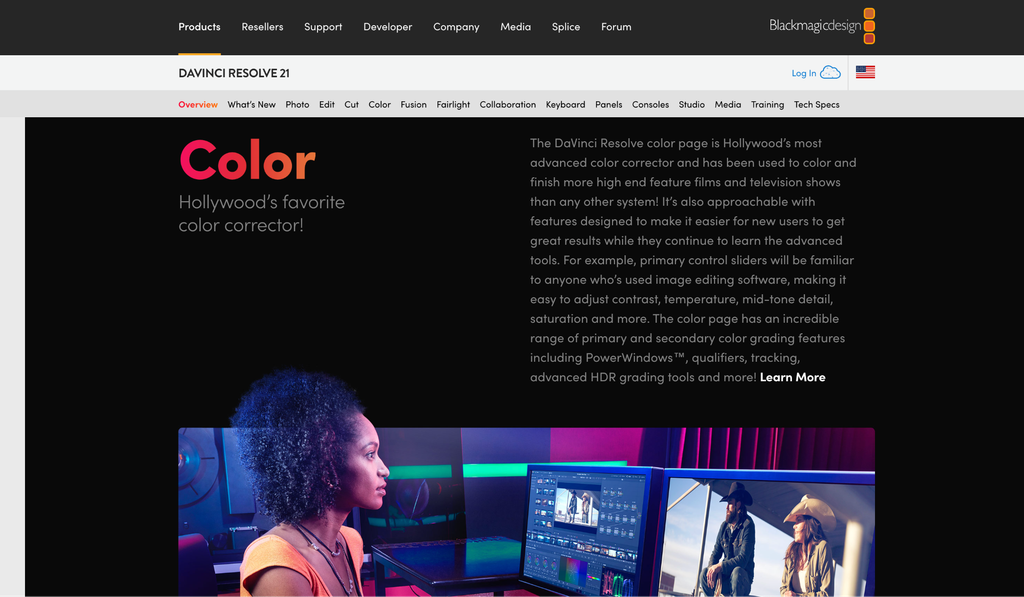
DaVinci Resolve is the global industry standard for color grading. Nodal workflows, professional HDR tools, advanced tracking, noise reduction, film emulation, and unmatched precision have made it the default choice for colorists working on commercial and cinematic projects.
Invideo Editor
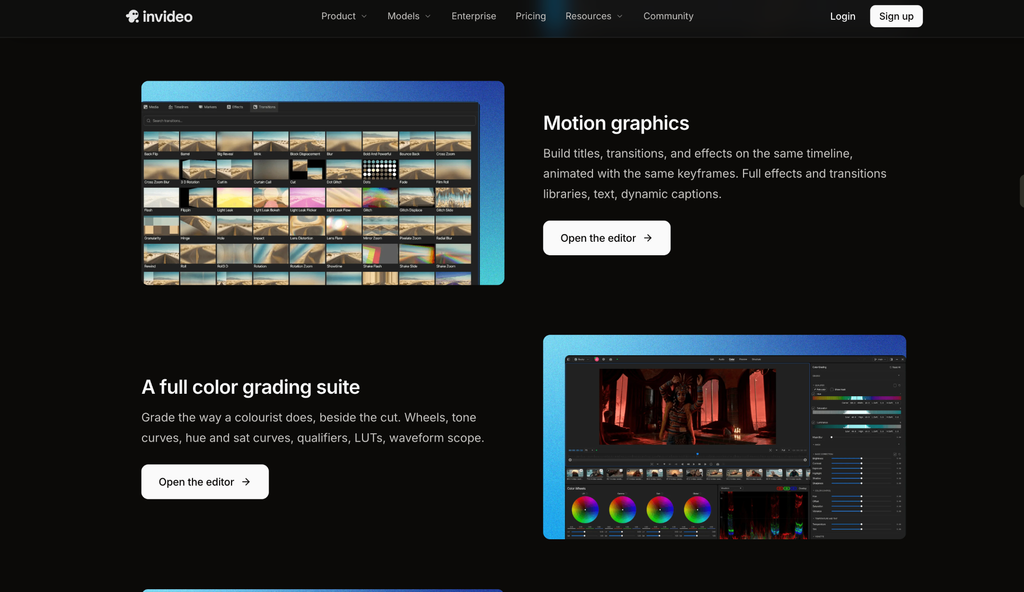
Invideo Editor includes a genuine grading suite of its own, lift, gamma, and gain wheels, tone curves, hue and saturation curves, qualifiers, vignettes, and LUTs with strength control, alongside a waveform scope and RGB overlay, but it’s built for an editor grading their own project inside the same timeline, not a dedicated colorist’s nodal depth.
Winner: DaVinci Resolve — its color tools remain the benchmark the rest of the category is measured against.
4. Audio Tools
DaVinci Resolve
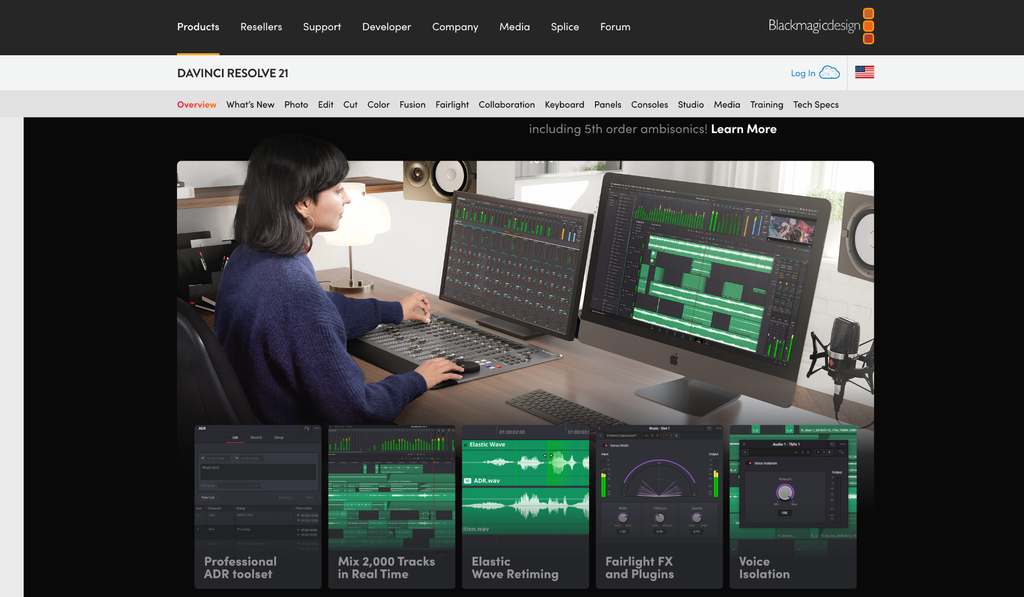
Fairlight is a full, professional audio post-production environment built into the same software, comparable to a dedicated tool like Pro Tools, with folder tracks, detailed mixing, and even the ability to drive Fusion animation from audio.
Invideo Editor
Invideo Editor has a built-in digital audio workstation directly inside the same project: voice, music, and effects on separate tracks routed through buses, per-track effects, pan, dB faders, solo and mute, and metering in L, R, and loudness units.
Winner: Close, both keep audio work inside the same project rather than requiring a separate application. Fairlight’s depth and dedicated hardware-level controls go further for a professional mix; the audio workstation inside invideo Editor covers what most editors need without leaving the timeline.
5. AI and Agent Features
DaVinci Resolve’s AI tools
Resolve 21 ships a wide set of AI tools: IntelliSearch for fast content search, CineFocus for focal point adjustment, Magic Mask for subject isolation, UltraSharpen for detail recovery, Voice Isolation for audio cleanup, and animated subtitles synced to speech. These are strong, genuinely useful individual features layered onto the traditional editing model, an editor still organizes footage and builds the timeline, and AI accelerates specific steps along the way.
The agents inside invideo Editor
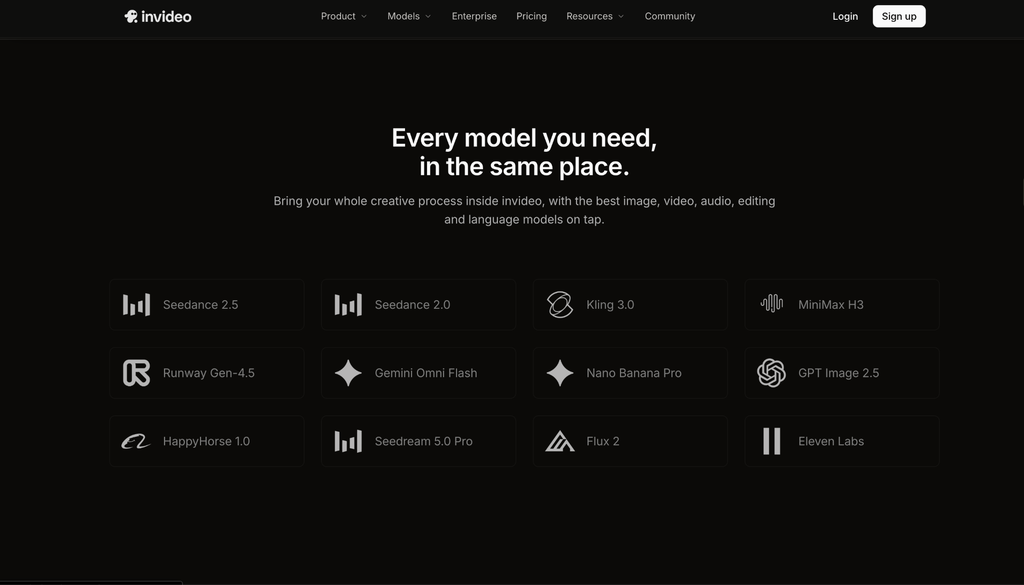
The agents inside invideo Editor work differently: rather than one feature at a time, an agent can be assigned a multi-step goal, assemble a base cut from raw footage, sync multicam angles, restructure pacing, match a reference edit’s style, or dub a project into another language, all from one plain-language instruction, working from the same understanding of the project across each task.
Winner: Different approaches. Resolve’s AI tools are deep, specific, and precise, particularly for color and detail work. The agents inside invideo Editor handle broader, multi-step jobs, like full assembly or dubbing, that Resolve has no direct equivalent for.
6. Performance and Platform
DaVinci Resolve
DaVinci Resolve is a demanding, GPU-intensive application that performs best on strong local hardware, especially with 4K, 6K, or 8K footage and multi-node color grades.
Invideo Editor
Invideo Editor runs entirely in the browser, on desktop, laptop, tablet, or phone, with no install and no local hardware requirement. Projects, footage, and agent work persist in the cloud, and an assigned agent job keeps running even if the tab is closed.
Winner: Depends on the setup. Resolve rewards a strong local workstation with excellent performance. Invideo Editor removes the hardware requirement entirely, useful for editing from any device without a dedicated machine.
7. Pricing
DaVinci Resolve
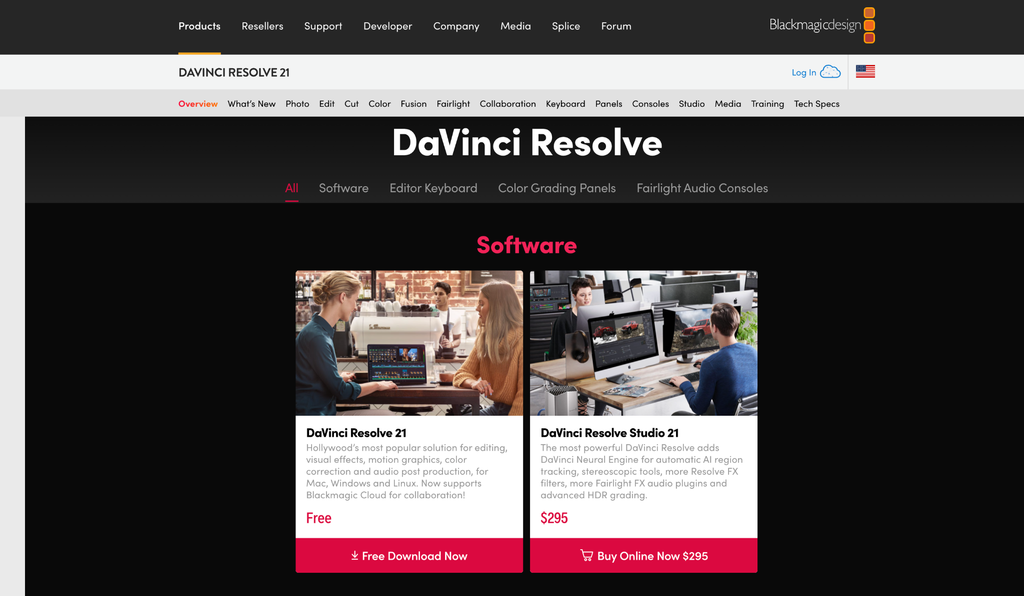
- Free version: genuinely powerful, most editors never need to pay
- Studio version: one-time purchase, roughly $295, no subscription
Invideo Editor
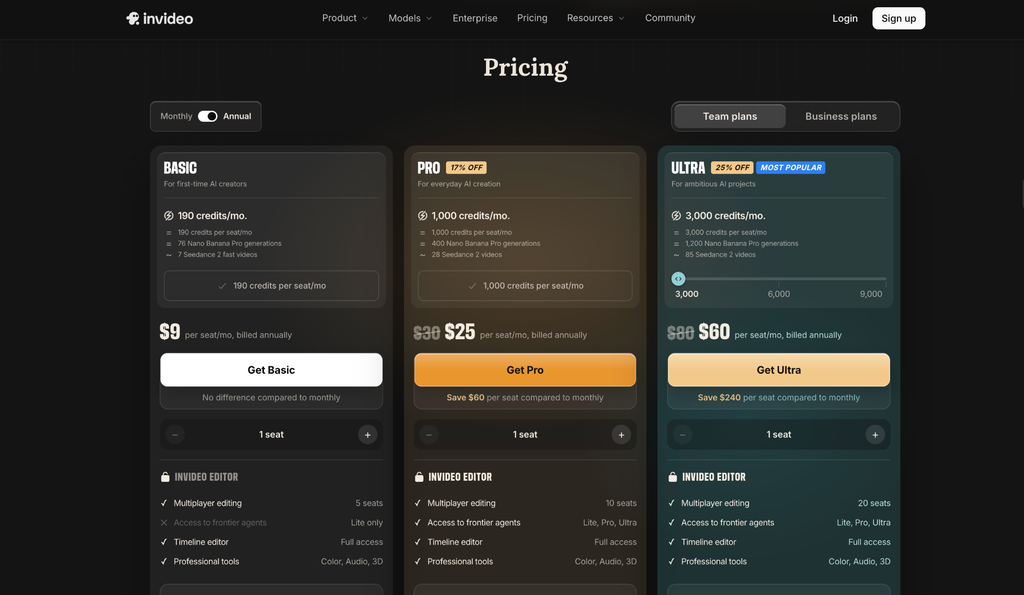
- Basic: $9/seat/month, billed annually, limited (“Lite only”) agent access
- Pro: $25/seat/month, billed annually, full agent access
- Ultra: $60/seat/month, billed annually, full agent access, higher credit allowance
Winner: DaVinci Resolve for pure long-term value; a one-time $295 purchase beats any ongoing subscription eventually. The pricing model on invideo Editor reflects an ongoing agent-usage cost rather than a license fee, which suits a different kind of budget than a one-time purchase.
8. Which One Should You Use?
Choose DaVinci Resolve if you:
- Want the best color grading tools available, full stop
- Prefer paying once rather than an ongoing subscription
- Have strong local hardware and work with demanding footage formats
- Need a dedicated, professional audio mixing environment
Choose invideo Editor if you:
- Start from raw, unsorted footage and want an automatic first assembly
- Want agents that execute a multi-step job, not a single feature at a time
- Need dubbing or reference-matching without a separate tool
- Want to collaborate with a team inside the same live project
- Want a genuinely capable manual timeline, even if you never assign an agent a single task
Final Verdict
Both are capable, professional editors built around different priorities. DaVinci Resolve leads decisively on color grading and long-term cost, and it rewards an editor with strong hardware and the patience to learn its page-based workflow. Invideo Editor leads on getting from raw footage to a working cut fast, and on multi-step agent work, assembly, restructuring, dubbing, that Resolve simply doesn’t attempt.
For a colorist or a production with demanding hardware and a one-time budget, Resolve remains the standard. For a project starting from unsorted footage that wants an automatic first pass and a team working inside the same live project, invideo Editor is built specifically for that job.
Frequently Asked Questions
Is Invideo Editor a replacement for DaVinci Resolve?
For editing, assembly, and everyday color and audio work, it can be. For dedicated, nodal-depth color grading on a demanding commercial or cinematic project, Resolve remains the more specialized tool.
Which is cheaper, Invideo Editor or DaVinci Resolve?
DaVinci Resolve’s free version, or its one-time $295 Studio purchase, is cheaper over time than any ongoing subscription. The Basic tier on invideo Editor starts at $9/seat/month, with full agent access starting on the Pro tier at $25/seat/month.
Does Invideo Editor require powerful hardware like DaVinci Resolve does?
No. Invideo Editor runs entirely in the browser and doesn’t require local GPU power the way Resolve’s demanding color and effects work does.
Can DaVinci Resolve’s AI tools do what the agents inside Invideo Editor do?
Not directly. Resolve’s AI tools are deep, specific features- search, masking, sharpening- that accelerate individual steps. The agents inside invideo Editor execute broader, multi-step jobs like full footage assembly or dubbing from one instruction.

Sapna Ghodasara is the founder of Guide of AI Tool, where she writes in depth reviews of AI tools for marketers, creators and businesses. Her reviews focus on what matters before you pay for a tool: real use cases, honest pros and cons, pricing, and how well it fits into an everyday workflow.
Sapna is the cofounder of SEOMagicLab. That mix of technical training and daily marketing work lets her judge AI tools from two angles: how well the technology actually performs and whether it delivers real value for the people using it.